Participant
May 9, 2025
Answered

Auto Trace not there

  • May 9, 2025
  • 1 reply
  • 478 views

In my version of After Effects, I cannot find the Auto Trace option. I want to create a layer to apply an effect to my logo. I need a layer that will allow the effect to recognize the anchor points of the logo. I’ve tried a few workarounds with Illustrator and the Brush Tool, but nothing seems to work as expected.


The program should automatically recognize the logo and create a layer with a mask around it. Could someone please help me with this? Here’s the logo I want to trace and create a mask around.


(I have a german Version of After effects) 

this is the Logo I want to Auto trace 
 

Correct answer JohnColombo17100380

Hi @michael_8512,

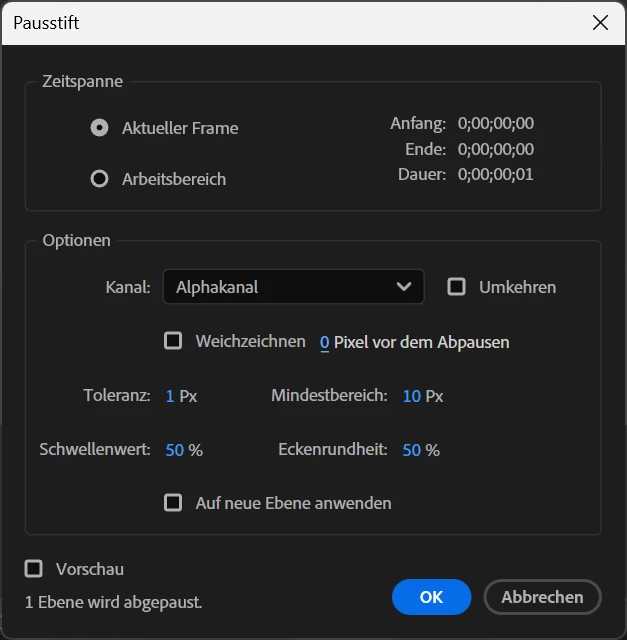
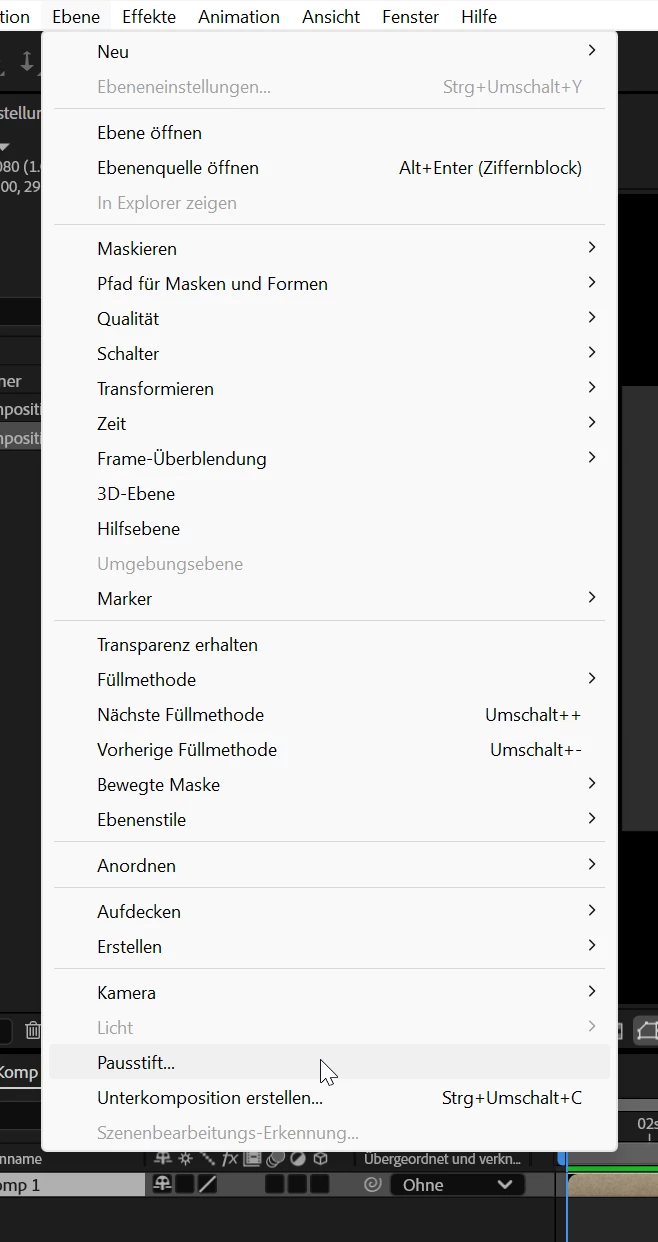
Thank you for making this report. You should be able to find the Auto-trace command in the Layer menu and it is will be enabled when a your logo layer is selected in the Timeline. Depending on your logo, you may want to set the Channel control to "Luminance" if the logo doesn't have a transparent background or "Alpha" if it does.


Please see the images below (taken with AE running in German).

Cheers,

- John, After Effects Engineering Team

1 reply

JohnColombo17100380
Community Manager
JohnColombo17100380Community ManagerCorrect answer
Community Manager
May 9, 2025

Hi @michael_8512,

Thank you for making this report. You should be able to find the Auto-trace command in the Layer menu and it is will be enabled when a your logo layer is selected in the Timeline. Depending on your logo, you may want to set the Channel control to "Luminance" if the logo doesn't have a transparent background or "Alpha" if it does.


Please see the images below (taken with AE running in German).

Cheers,

- John, After Effects Engineering Team