
Known Participant
May 10, 2023
Question

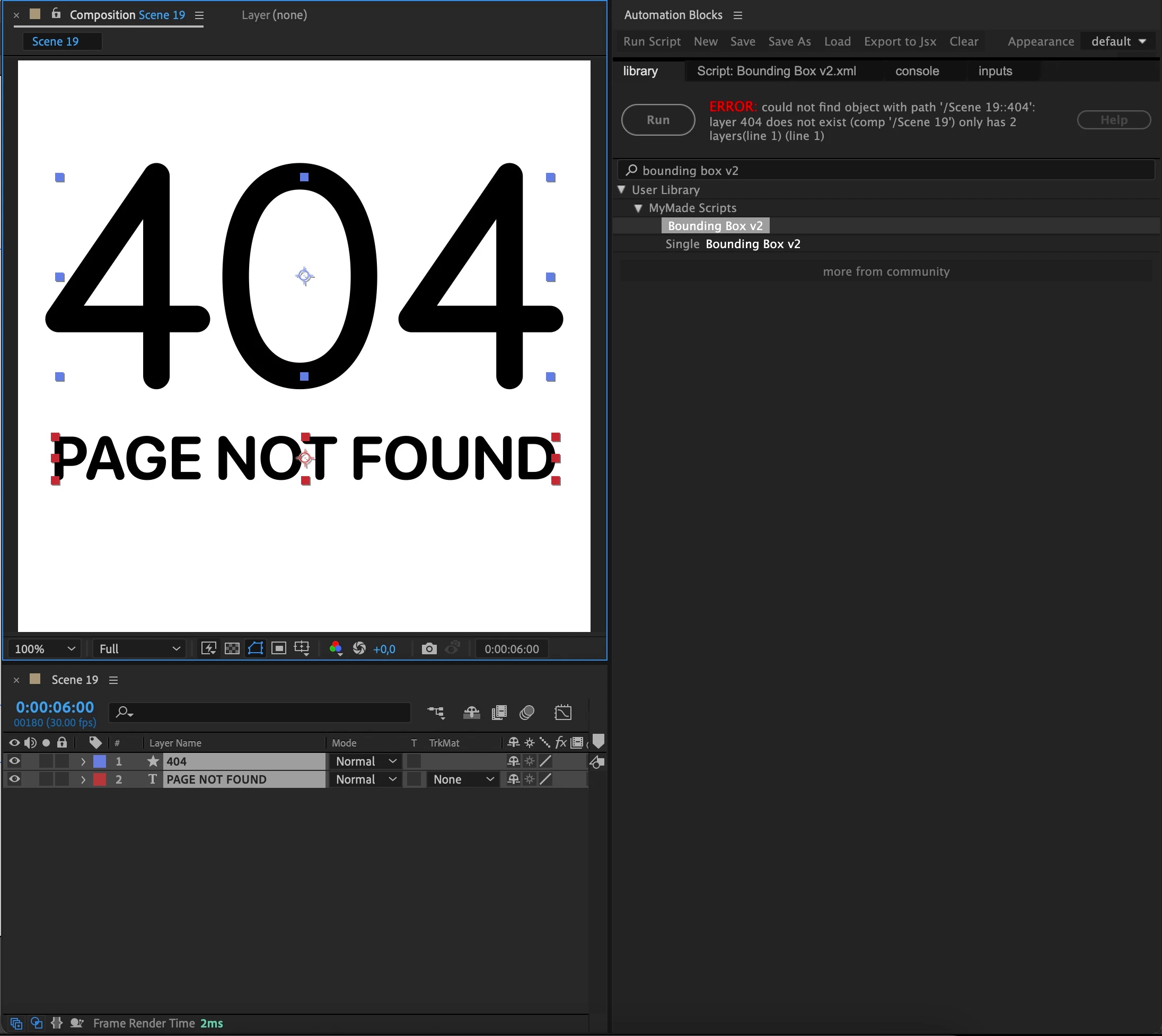
Automation Blocks can't work with when layer name is number

  • May 10, 2023
  • 2 replies
  • 1447 views

Hi, thank you for Automation Blocks save my hours everyday.
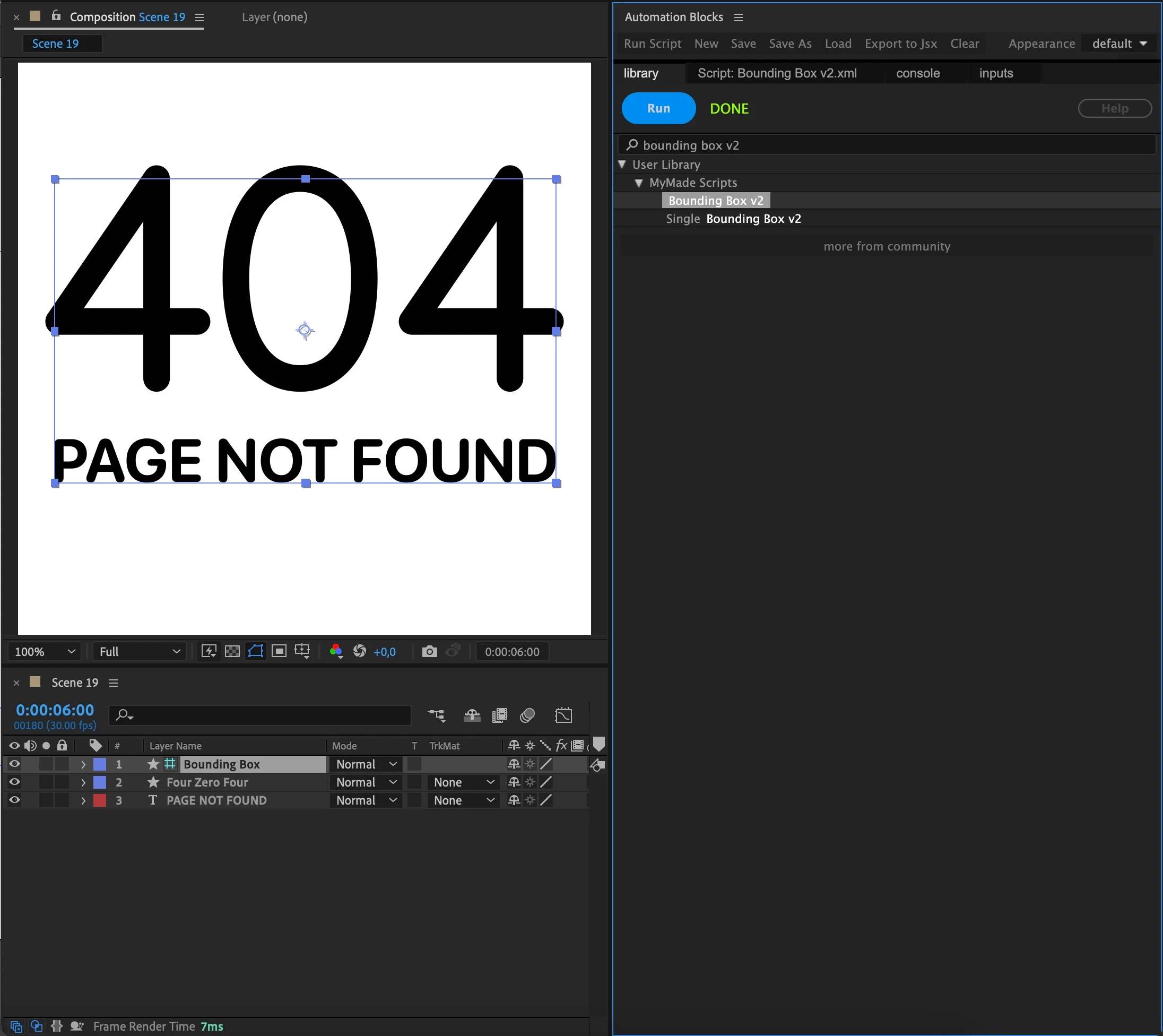
I can work with all layers but when my layer name is number Automation Blocks is not working. Do I need know any tip about this issue?
Here two screenshots with layer name is number and only text.


This topic has been closed for replies.

2 replies

Mathias Moehl
Community Expert
Community Expert
May 11, 2023

The reason why this does not work is that Automation Blocks supports accessing layers both by name or index. If you try to access layer 404, it thinks you want to access a layer with index 404.

See https://mamoworld.com/docs/automation-blocks/block-reference/aeLayer#by-layer-name


Therefore, you should avoid layer names consisting just of numbers.

Mathias Möhl - Developer of tools like BeatEdit and Automation Blocks for Premiere Pro and After Effects
Known Participant
May 11, 2023

I understand. Is it possible add any option for this in next release?
I'll try not use numbers but some typeface projects has number name layers and need to manually change to non numbers names.
Thank you

Mathias Moehl
Community Expert
Community Expert
May 12, 2023

I will think about it and see what I can do.

Since this looks like a script custom-made by you: Could you share the script such that I can take a look at its implementation?

Mathias Möhl - Developer of tools like BeatEdit and Automation Blocks for Premiere Pro and After Effects
JohnColombo17100380
Community Manager
Community Manager
May 10, 2023

HI @PolyArtboard,

Automation Blocks is made by @Mathias Moehl. He would be the best person to help with this issue.


Cheers,

- John, After Effects Engineering Team