

m1jackson
Inspiring
January 23, 2026
Question

Automation Blocks - Custom Input Popup Menu Irregularity

  • January 23, 2026
  • 1 reply
  • 23 views

I'm displaying a popdown menu in a custom input dialog and I'm getting an odd pink square next to some list items. The two boxed items are consistant from shut down to start up. Even if new items are added to the list (via the Shot.csv spreadsheet. see below), these two CAB and DAB have the issue.
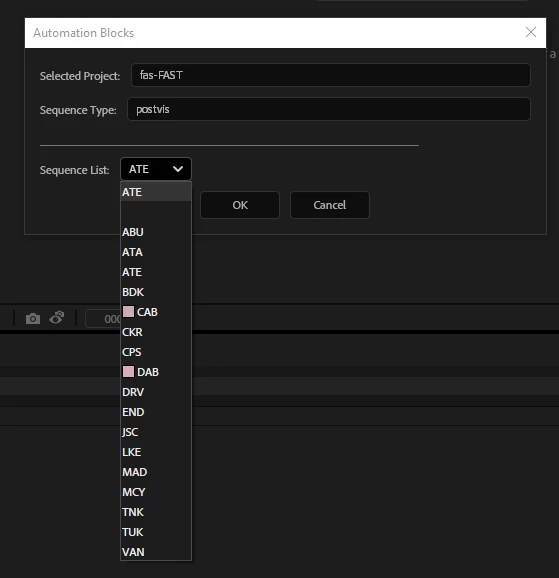
 

MenuIrregularity.png


Since this is part of a very complicated dialog, I've included is the entire function for this dialog as context.
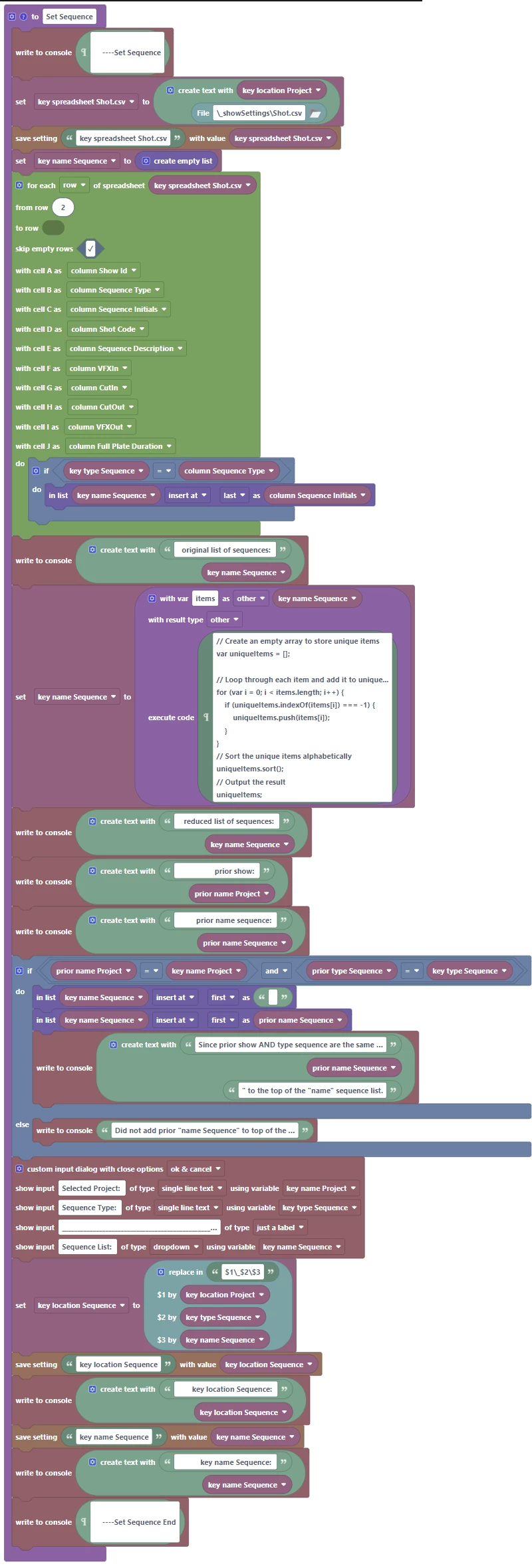
 

Setsequence1.png

There does not appear to be anything in the .csv that would cause an issue.

shotcsv.png


In input/insight you can lend would be appreciated.


Mike


P.S. Have you ever thought about executing the request (long ago) for setting a window layout preference so we don't have to change the layout everytime we launch the extension? It'd be soooooo great!

1 reply

Mathias Moehl
Community Expert
Community Expert
January 23, 2026

Hi Mike,

this is caused by this feature:

https://docs.mamoworld.com/automation-blocks/block-reference/userInterfaceAndComments#dropdown-lists-with-color


Automation Blocks looks at all dropdown entries and if they "look like a color" it adds a color swatch for convenience.

Now in the decision, what "looks like a color" the tool is not very strict. 

#ffffff is white

#fff is also white

fff is still whit for Automation Blocks (it considers the # as optional)


So every 3 or 6 letters string which contains only numbers and letters between a and f is interpreted as a color.


I should probably not have made the # optional, I will put a note for future updates. 

So there is no way to avoid the color right now (but except for showing up in the UI they don't hurt) unless you change the actual dropdown value. Adding a space is already good enough, so "DAB" has the color swatch "DAB " does not have it.


All feature requests are still on my list and will be considered during the migration to UXP 🙂


Mathias Möhl - Developer of tools like BeatEdit and Automation Blocks for Premiere Pro and After Effects
m1jackson
m1jacksonAuthor
Inspiring
January 27, 2026

Thank you for the explanation and update on a forthcoming version. Do you have a "date" in mind?

Mathias Moehl
Community Expert
Community Expert
January 27, 2026

I am currently working on migrating BeatEdit to the new UXP scripting engine. Next is Automation Blocks. So no date, but not really soon.

Mathias Möhl - Developer of tools like BeatEdit and Automation Blocks for Premiere Pro and After Effects