

m1jackson
Inspiring
September 24, 2024
Question

Automation Blocks - Replace layer with Precomp

  • September 24, 2024
  • 1 reply
  • 727 views

I promise that I've scoured the documentation and REwatched all the youtube videos and can find no mention of how the following might occur.


I have a template file that I start with for every shot. I import in a tracked scene and I'd like that comp to replace a piece of footage in my work comp.

By muscle memory I know to alt/opt drag the Camera01_3d comp over the Source Footage layer in the Work comp.
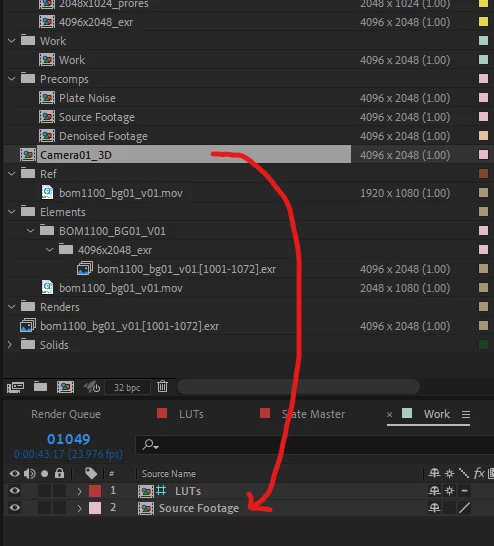
Is it possible for Automation Blocks to accomplish this task? If so, how? As always, thanks!

This topic has been closed for replies.

1 reply

Mathias Moehl
Community Expert
Community Expert
September 24, 2024

Yes, you need to use the block Set Attribute of Layer and choose as attribute in the dropdown Source Item

Mathias Möhl - Developer of tools like BeatEdit and Automation Blocks for Premiere Pro and After Effects
m1jackson
m1jacksonAuthor
Inspiring
September 26, 2024

The option drag to replace project items also occurs within items of the project window, but there doesn't seem to be a similar Source Item funtion in the Set Project Attributes Block.

If I need to replace all uses of a piece of footage, do I have to do them manually?

Mathias Moehl
Community Expert
Community Expert
September 26, 2024

Do you want to Set the File of the project item?

Mathias Möhl - Developer of tools like BeatEdit and Automation Blocks for Premiere Pro and After Effects