

m1jackson
Inspiring
December 4, 2022
Question

Automation Blocks - Search files/folders in a folder

  • December 4, 2022
  • 1 reply
  • 1045 views

Three questions

1. I'm trying to parse out and move files from a source directory into a shot's folder structure.
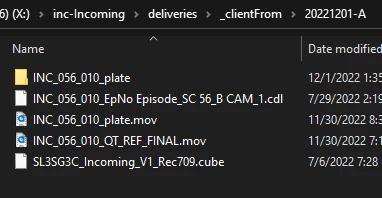
_plate into elements

.cdl into lut

_plate.mov into elements

_QT_REF_ into ref

.cube into lut
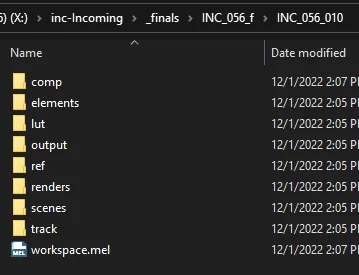
 

I've figured out how test if the file name contains the relevant data. (This only looks at specific files currently)
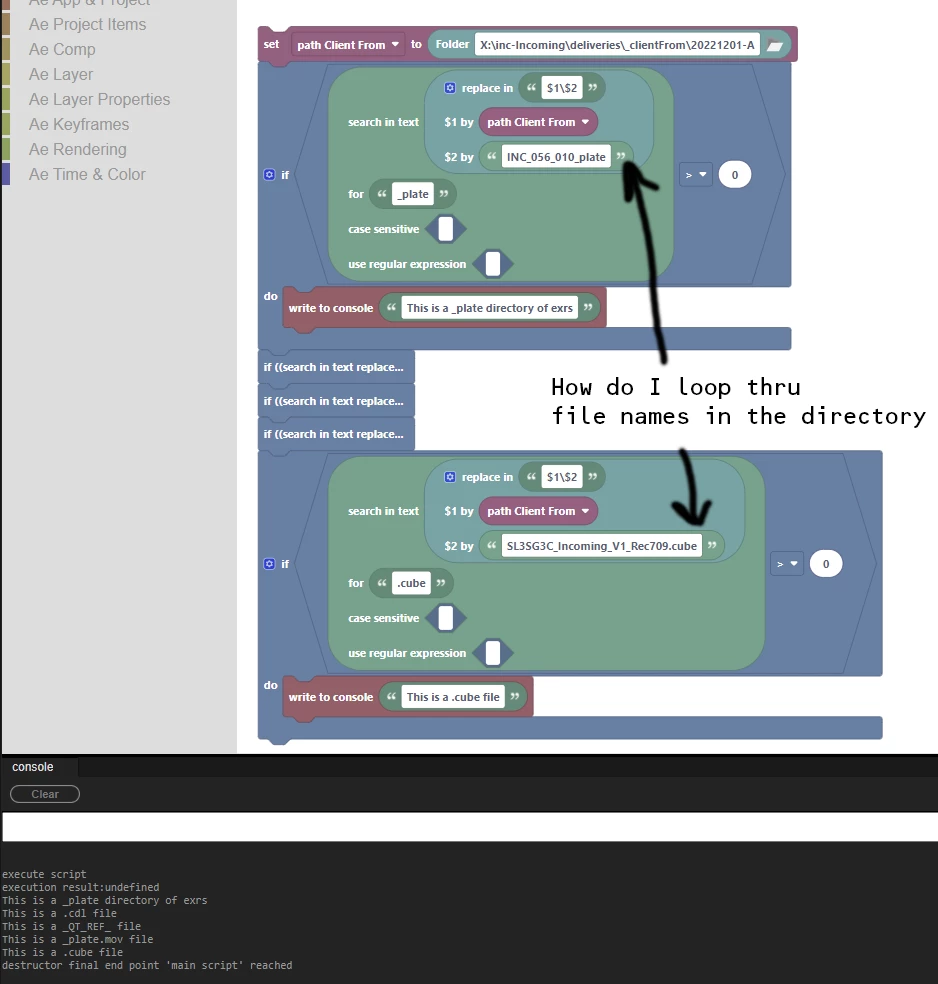
What I am unable to figure out is how to search a directory to see if files or folders have the correct conditions so I can move them.


2. In working with the Copy files block, I'm noting that it is VERY slow compared to dragging in the finder/explorer window. Any ideas why?

3. Is there a way to move files as opposed to copying them and deleting them?

This topic has been closed for replies.

1 reply

Mathias Moehl
Community Expert
Community Expert
December 4, 2022

1, you need to use the List of Files block to get a list of all files in the folder and then use the For Each loop, to loop over all files in that list.

2./3. Moving files (in particular big files) is much faster than copying them. Scripting has only features to copy files and not to move them, unfortunately (which would in deed be much faster). I think the scripting engine does not have such a function, hence, it is not just a limitation of AB, but of Ae's scripting engine in general.

Only workaround that comes to my mind for fast moving of files:

step 1. use the Write Text File block to write a .bat file (or on Mac maybe a .sh shell script file) and insert the copy commands you want to execute into that bat file.

step 2. execute the bat file.

That way, copying or moving files will be as fast as doing it in the terminal.

Mathias Möhl - Developer of tools like BeatEdit and Automation Blocks for Premiere Pro and After Effects
m1jackson
m1jacksonAuthor
Inspiring
December 4, 2022

So fast on the response! Thank you.


Now I have a whole lot of work to do. This is fantastic. I'll share back what I end up with.