

m1jackson
Inspiring
November 20, 2024
Question

Automation Blocks - Set Start Frame

  • November 20, 2024
  • 1 reply
  • 441 views

In my continuing quest to script a template, I've got a variable start frame from the client's lineup sheet. (This shot starts on 1001, this shot starts on 1097, etc.) So I've been trying various ways of setting the Comp's Start Frame via script. My template is set to 1000.
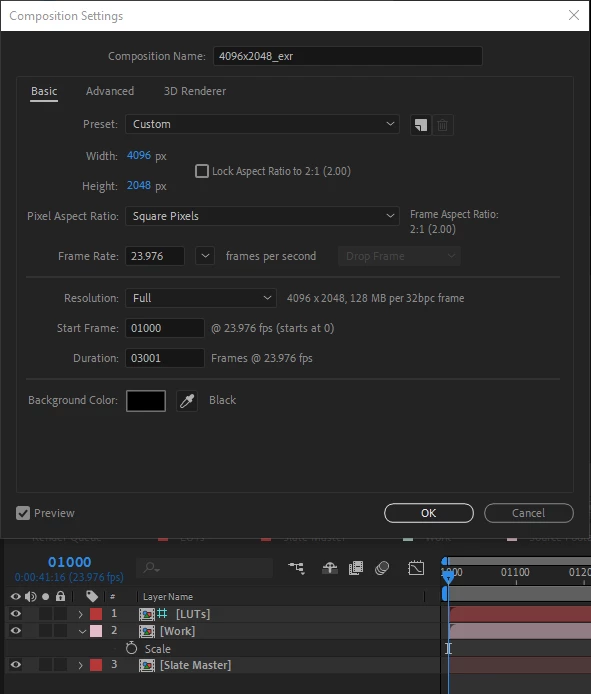
 

...but I'd like to change it to (in this example) 1016 or some other number.
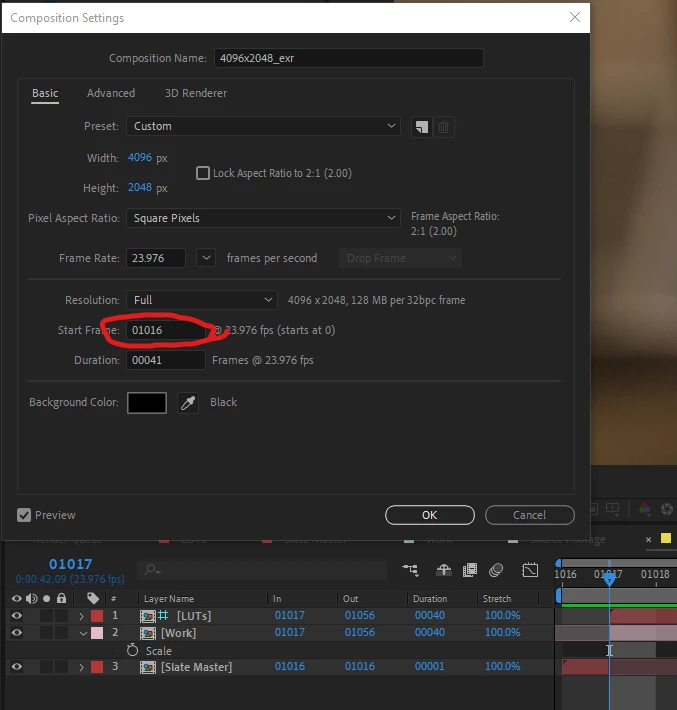
For the life of me, I can not find it in the set attributes block of Ae Comp (work area start, display start frame, display start time, work area start), or Ae Project Items (time).


To paraphrase C-3PO on the Death Star, "Where could it be?"


This topic has been closed for replies.

1 reply

Mathias Moehl
Community Expert
Community Expert
November 20, 2024

I think this should be display start frame, no?

Mathias Möhl - Developer of tools like BeatEdit and Automation Blocks for Premiere Pro and After Effects
m1jackson
m1jacksonAuthor
Inspiring
November 27, 2024

I figured out what "my" problem was.

I was getting confused when trying to set a piece of footage that had the first 16 frames clipped off and was trying to shift it to frame 1017 (actual frame 1) . The display start frame IS the answer.


I get "why" After Effects sets frame based on 0, but I got confused.

Mathias Moehl
Community Expert
Community Expert
November 28, 2024

Thanks for sharing and great to hear that you could solve the issue 🙂

Mathias Möhl - Developer of tools like BeatEdit and Automation Blocks for Premiere Pro and After Effects