
Background Layer Isn't Showing up under transparency in pre-comp
I'm attaching 3 images to show the issue I'm having. I have 2 layers in the "Campus Community" comp: Paper People Fold 2 (the pre-comp layer), and a Paper Texture I'm using as a background.
The first image is me showing inside the pre-comp layer. The Paper People are shapes layers I created in Illustrator. I know I don't show all the way to the bottom layer in this image but there's nothing down there. It's just 14 copies of the comp housing the main Paper Person, and a camera layer at the top. It's also worth noting that the transparency is working in this comp (if I paste the same texture layer in that comp it shows up behind the people.
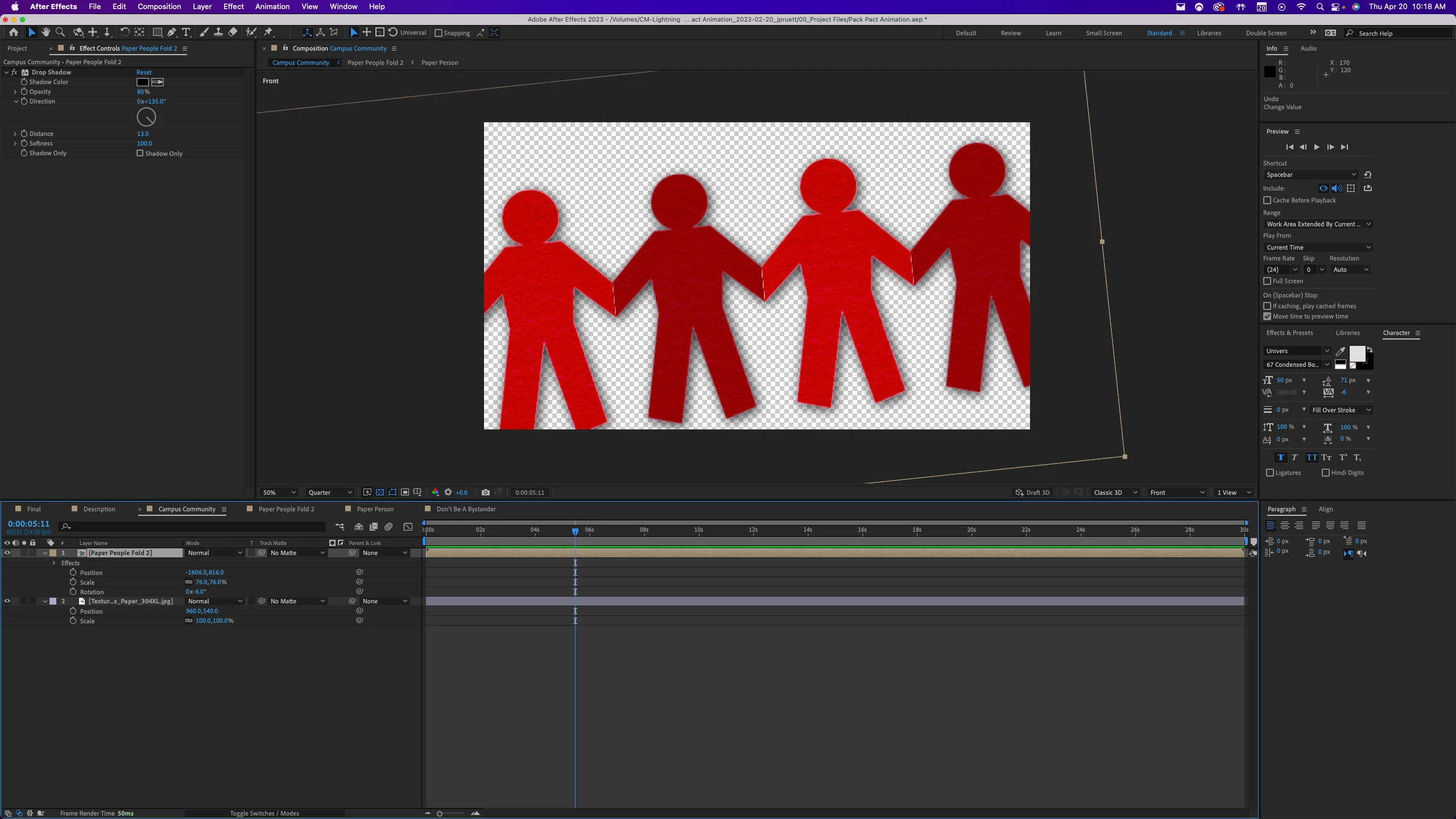
The second image is showing off the actual issue. As you can see, both layers are turned on, but the Paper Texture doesn't show up in the transparent areas like it should.
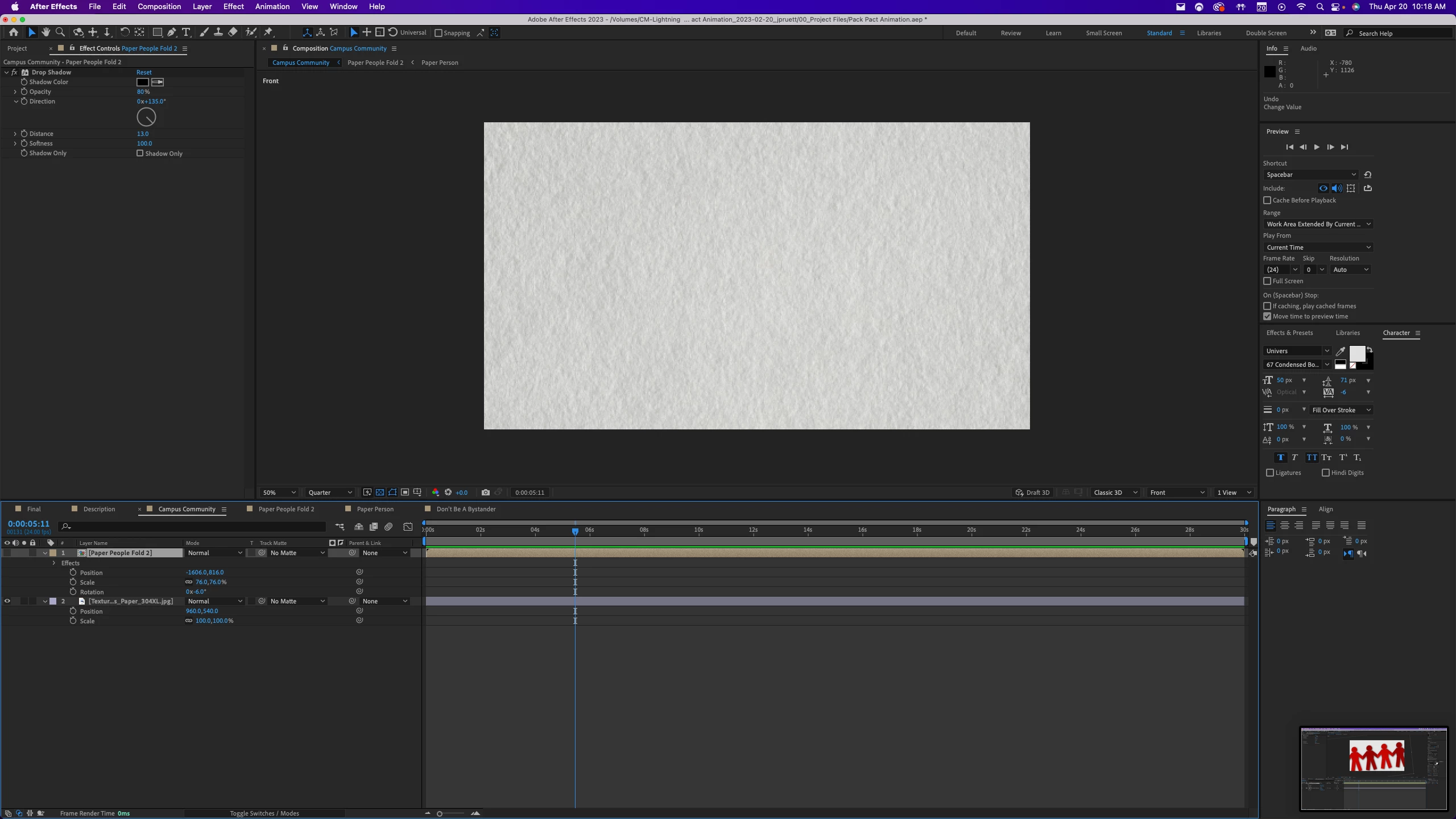
The third image is with the top layer turned off, so you can see what the paper texture looks like and what should be showing up under the top layer.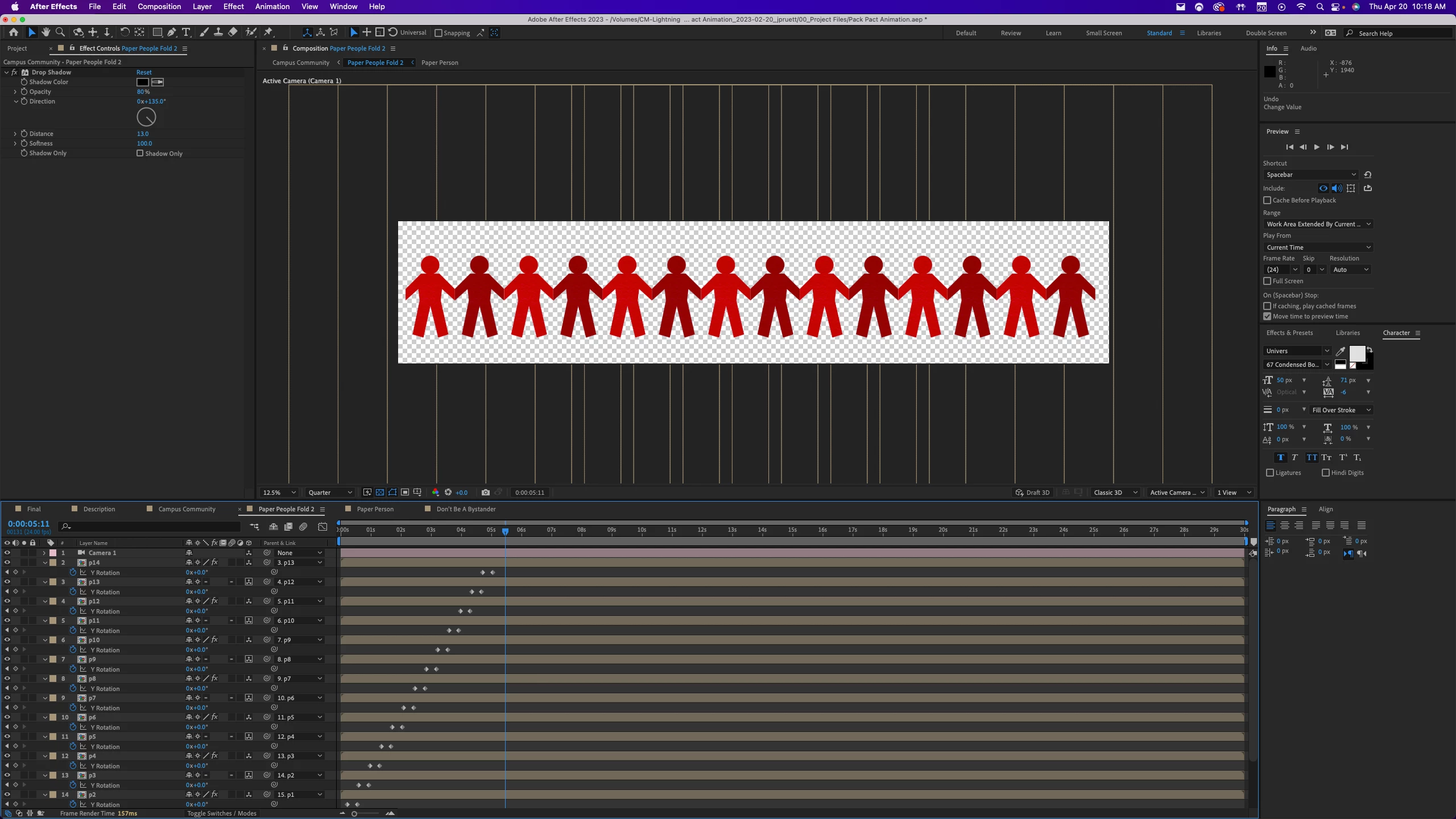
 AdChoices