
Question
Batch Change Composition Resolution/resolutionFactor (Script)
A tiny script to batch change the comp resolution setting for all selected project comps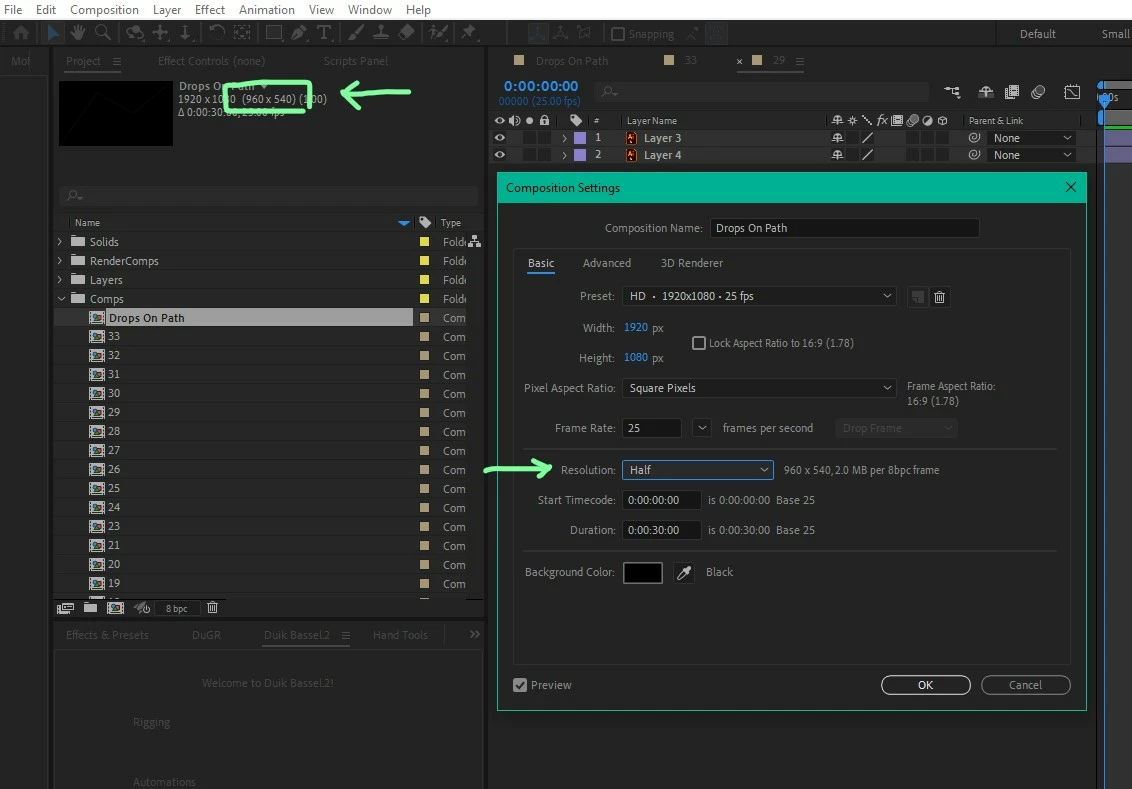
{
    var userInput = prompt("Enter a resolution factor (e.g., 1 for full, 2 for half, 3 for third):", "1");
    var res = Math.floor(parseFloat(userInput));

    if (!isNaN(res) && res >= 1 && res <= 99) {
        app.beginUndoGroup("Set Comp Resolution");

        try {
            for (var i = 0; i < app.project.selection.length; i++) {
                var myComp = app.project.selection[i];
                if (myComp instanceof CompItem) {
                    myComp.resolutionFactor = [res, res];
                }
            }
        } catch (e) {
            alert("Error: " + e.toString());
        }

        app.endUndoGroup();
    } else {
        alert("Please enter a valid number between 1 and 99.");
    }
}


 AdChoices