
Participant
August 15, 2017
Question

Best Previews settings for Adaptive resolution limit

  • August 15, 2017
  • 2 replies
  • 8042 views

Hi
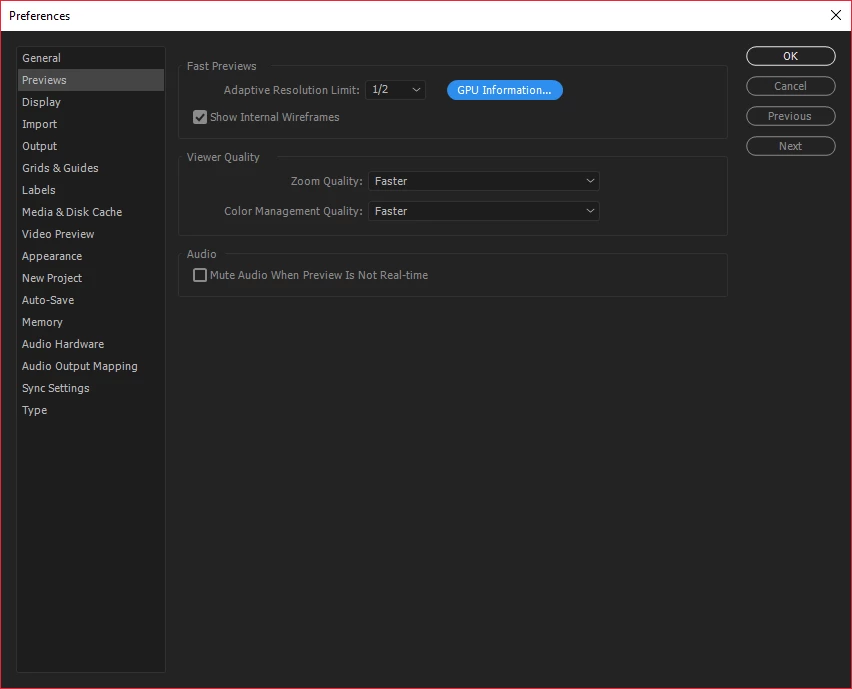
I was looking at the Previews settings as I don`t really look at this often.
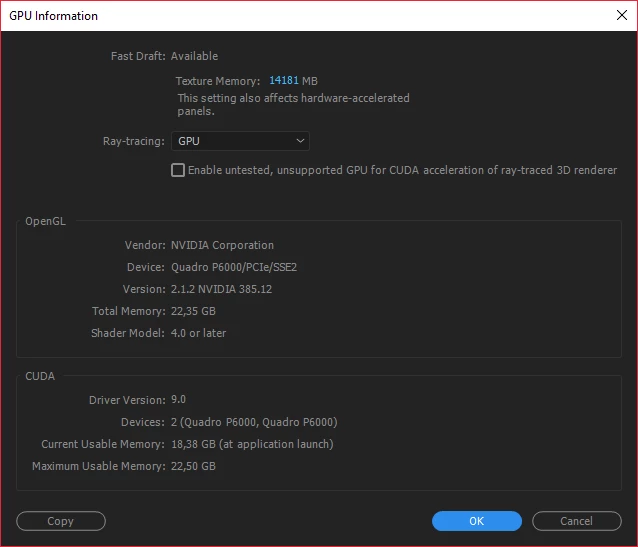
This is the settings I have now. Any suggestions for better speed on working not rendering as I use a pack of servers.

Just for info is it a PC running Windows 10 with 2x Nvidia P6000. Then I run 5 x 1TB SSD drives in Raid 0 for Files and 2 x 1TB SSD drives in Raid 0 for software. Then a PCI card with 500GB SSD that is only for the cache. Dual Intel® Xeon® processors -2670 v3 (12 C, 2,3 GHz, 30 M, 120 W). 128 GB (8 x 16 GB) 2400 MHz DDR4 RDIMM ECC.
Thanx in advance 🙂

This topic has been closed for replies.

2 replies

Kevin-Monahan
Community Manager
Community Manager
September 13, 2017

Hi Bublisher,

Sorry for this issue. Did you ever find a solution? Please let us know if you have or if you still need help.

Thanks,

Kevin

Kevin Monahan - Sr. Community and Engagement Strategist – Adobe Pro Video and Audio
Mylenium
Legend
August 15, 2017

And what exactly is your question? That Xeons suck because AE only uses a single core most of the time? That on a whole your setup probably doesn't make much sense for AE work to begin with?

Mylenium

BublisherAuthor
Participant
August 15, 2017

It works great for working both with Adobe cloud, C4D and some Nuke work. I been using it for some time and I was just talking to another editor that was looking into what best settings for faster previews. So was thinking I might check here but got the normal that and this sucks instead.

The setup was created in a joint venture between Adobe and Dell as all our work stations are based on what we work with and im super happy with it. 

Kevin-Monahan
Community Manager
Community Manager
August 29, 2017

Hi Bublisher,

Did you figure out best settings yet? Let us know if you still need help.

Thanks,
Kevin

Kevin Monahan - Sr. Community and Engagement Strategist – Adobe Pro Video and Audio