Participating Frequently
July 20, 2017
Answered

Better previewing if the layer is trimmed instead of greyed out?

  • July 20, 2017
  • 1 reply
  • 247 views

I'm using a macbook air (Processor: 1.6 GHz DDR3, Memory 8GB 1600 MHz DDR3, Graphics: Intel HD Graphics 6000 1536 MG) and running AE cc.

Though I am a beginner, I can tell that this computer is not the best for intensive AE. The previewing is very slow (always in quarter resolution). So, I am trying everything to make things easy for my computer.

For example, should I trim the precomp (Layer Name: Big Robot) instead of making it short by "greying it out"?
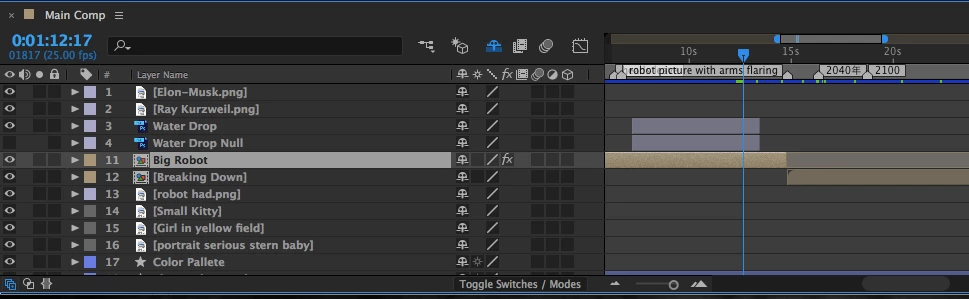
Also, if an image/shape etc is not visible and you are not using it you should trim it or delete it since AE will try to render it anyways?

I am fairly certain that you should but I just want to make sure.

Thank you!

This topic has been closed for replies.
Correct answer Mylenium

AE auto-optimizes itself. Layers that are 100% invisible, be that by turning them off, trimming them or setting their opacity to 0% will not be processed. So in the end it doesn't matter how you handle it. the result is the same and in your case you already have exhausted these options. You really need a better computer.

Mylenium

1 reply

Mylenium
MyleniumCorrect answer
Legend
July 20, 2017

AE auto-optimizes itself. Layers that are 100% invisible, be that by turning them off, trimming them or setting their opacity to 0% will not be processed. So in the end it doesn't matter how you handle it. the result is the same and in your case you already have exhausted these options. You really need a better computer.

Mylenium