Participant
April 25, 2018
Answered

Bezier Handles Snapping in Graph Editor

  • April 25, 2018
  • 2 replies
  • 1782 views

Hey everyone!

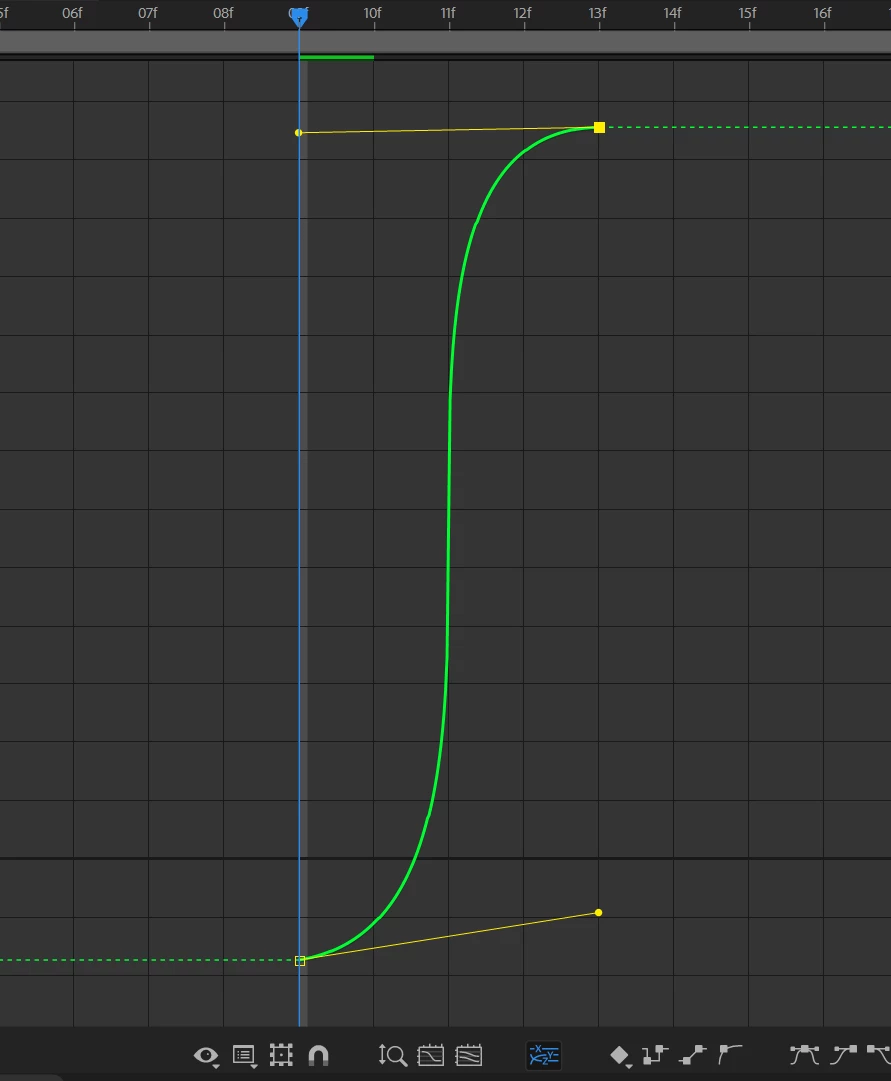
I'm having an issue with my Bezier handles in the graph editor where they will automatically snap to the next keyframe. Once they've snapped, they wont move away from whatever frame they're snapped on. I've turned off all snapping options, purged the project and restarted the computer all without success. Some days this isn't an issue and some days it is. Its all random. Has anyone else experienced this and come up with a fix?

Thanks!
This topic has been closed for replies.
Correct answer ianw8215

-AE CC 2018 with the latest updates

-PC with Windows 10 Pro

-Editing Speed and Value graphs, both have this snapping issue

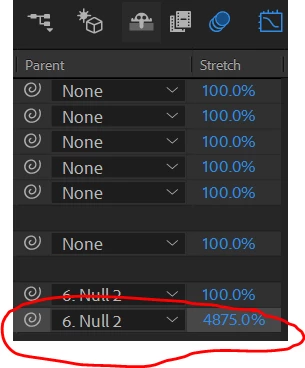
Solved the issue. At some point the layers I was trying to animate were stretched out a ridiculous amount. It didn't affect anything else to my knowledge so I never noticed it. after I set the layer back to 100%, the handles worked just fine.

Hopefully this answer is a little more useful to anyone attempting to help.

2 replies

ianw8215AuthorCorrect answer
Participant
May 2, 2018

-AE CC 2018 with the latest updates

-PC with Windows 10 Pro

-Editing Speed and Value graphs, both have this snapping issue

Solved the issue. At some point the layers I was trying to animate were stretched out a ridiculous amount. It didn't affect anything else to my knowledge so I never noticed it. after I set the layer back to 100%, the handles worked just fine.

Hopefully this answer is a little more useful to anyone attempting to help.

Mylenium
Legend
April 26, 2018

You have not provided any relevant info like exact version of AE, system info, which curves you are editing, screenshots etc.. Sorry, but your post is pretty much useless to anyone attempting to help.

Mylenium