
Participant
November 9, 2021
Answered

Blank Composition and Composition Freezing Problems for both After Effects and Premiere Pro

  • November 9, 2021
  • 2 replies
  • 992 views

Composition does not display after opening any project. If it does display it, the composition freezes after the timeline runs for a while. Leaving a frozen frame to view while every other after effects feature works normal including hovering over the timeline. If I try to exit, the programs becomes unresponsive which forces me to end the task. This issue is also apparent with Premiere Pro where the only the program panel freezes after the timeline runs for a while however that's the only issue. The program still displays media after opening any project for Premiere Pro. I've already tried suggestions from other community posts such as:

-Reinstalling the App

-Empty Memory Disk Cache from Preferences

-Disabling Hardware Accelerate Composition etc. from Preferences

-Reseting my Laptop completely


My only savior which has worked so far is downgrading to a 2019 (older) version but I would like to find a solution to this. 


I use these programs with my Laptop and my specs are (Dell Inspiron 7506) / (16 GB RAM) / (Intel Core i7) / (Intel Iris Xe Graphics-8 GB) which is supposed to be the standard or at least the minimum requirements when it comes to RAM.
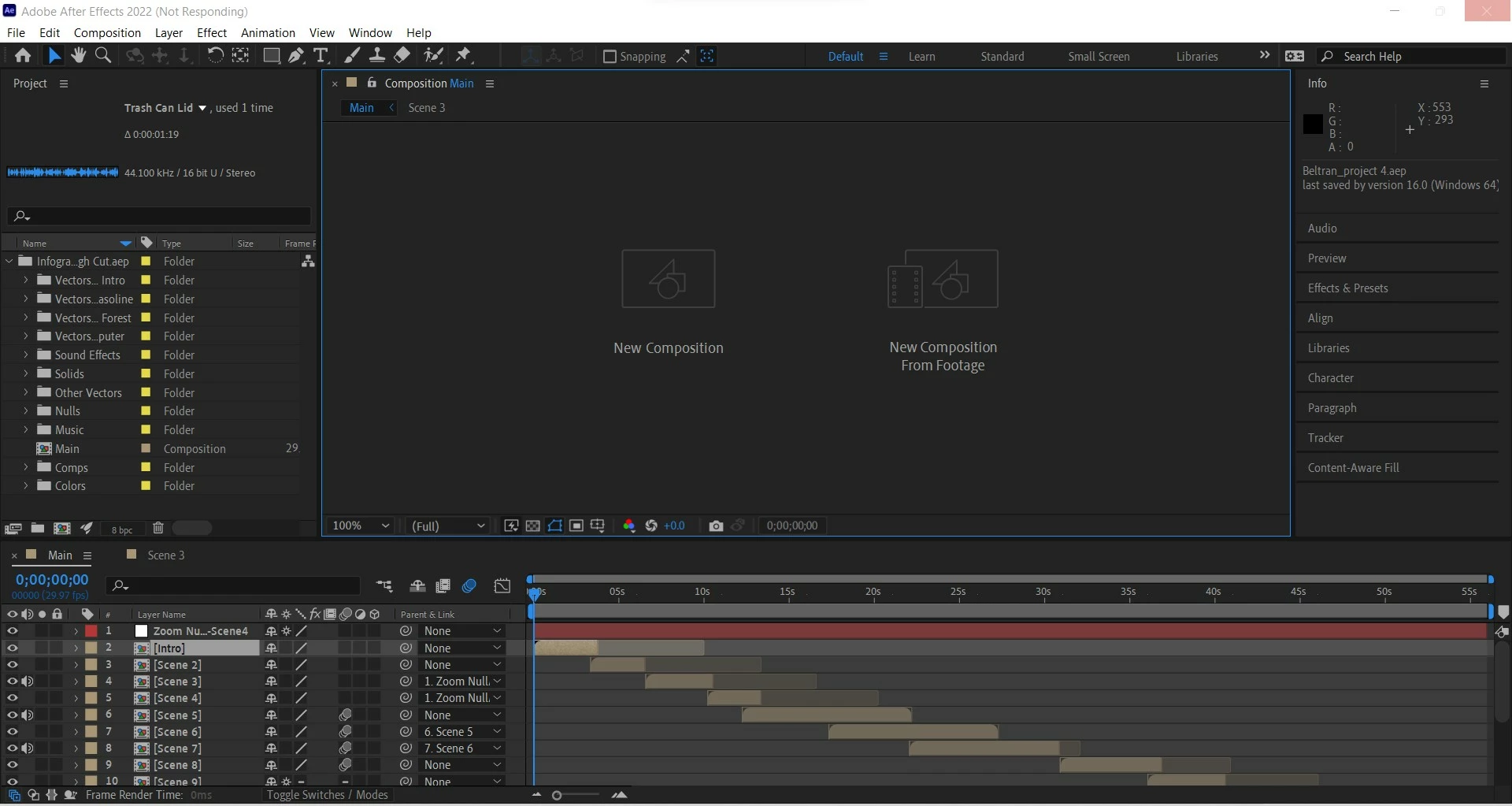
This topic has been closed for replies.
Correct answer Kou134

I went to Intel and downloaded the lastest graphics driver about a few hours ago. I restarted my PC and then went to after effects. The composition actually displayed and then I ran the timeline for about 3-5 minutes and no the composition has not froze and stayed on one frame so far. So it's good for now. I'll go back on it later during the day and run the timeline for 10 minutes just to be sure and safe. As for Premiere Pro, I currently installed the latest version and opened a project from an older version. The program does display on the screen and i'm able to hover on the timeline while the frames on the program actually change as i'm scrubbing through the video. However, the video on program does not play when I hit spacebar or manually click on the play icon. I will later downgrade Premiere Pro to the old version in which my projects were worked on. 


Overall, so far so good. I think the driver oudate was the issue as you mentioned. I will go back later and check on After Effects and run the program longer just to stay safe. Thank You.

2 replies

nishu_kush
Legend
November 10, 2021

Hi kou134,


Sorry for your issue.

What's the version of the GPU driver that's installed on your computer? If it's not the latest one, please try updating it and see if that helps. Click here to download the latest GPU driver.

Let us know how it goes.


Thanks,

Nishu

Kou134AuthorCorrect answer
Participant
November 11, 2021

I went to Intel and downloaded the lastest graphics driver about a few hours ago. I restarted my PC and then went to after effects. The composition actually displayed and then I ran the timeline for about 3-5 minutes and no the composition has not froze and stayed on one frame so far. So it's good for now. I'll go back on it later during the day and run the timeline for 10 minutes just to be sure and safe. As for Premiere Pro, I currently installed the latest version and opened a project from an older version. The program does display on the screen and i'm able to hover on the timeline while the frames on the program actually change as i'm scrubbing through the video. However, the video on program does not play when I hit spacebar or manually click on the play icon. I will later downgrade Premiere Pro to the old version in which my projects were worked on. 


Overall, so far so good. I think the driver oudate was the issue as you mentioned. I will go back later and check on After Effects and run the program longer just to stay safe. Thank You.

Kou134Author
Participant
November 11, 2021

This was my old GPU version by the way. 

Participant
November 10, 2021

Just like to add I'm having the same issues. I can get the composition window to display an image, but it won't update if I try to preview or even switch to another composition. AE is currently unusable. Ridiculous.


Intel Core i7 6900K

48GB DDR4 Ram

GTX1080