Answered
Blending mode hidden.
Hello everybody. Someone know why my blending mode is hidden in the composition panel when my layers are in 3D ?
Thanks you 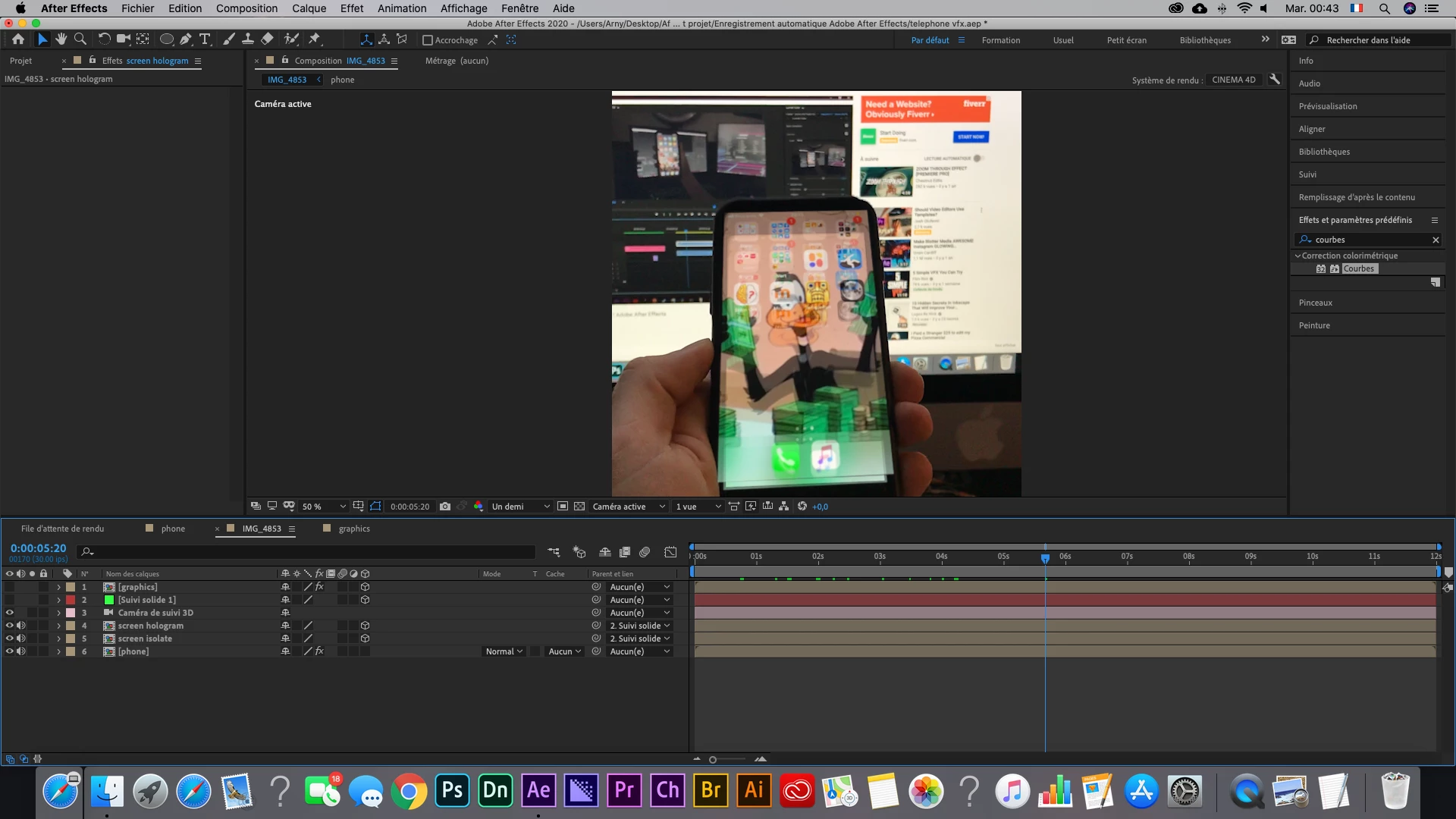
Hello everybody. Someone know why my blending mode is hidden in the composition panel when my layers are in 3D ?
Thanks you
The column is there, and blend modes are available on your 2D laters. Check the features that are not supported when using the Cinema 4D rendering engine.
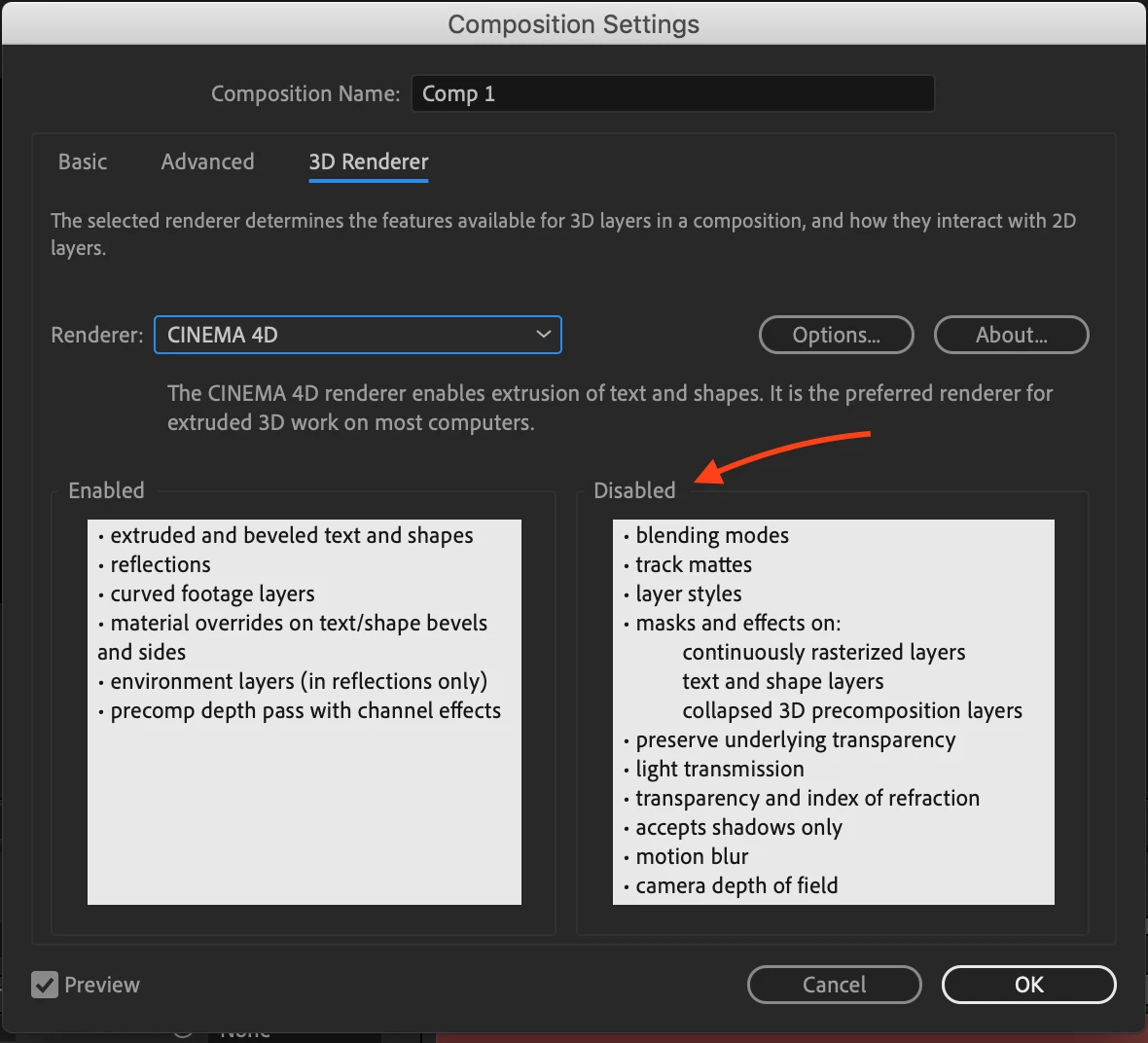
If you need any of those unsupported features you'll need to switch back to classic. if you need to extrude or bend layers then you either have to use a combination of comps nested in the main comp or use other workflows.
Already have an account? Login
Enter your E-mail address. We'll send you an e-mail with instructions to reset your password.
 AdChoices