Your obsessions are your own hobby. Why would any 3D artist even bother to create tutorials when this more or less is a strict case of an "as needed" basis and there's no single technique involved? Oil paints might require elaborate viscous fluid simulations, aquarells 2D fluid sims applied as textures and crayons, felt pens, guache colors anything inbetween plus a ton of other things. And all of that would require tons of experience and computing power which usually eludes hobbyists. That is to say: What you are looking for - a universal one-click setup to simulate all kinds of paint media - simply doesn't exist. This is soem serious stuff and you can only get so much out of any one technique. It might be more useful to refine your current workflows than wasting time with looking for something that doesn't exist. It's not impossible to create something belkievable in AE, it will just take a whole lot more work than following a simplistic YouTube tutorial.
Mylenium
Here's how I have done it a bunch of so it looks like a brush stroke.
Create a small comp a little larger than your brush and call it Brush Tip, fill it with a solid, add a solid, apply fractal noise to the solid and adjust it so the pattern resembles the pattern you want and animate a loop cycle. Pre-compose the fractal noise layer. Add another solid and use the fractal noise layer as a luma track matte so you have varying transparency. On top of that create another solid, add a mask and feather one edge so you have a solid edge on the left side of your comp and animated brush texture on the other. The comp should look something like this:
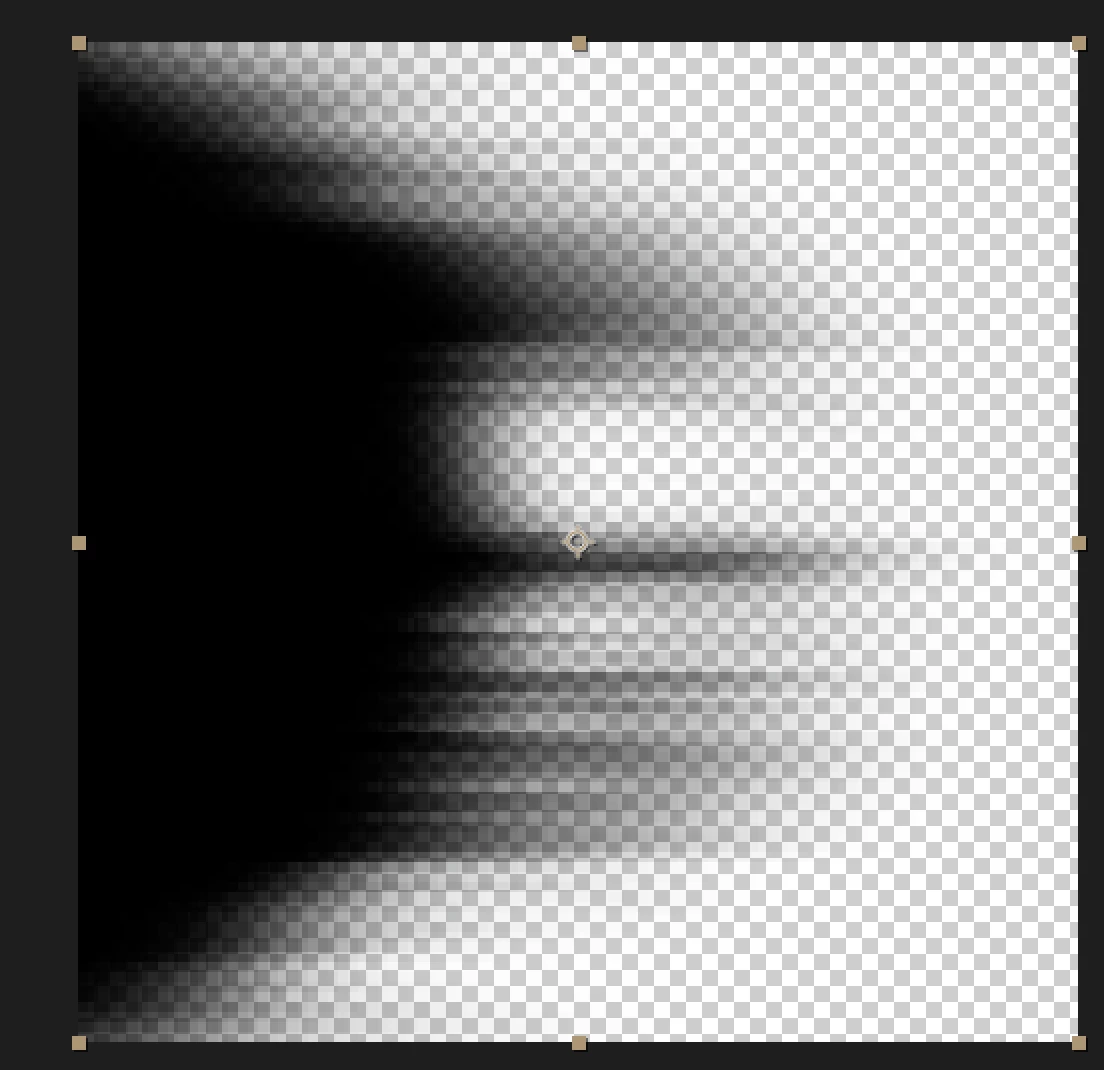
There are a million ways to create this kind of animated texture, you just need to keep the left edge opaque.
Add the Brush Tip comp your original comp, copy the path of your brush stroke, set a position keyframe for the brush tip and paste. The brush tip will now follow the path of your brush stroke. Align the orientation to the path and adjust the timing of the position keyframes to match the speed of the paint stroke, pre-compose the pair and then use that as a track matte to reveal the layer.
If you have no idea what I'm talking about then you'll need to do some study. There are plenty of tutorials on animating fractal noise. There are plenty of them on attaching an arrowhead to an animated line. You will just have to combine techniques and make sure you vet your trainers. Make sure they know what they are talking about. More than 50% of the tutorials you find by just searching google are by amateurs and they are pretty lousy and promote dead-end ideas and impractical and inefficient workflows.



 AdChoices