Participant
June 18, 2020
Question

Bug while rendering with alpha channel

  • June 18, 2020
  • 1 reply
  • 254 views

After Roto Brushing a selection on a previously roto-brushed video file, After Effects seems to have parts of the picture missing while rendering. This seems to happen with both After Effects and Media Encoder

The image below shows the preview of the first frame within After Effects on the left and within Media Encoder on the right.
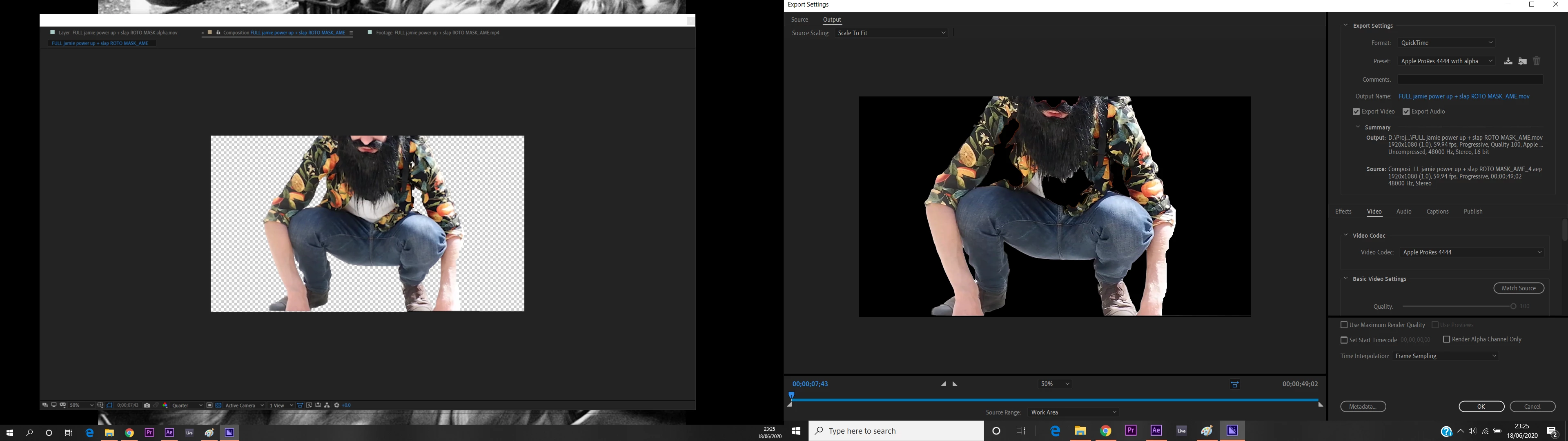
I have been using the Roto Brush tool to designate the different layers and on my previous attempts the file rendered very accurately.


In attempts to solve this I have added additional Refine Edge strokes which have helped on the first frame, but there is no obvious sign where it is needed, meaning I would need to check every frame of the rendered file to see what parts are missing. See below.  
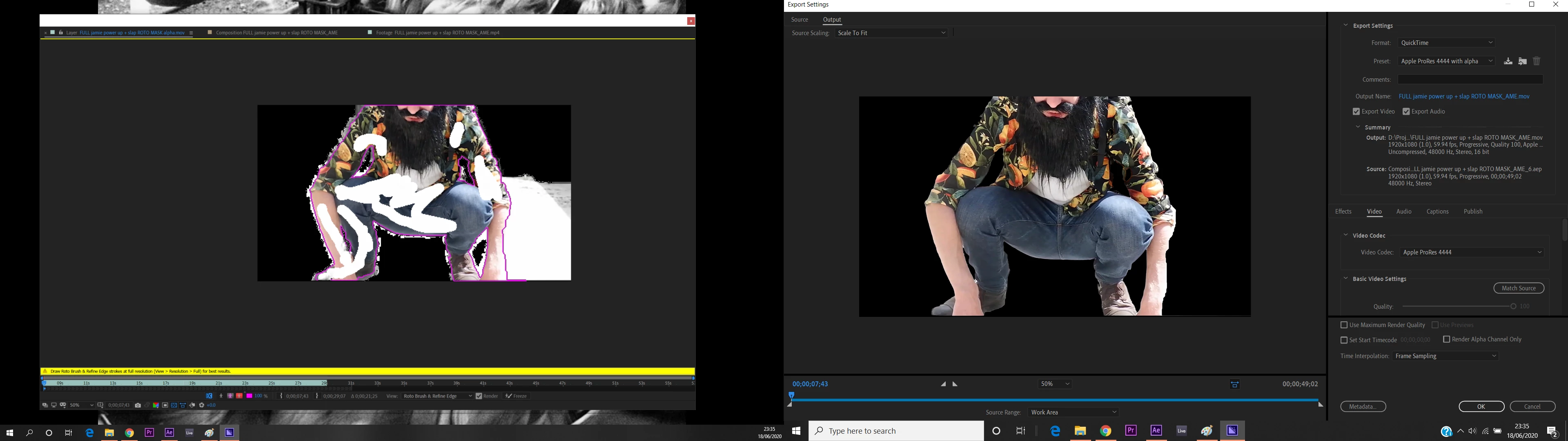
 

Any help would be appreciated, and yes I need to get a green screen.

This topic has been closed for replies.

1 reply

Mylenium
Legend
June 19, 2020

I can't see any indication that the Rotobrush has been properly propagated and clearly the yellow warning also is there for a reason. That aside it's perhaps not that useful to work at quarter resolution when doing roto work. How would you even judge the result?


Mylenium

Participant
June 19, 2020

The purple outline should indicate that the are is selected and the alpha channel was showing a clear white and black image outlining all of the desired area. The only reason I was working at quarter resolution because my laptop was struggling.

From experimenting, it seems that my new attempts at Roto Brushing the file were getting confused with the old brush strokes from the previous time before rendering. The purple outlines from the previous time showed up occasionally even though I was working on a new project. I don't know if this is possible but it definitely displayed on my screen.