
atcold
Known Participant
February 28, 2021
Question

Bug: y and z axis are flipped

  • February 28, 2021
  • 5 replies
  • 885 views

I've changed the position of the red item by a positive value for both x and y coordinates, and by a negative value for the z coordinate.
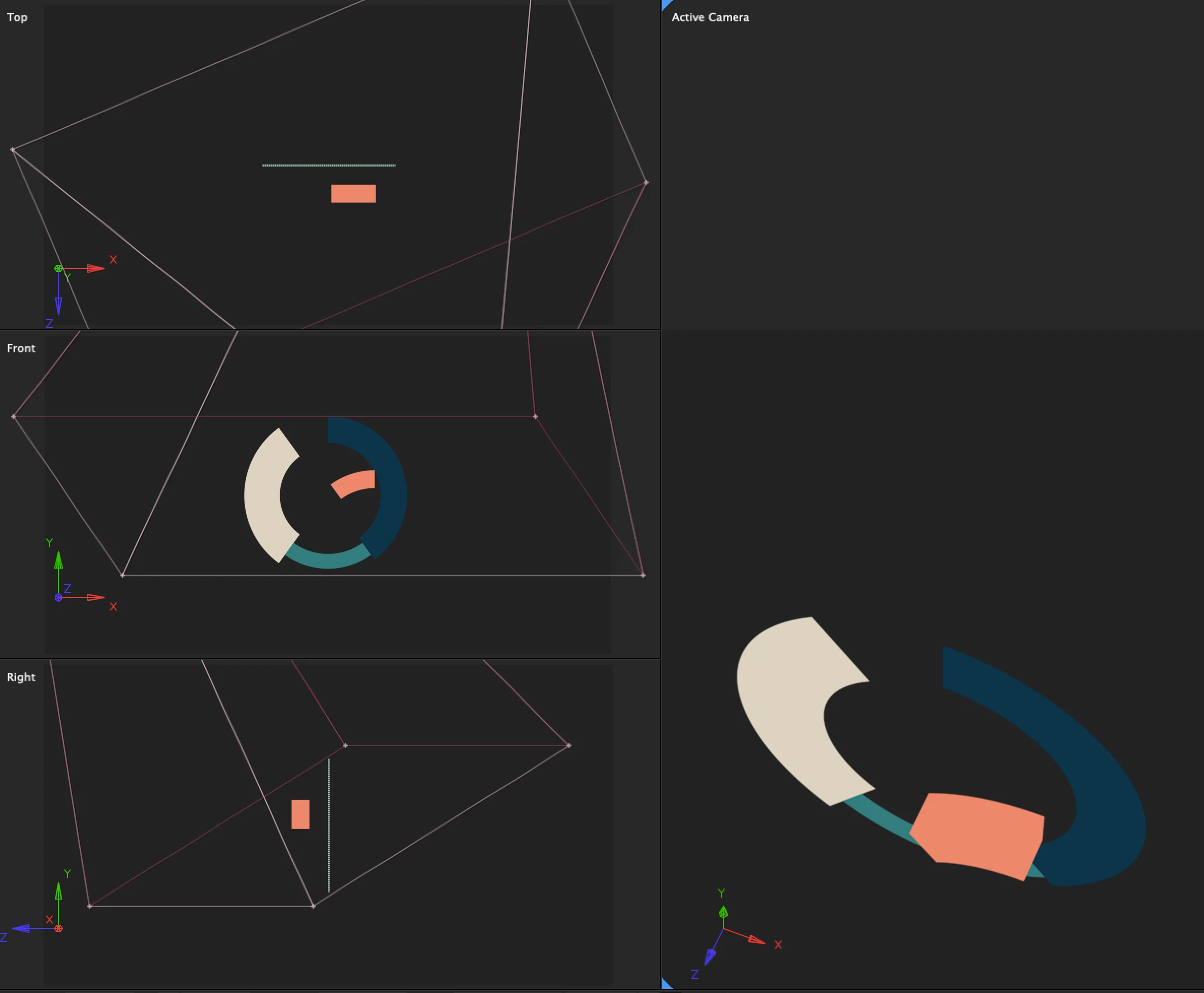
As you can tell from the red-green-blue xyz reference system, After Effects incorrectly displaces the red object in both y and z directions. It looks like the y axis is pointing downwards and the z axis inward.

This reference system is in opposition to what is drawn on screen.

Therefore one or the other needs to be fixed, if I'm interpreting this correctly.

This topic has been closed for replies.

5 replies

atcold
atcoldAuthor
Known Participant
March 5, 2021

Help?

Roland Kahlenberg
Legend
March 5, 2021

You just need to read up on the Local, World and View axes modes.
More info here - https://helpx.adobe.com/bg/after-effects/user-guide.html/bg/after-effects/using/3d-layers.ug.html

Scroll down until you reach the Axis Modes section.

HTH

Very Advanced After Effects Training | Adaptive & Responsive Toolkits | Intelligent Design Assets (IDAs) | MoGraph Design System DEV
atcold
atcoldAuthor
Known Participant
March 9, 2021
Please, read my question once again.
I have even drawn a diagram so you can understand what I'm asking.


I believe the axis represents the Active Camera reference system.
Now, how does one reset its view?
atcold
atcoldAuthor
Known Participant
March 1, 2021

Can someone please confirm or dispute my understanding here?

Namely, what does the reference system in the bottom left corner represent?

Are these the camera / view coordinates?

atcold
atcoldAuthor
Known Participant
February 28, 2021

There seems to be some confusing regarding my question. Here is a more accurate explanation.

Can anyone explain to me what these 3D axis represent, since they are clearly wrong?

atcold
atcoldAuthor
Known Participant
February 28, 2021

Ah, I see. These xzy triple is the camera reference system, and not the global reference system.

Participating Frequently
February 28, 2021

Hi. You may be in the wrong Axis Mode? At the top of your screen the last 3 icons are for Local, World or View Mode.

atcold
atcoldAuthor
Known Participant
March 9, 2021

I'm looking at the reference system in the left corner. I don't think that has anything to do with axis mode. I believe it's the “Active Camera” reference system, but no one is confirming or disputing my claim.

Community Expert
February 28, 2021

The top view camera  (which you have on the top screen) is looking down on the scene. This is how AE normally behaves. If I'm understanding your question correctly, this isn't a bug and is normal behavior. 

atcold
atcoldAuthor
Known Participant
February 28, 2021

Do you see the red-green-blue xyz 3D axis?