
Participant
November 21, 2023
Question

Buggy After Effects 2024 aka Adobe being Adobe.

  • November 21, 2023
  • 2 replies
  • 423 views

So, at first Adobe automatically uninstall all my previous versions of AE without asking (Including 2023 and Beta) and install After Effects 2024 (obviously without any extensions and plugins I was using in previous versions) just to give me this: 
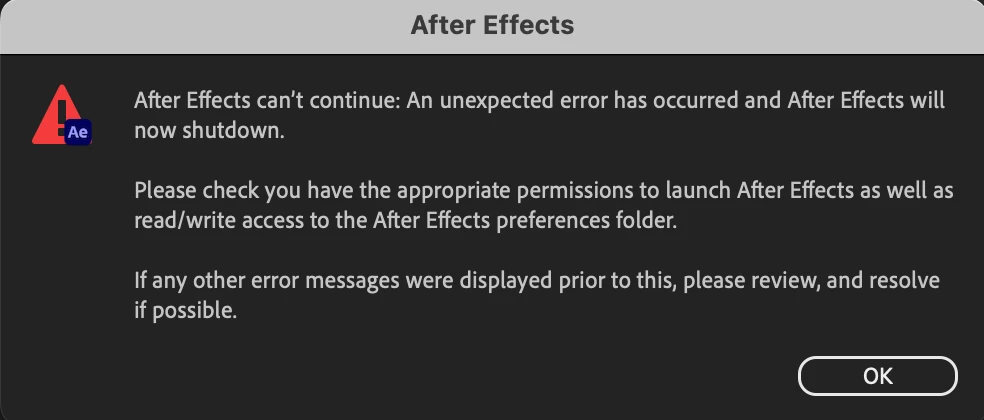
Now I can run it and I have to install another version again (if I want to continue in my work ofc).

Thank you Adobe, much appreciated

This topic has been closed for replies.

2 replies

nishu_kush
Legend
April 14, 2024

Did the suggestion above help?

Feel free to reach out. Moving this thread from Bugs to Discussions for now.


Thanks,

Nishu

November 21, 2023

Uninstalls of AE 2023 should only occur if you install AE 2024 and click the checkbox to uninstall previous versions. Beta versions however can't be uninstalled automatically so I'm not sure how that could have happened.


As to the error message, I am assuming you are now running MacOS 14. Please see this post for what is going on and various options to fix: https://community.adobe.com/t5/after-effects-bugs/after-effects-23-6-and-24-0-not-starting-on-macos-14-sonoma/idi-p/14139194