
Burst Pop Effect Doesn't Animate
The Burst Pop effect isn't animating for me and it's driving me crazy. I know I can recreate the effect by hand, but it would save me a bunch of time if I could just use the effect.
When I drop the effect into an empty composition, keyframes appear under the new shape layer and the "Burst Animate" values change when I move the playhead over them, but the actual shape stays the same. I'm stuck with a static burst. In addition, when I make adjustments to the value or add keyframes to the "Burst Animate" effect control, nothing happens.
All other effect controls (that don't affect the animation) seem to be working as intended, except for "Burst Stroke Width" randomly, which also does nothing.
I went into all of the expressions under the different effect controls and noticed a couple errors. Specifically, error icons appear next to "Burst Stroke", "Trim Burst" start & end, and "Transform: Shape Pop Burst" - however I'm not familiar enough with expressions to understand what the problem is or how to fix it. Every error seems to be at or around this line of code:
const customEaseOut = (easeType, t, d, b, c) => {I'm attaching screenshots of the code with the errors. I'm assuming this is the problem?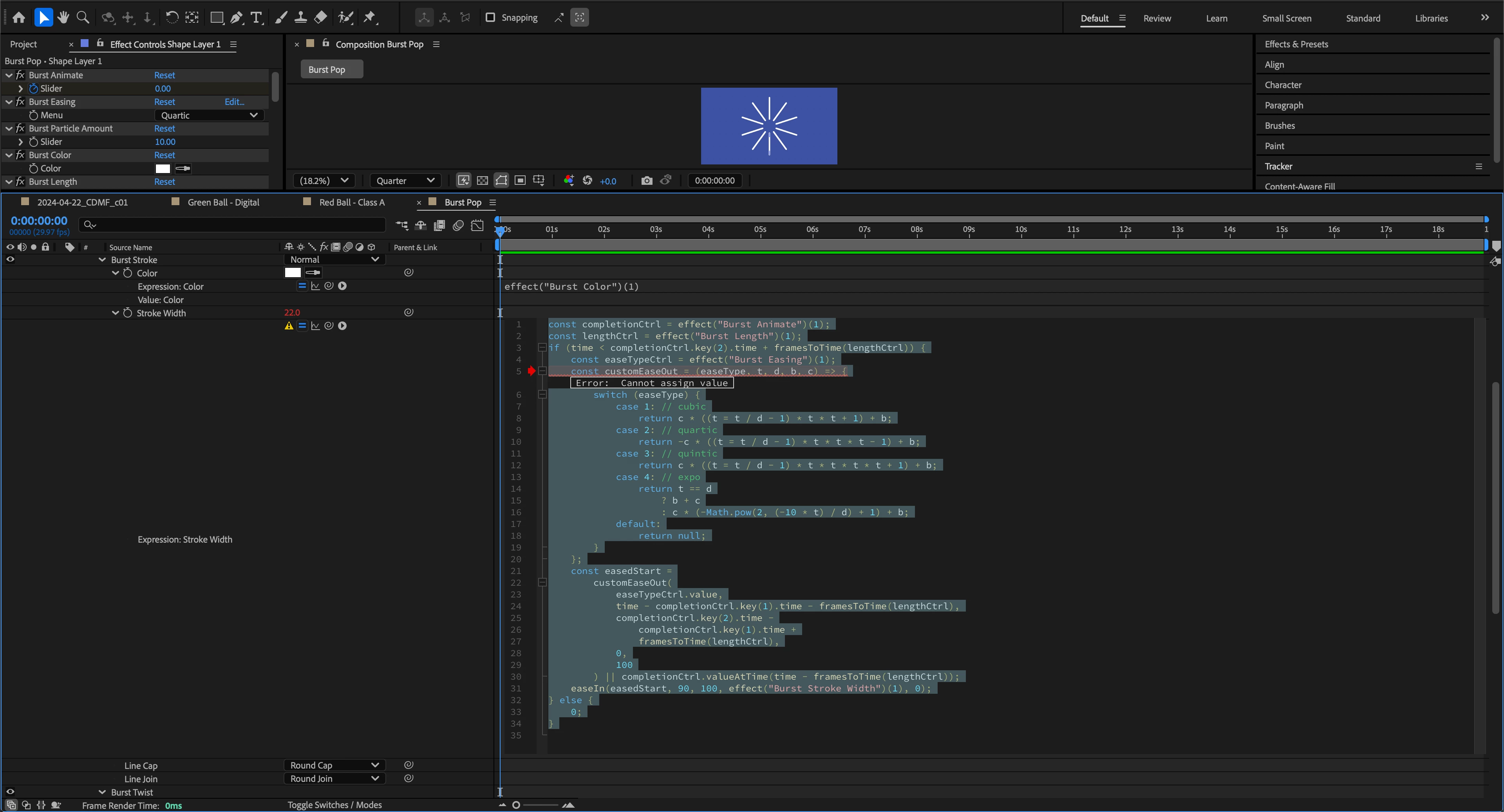
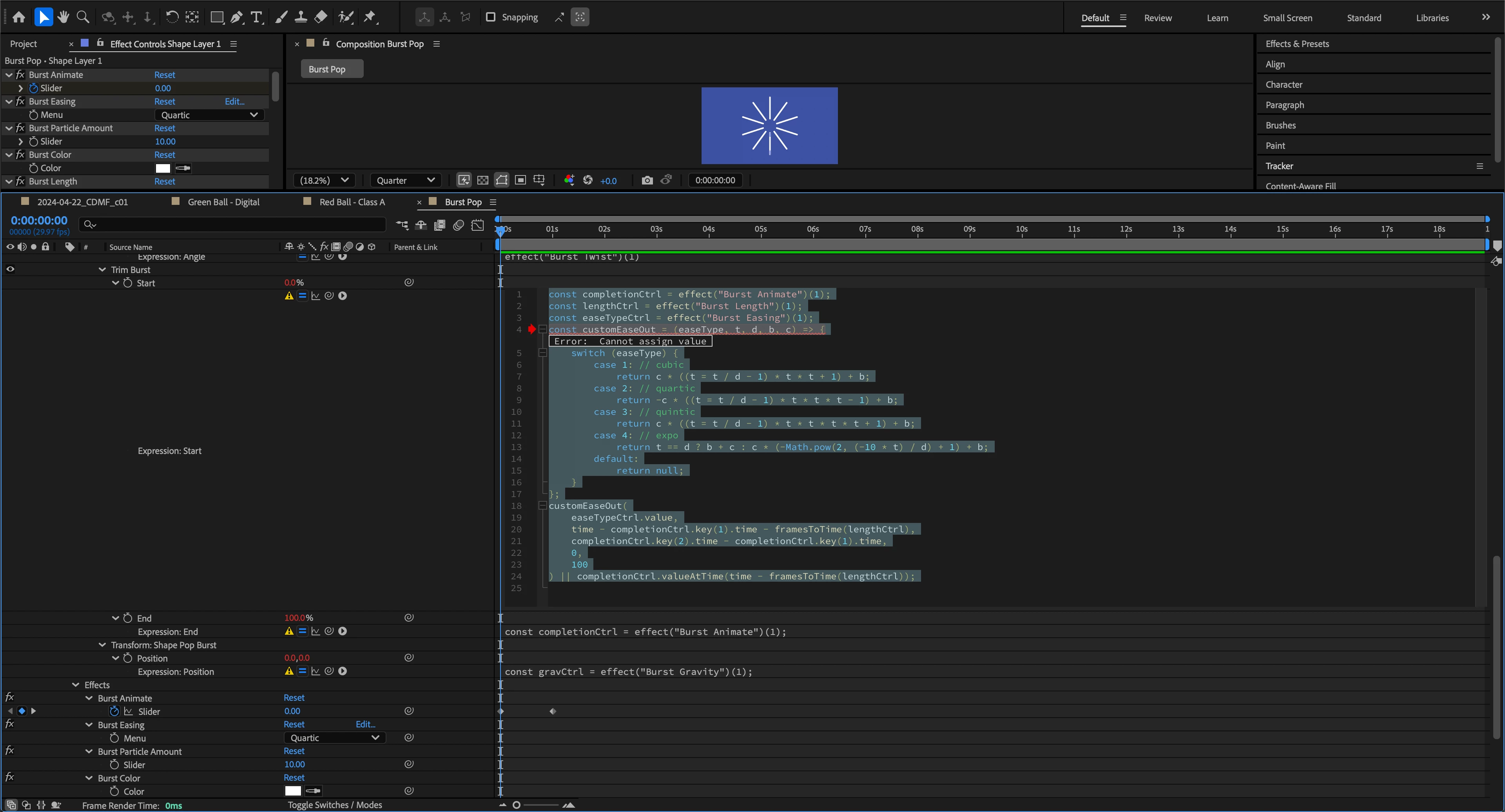
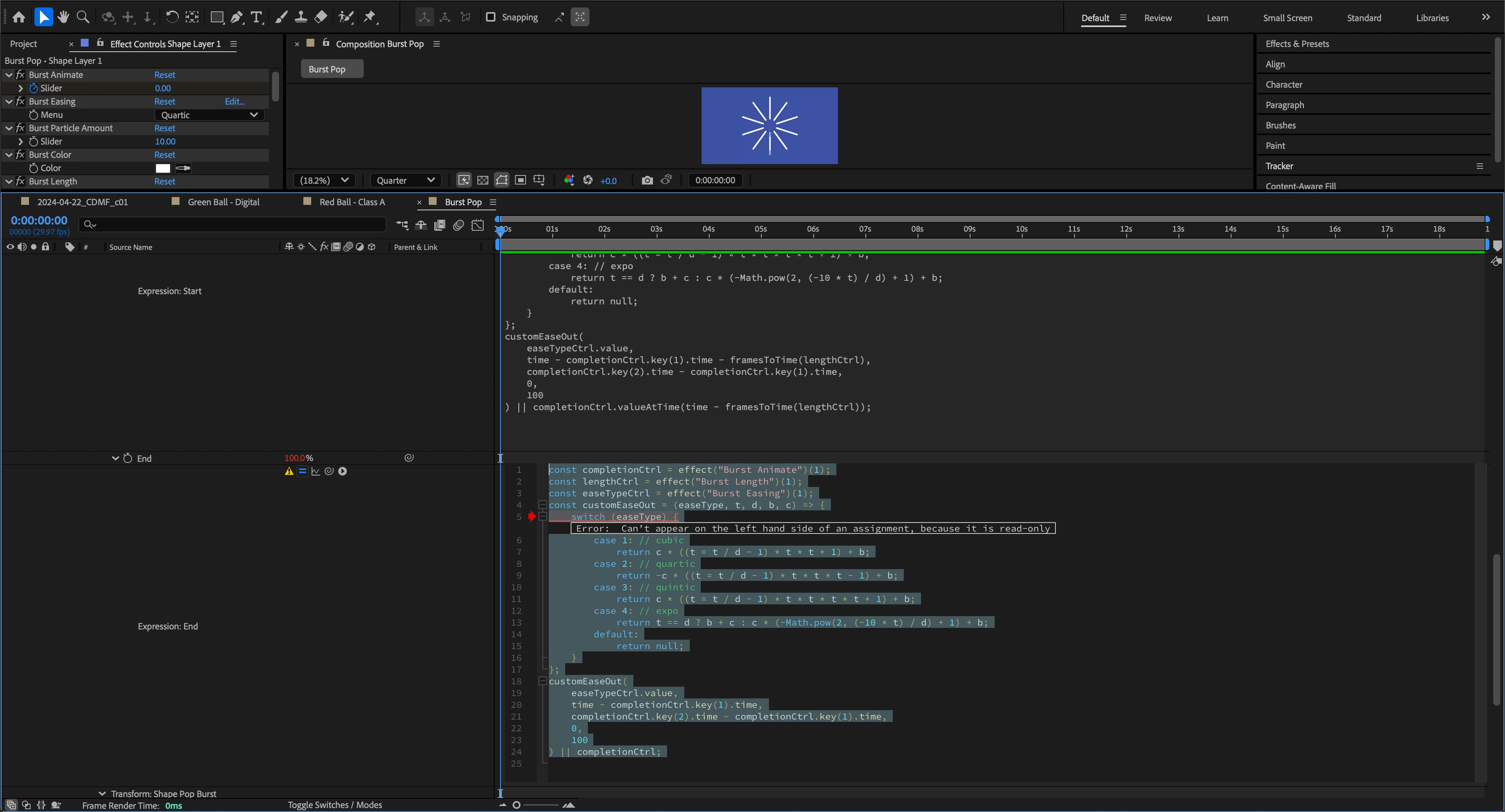
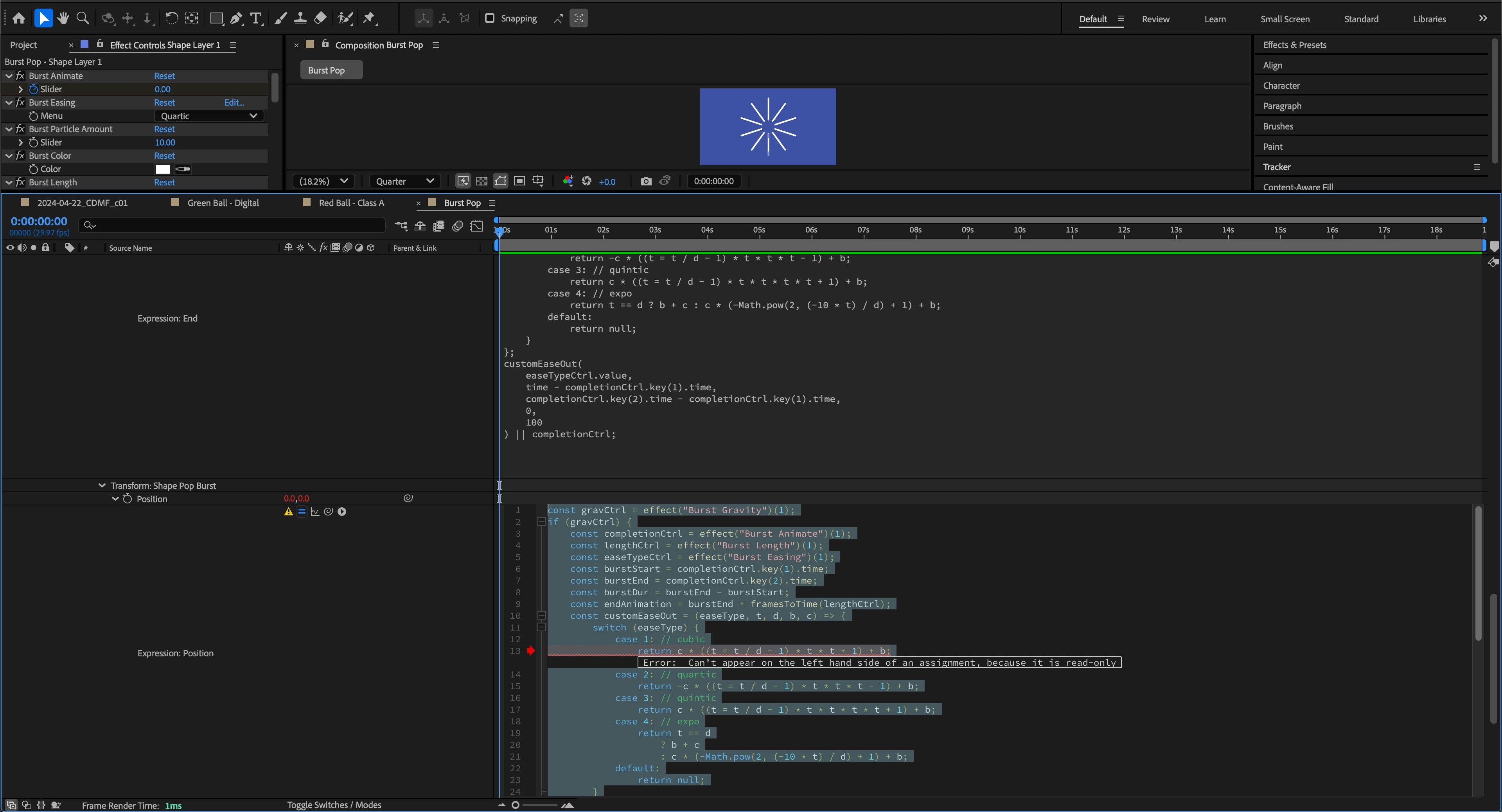
I'm not adjusting the the Burst Pop effect in any way before seeing these errors. I've also encountered this error in multiple versions of AE 2024 and now AE 2025. Is there some kind of AE setting that I'm not aware of causing these errors in the expressions? Also, I tried a bunch of other effects that work in a similar way (creating a new shape layer with keyframes) and they all seem to be working as intended.
The only plugin I'm using is Overlord. I'm running AE version 25.0 on a 2021 MacBook Pro (M1 Max) running Sonoma 14.5.


 AdChoices