
Legend
August 27, 2022
Answered

C4D Lite: Text - How to fix geometry with 'Bevel Outside'

  • August 27, 2022
  • 2 replies
  • 1568 views

Hi There, have spent days on this but can't find an answer so might be using the wrong search terms sorry.


I have text inside an extrude object but have problems with certain letters when using 'Bevel Outside'. It creates intersecting geometry on the insides of letters like B's, M's, N's etc...
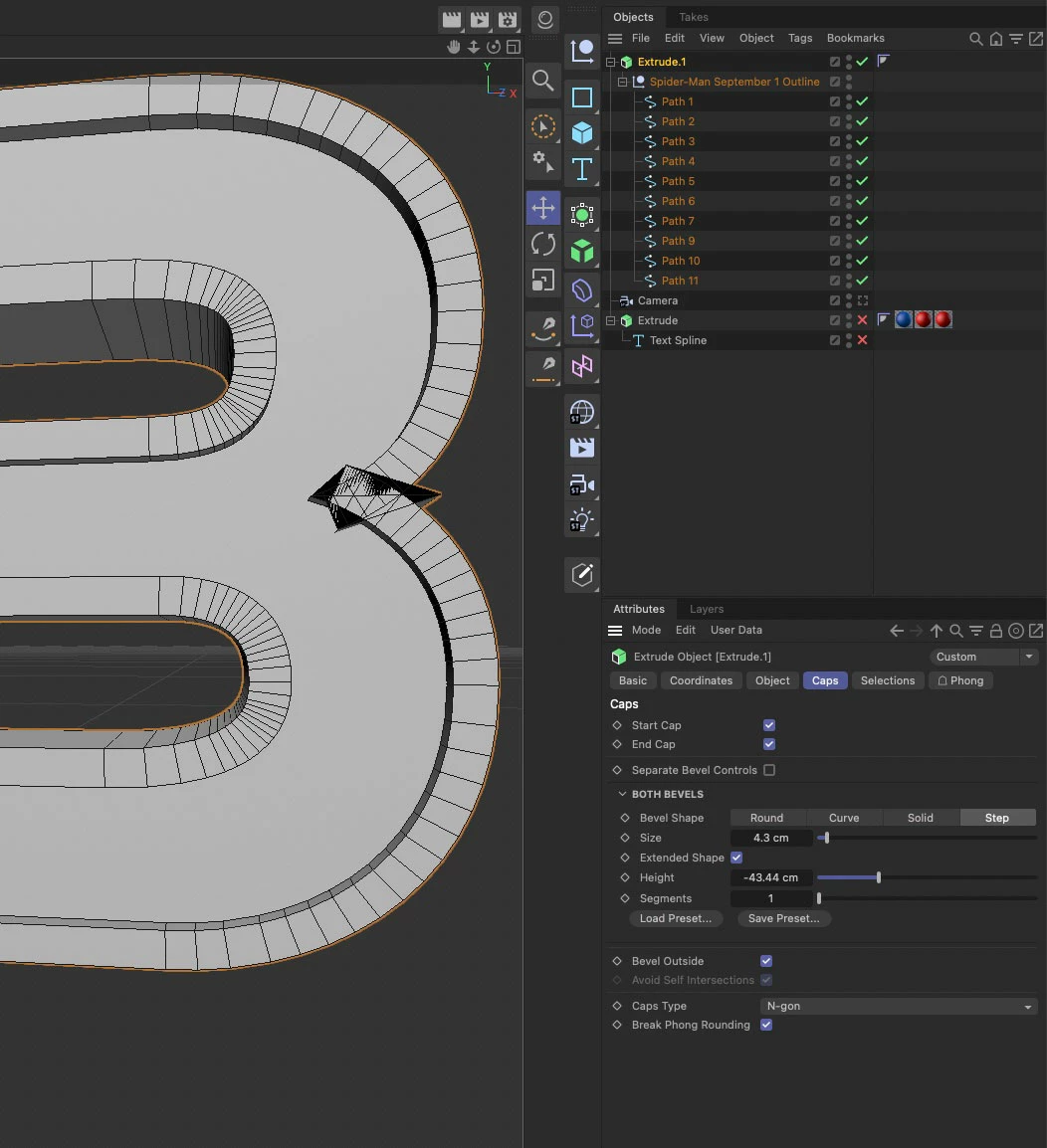


The above was using a preset and here is one using just a standard bevel...
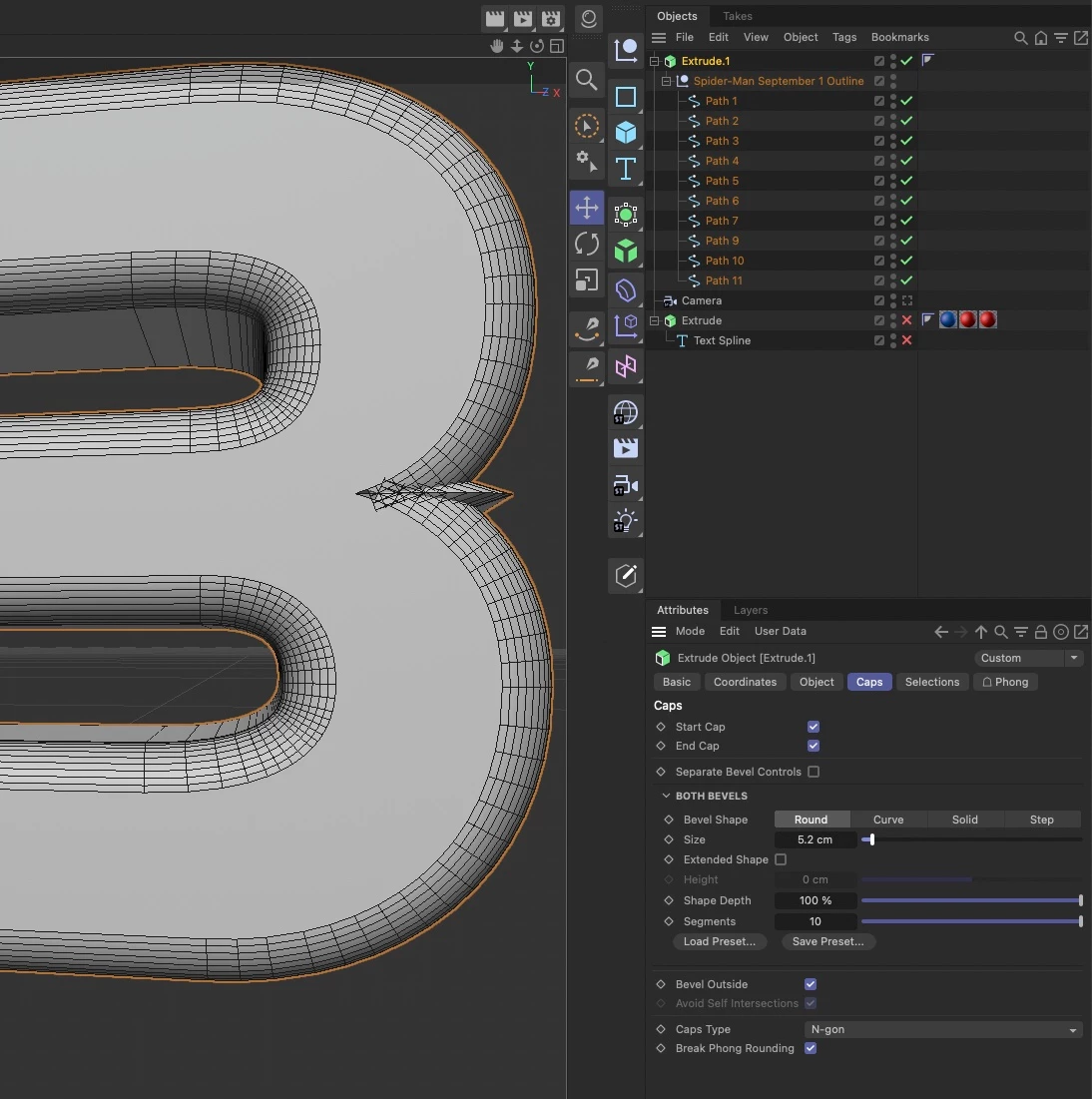
 

Is there a way to fix this? Or is there an alternaive approach to making text with bevels that offers control over these issues?


I've tried using a font in C4D as well as converting the font to paths in Illustrator and importing (which is what you see in the screenshot). I also wondered if there were multiple points on top of each other in the font/Illustrator but there's only one.


Any suggestions welcome. Cheers, Ben 

This topic has been closed for replies.
Correct answer Mylenium

You can't defeat the math. It's pretty much that any such angle smaller than 45 degrees will cause such a behavior simply because the normal calculations end up pointing away too far from the vconvergence point and the program can't make heads and tails of it. You have to prepare the paths accordingly so the corners are actually not just a single point, but either an "invisible" short straight line or a convex triangle with less acute angles themselves. that and of course the ussual other points: Duplicate overlapping points need to be removed, the artwork cleaned up to providse an even distribution of anchor points. It's been forever this way and you just need to make it part of your standard workflow. Just converting text to outlines or even relying on parametric text objects rarely ever produces a perfect result.


Mylenium

2 replies

Mylenium
MyleniumCorrect answer
Legend
August 28, 2022

You can't defeat the math. It's pretty much that any such angle smaller than 45 degrees will cause such a behavior simply because the normal calculations end up pointing away too far from the vconvergence point and the program can't make heads and tails of it. You have to prepare the paths accordingly so the corners are actually not just a single point, but either an "invisible" short straight line or a convex triangle with less acute angles themselves. that and of course the ussual other points: Duplicate overlapping points need to be removed, the artwork cleaned up to providse an even distribution of anchor points. It's been forever this way and you just need to make it part of your standard workflow. Just converting text to outlines or even relying on parametric text objects rarely ever produces a perfect result.


Mylenium

csscmsAuthor
Legend
August 28, 2022

Thanks for the replies, much appreciated. Have marked my answer correct because it provides exact steps which solves the problem - unless there's another method? Cheers guys.

csscmsAuthor
Legend
August 27, 2022

Thickening text in Illustrator to allow for the outside bevel before importing in C4D works well. But is this what everyone does? Avoid using 'Bevel Outside' on text?


Cheers

ShiveringCactus
Community Expert
Community Expert
August 28, 2022

I think when I've encountered these situations, it's been a case of using internal bevels instead or playing with the settings of thickness etc..  Using the Text tool in C4D is easier than importing from AI, but I appreciated that might also not always be desirable.