
Participating Frequently
October 17, 2021
Question

C4D Render Error in After Effects

  • October 17, 2021
  • 2 replies
  • 254 views

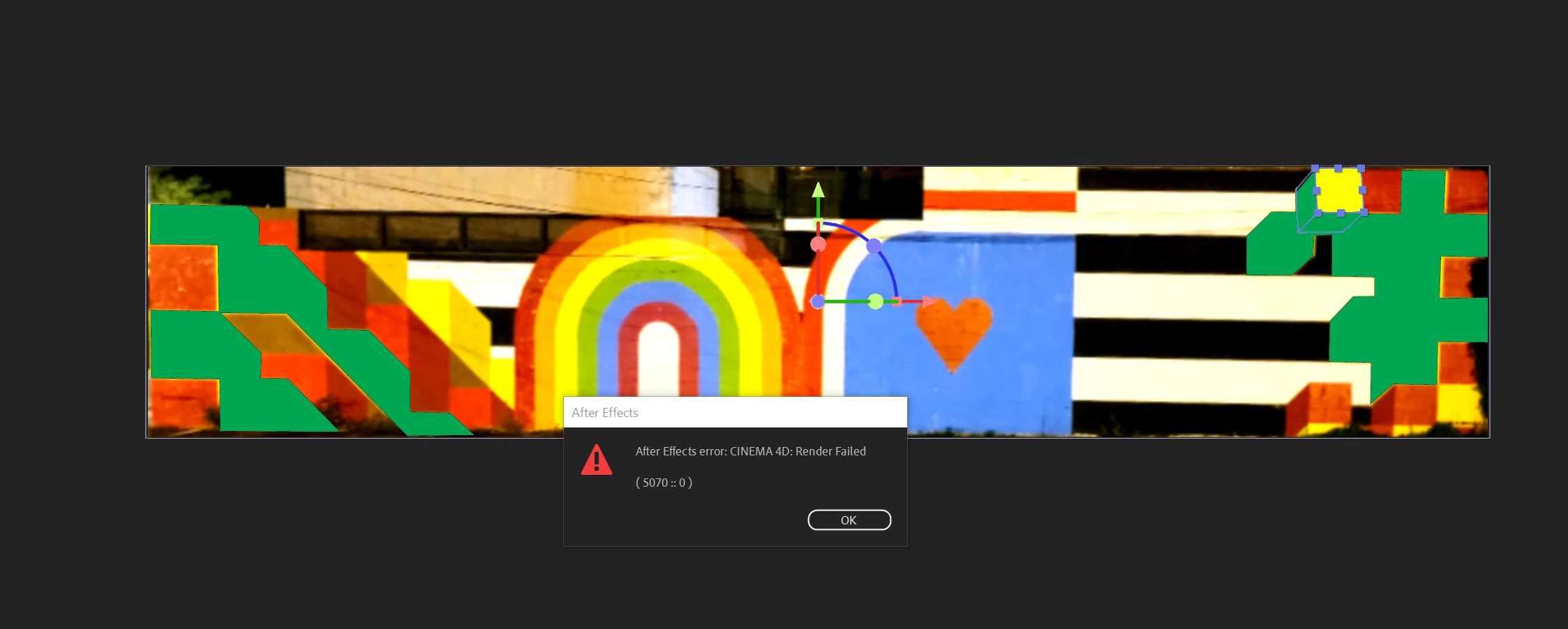
Everytime I switch on the Cinema 4D Render in After Effects. A warning pops up that is an error with the Render and it crashes After Effects. I am on a Windows Machine and the link between AE and C4D is there. 

A blue dotted line appears at the bottom of my viewing panel and only the draft lines of the 3D shape are visible when extruding. I cannot preview the layers when Cinema 4D render is turned on.
 

This topic has been closed for replies.

2 replies

Participant
October 25, 2021

My AE has been doing the same... trying to import the C4D file into the timeline makes an ERROR come up and crashes AE. I haven't figured anything out for it yet, not even my teacher knows what it is.


Mylenium
Legend
October 18, 2021

Without any specific info about your project and your system we can't really tell you much. Judging from your towel-strip comp I would suspect that this is a scale issue where the renderer simply cannot render some of the extrusions because they are botched and produce degenerate geometry. If that's the case, using a larger composition would be the first thing to do. For anything else we need more info.


Mylenium

Participating Frequently
October 25, 2021

Thank you for your reply cahnging the composition size did not make a difference. It did not matter the composition settings as whenever I tried to use the CD4 renderer an error message popped up.