


Participant
February 4, 2017
Answered

Cached Preview needs 2 or more frames to playback?

  • February 4, 2017
  • 13 replies
  • 15727 views

Hi, I have been struggling with this After Effects for 2 days now and badly need to fix this.

When I try to preview what I am working on in my composition by pressing my space bar and clicking on the play button, I get this pop up message: "Cached Preview needs 2 or more frames to playback". When I click OK, I usually get the following pop-up: "Fresh layer cache check-out failed".

I cannot seem to get more than one frame in green or blue (cached). I have already tried Purging the memory, cleaning the database & cache and emptying my disk cache. I have also tried working on my other after effects files ( which all worked fine a few days ago) and they all have trouble previewing. I also tried working on earlier versions of After Effects and that either did not change my situation or could not open my files (not compatible versions, which is confusing to me because I have switched versions in the past when having a problem in AE and never had files not open because of version compatibility).

My max disk cache size is 75, which has always worked fine for me, with 12 GB RAM available for AE.

My "Reduce cache size when system is low on memory" is NOT checked and I have no other programs running.
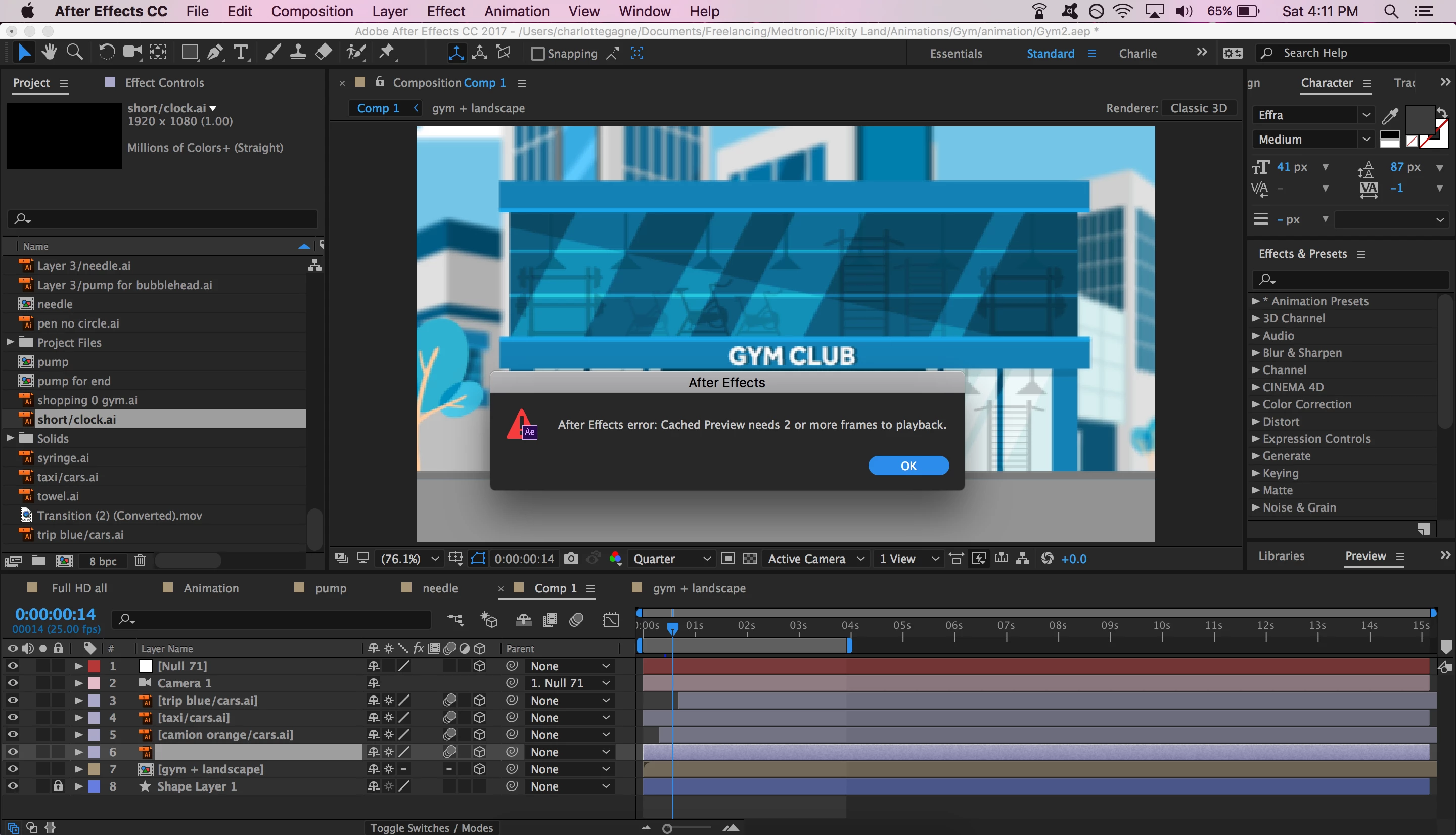
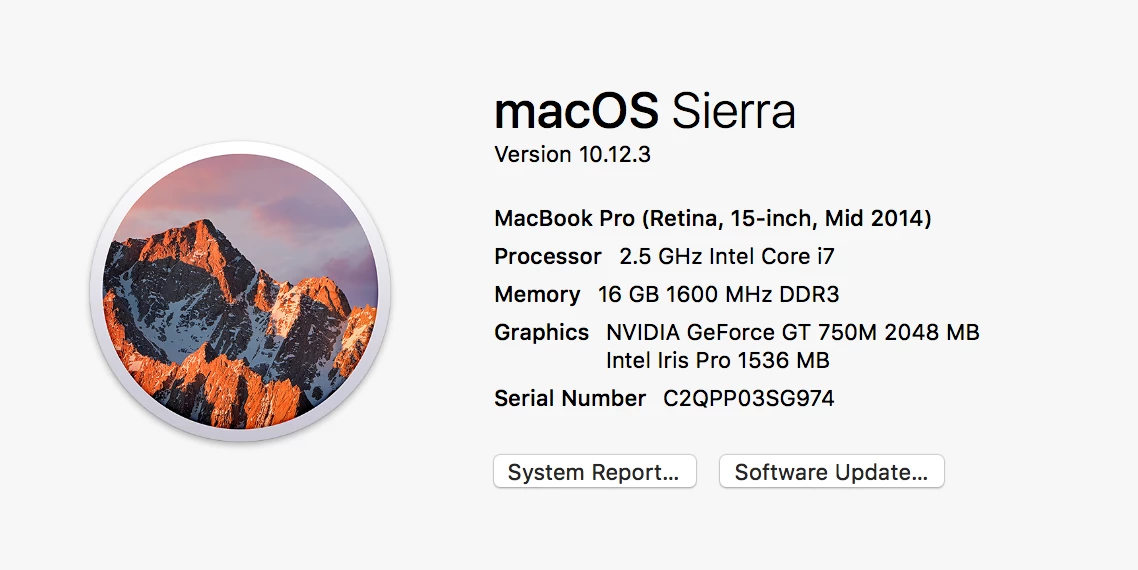
Running latest version of After Effects 2017, 14.0.1.5

It's my first time posting a question on here so if I'm missing any useful info, please let me know.

I see a lot of people asking this same question on forums and have tried many of the tricks and tips, even the strange or very general ones, cleaned up a ton and restarted the computer and the program many times. None of the forums questions seemed to have been answered with a clear answer though, so hoping someone can help me as the Adobe chat will only open in two days and I have clients waiting for their work.

Thank you

This topic has been closed for replies.
Correct answer charlie@dinosandteacups

Hi Kevin, I did not get an answer from Adobe no.

The only solution I have is obviously to empty disc cache, cache memory, etc, the basics. Also downloading new version, previous version, and redoing those clearing steps over and over. It eventually stopped giving me that message. Not sure it's the best solution however as it is frustrating and time consuming.

13 replies

Szalam
Community Expert
Community Expert
June 13, 2017

For persistent causes of this issue, today's bug fix update should solve it.

See the Adobe blog post for more information: A June 2017 Update to After Effects CC Is Now Available | Creative Cloud blog by Adobe

Participant
June 16, 2017

I'm having the exact same problem as the original poster, exact situation and I've tried all the same potential fixes. Nothing works. New update didn't help at all. It's been happening every now and then with a variety of projects actually, it's infuriating. The only thing I can think of is it's happening with a comp with Red Giant Universe on it, but it's happened before without it, and doesn't get fixed if I remove it.

swamp123456
Participant
May 5, 2017

plzz can you help me i was trying to edit an video but when i just start my after effect and put my files on it its saying plzz can you help me idk what the problem is??

Szalam
Community Expert
Community Expert
May 8, 2017

In your case, it might be something screwy in that particular video file. Try transcoding it with the Adobe Media Encoder into a production codec (like Cineform or DNxHD) and then import the new file into After Effects. Please let us know if it works.

Kevin-Monahan
Community Manager
Community Manager
March 3, 2017

Hi CharlieG,

Did you ever get assistance from Adobe Support for your issue? Please let us know the outcome so that we know you're OK and for the benefit of others.

Thanks,
Kevin

Kevin Monahan - Sr. Community & Engagement Strategist – Pro Video and Audio
charlie@dinosandteacupsAuthorCorrect answer
Participant
March 4, 2017

Hi Kevin, I did not get an answer from Adobe no.

The only solution I have is obviously to empty disc cache, cache memory, etc, the basics. Also downloading new version, previous version, and redoing those clearing steps over and over. It eventually stopped giving me that message. Not sure it's the best solution however as it is frustrating and time consuming.

Kevin-Monahan
Community Manager
Community Manager
March 6, 2017

Thanks for the feedback Charlie G.

Kevin

Kevin Monahan - Sr. Community & Engagement Strategist – Pro Video and Audio