
Camera Raw import color issues (after effects 24.5)
Hello, ever since the june update I've got a big color difference between Camera Raw and the timeline.
It looks like a wrong profile, but whatever I do in the color settings (project) or RAW settings the problems stays. I've never had such a color/contrast shift before, this different than the regular profile problems.
Photoshop does not have this problem and both my Mac Mini and Macbook pro 2017 have this problem.
It becomes dark and purple in AE, it seems to have happened after the update on both macs.
Is this a software issue? It have tried all available color settings in After Effects and the RAW preview looks fine.
Mac OS Sonoma 14.5
After Effects 24.5
Mac Mini M2 16gb
Actions;
Import Camera Raw file (Canon 100d) - works fine on all other software
Raw importer shows correct color, timeline doesn't (see pictures)
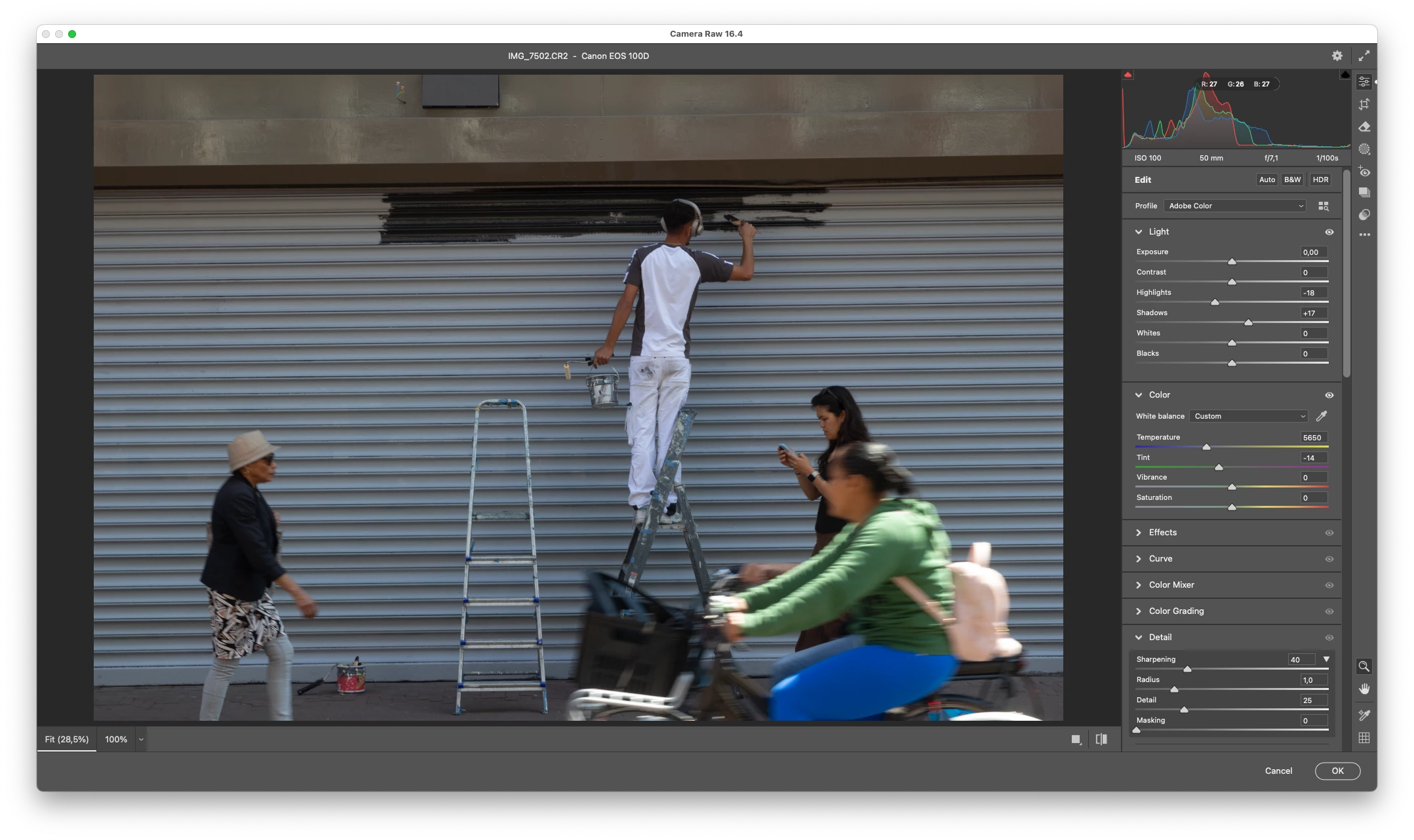
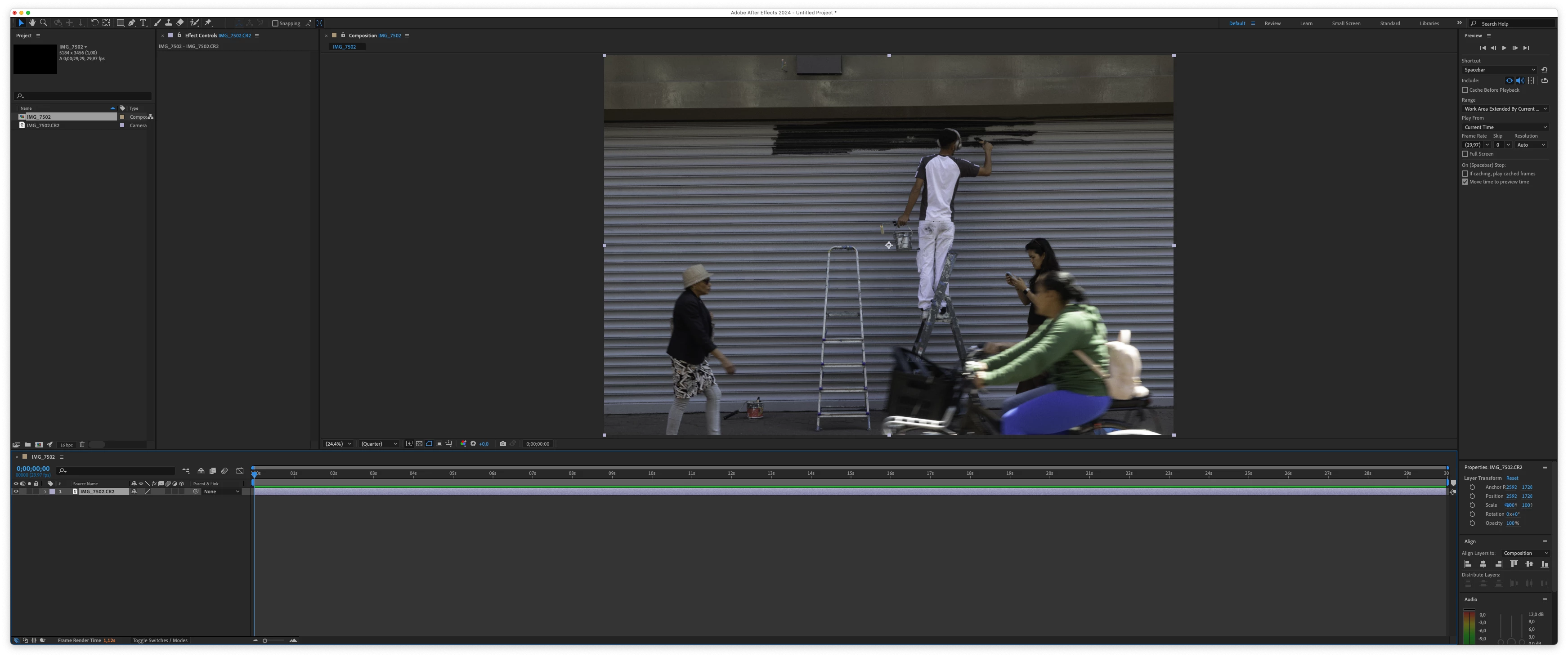
Thanks,
Jurriaan


 AdChoices