
Participant
July 8, 2025
Answered

Can anyone help me with this expression?

  • July 8, 2025
  • 1 reply
  • 371 views

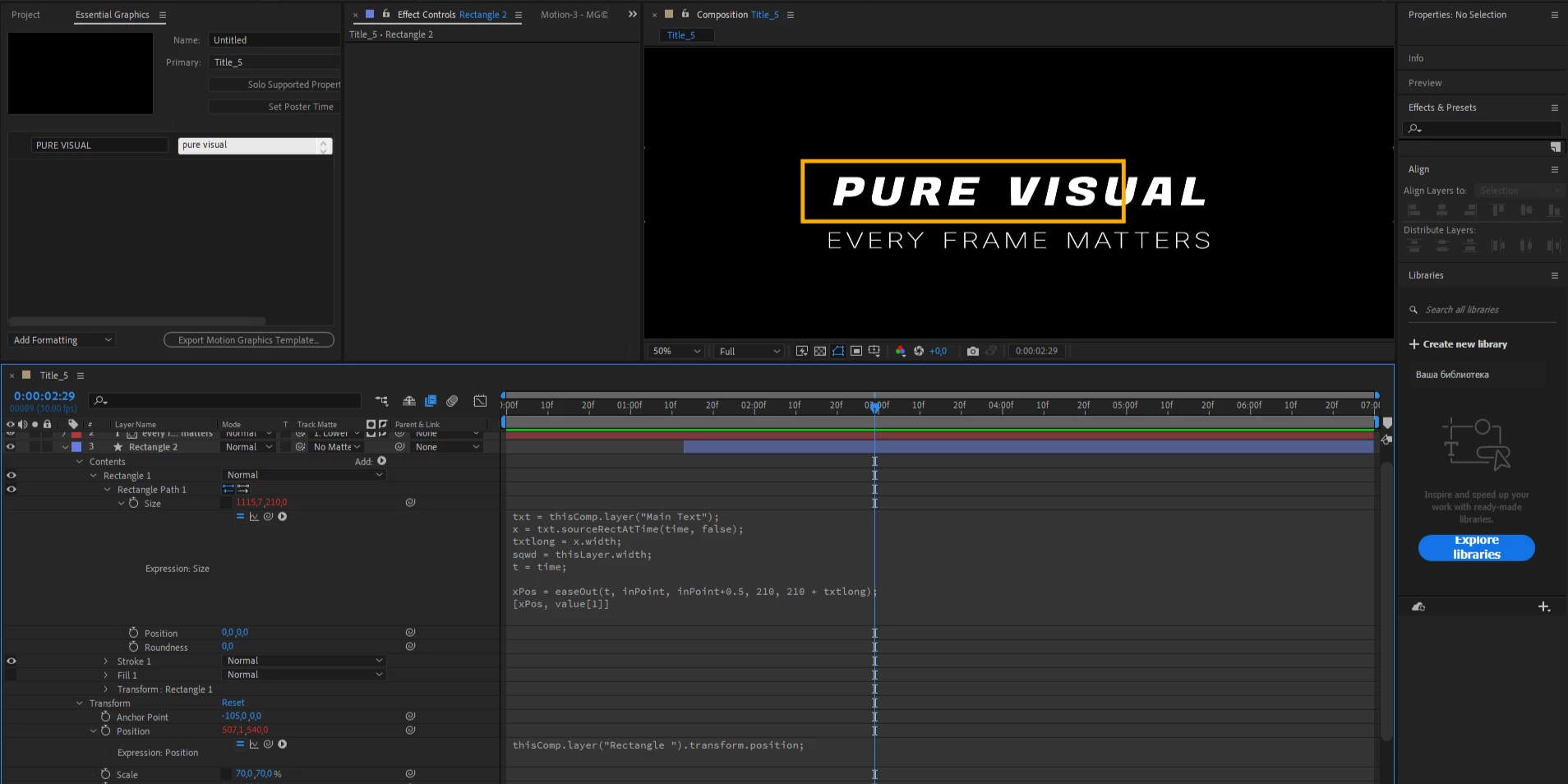
So I have this expression that's supposed to make my shape resize based on the text size. But for some reason, it doesn’t fully cover the text — it only covers part of it. I'm not very experienced with expressions, so I really can't figure out what's wrong. I put this expression in Rectangle Path - Size. Please help.

txt = thisComp.layer("Main Text");

x = txt.sourceRectAtTime(time, false);

txtlong = x.width;

sqwd = thisLayer.width;

t = time;

xPos = easeOut(t, inPoint, inPoint+0.5, 210, txtlong + 210);

[xPos, value[1]]
Correct answer Dan Ebberts

Yeah, that's the problem. The box is small after the animation. 
it looks pretty simple to me, but for some reason it just doesn't work. I also have this expession for the position of the shape to have the same position as previous shape, but i dont think it has something to do with the problem. 


From your screen grab, it looks like you have the rectangle scaled to 70%.

1 reply

Dan Ebberts
Community Expert
Community Expert
July 8, 2025

Is your text scaled to more than 100%? If so, you'll need to adjust your txtlong value to account for that.

Participant
July 8, 2025

My text is 100% scaled, so i guess it's not it. I also tried to change font size of my text, but i didnt help either. 

Dan Ebberts
Community Expert
Community Expert
July 8, 2025

The expression is set up to start at a fixed width (210 px) and ease up to that size plus the width of the text. Are you saying that after the animation, the box is too small, or before the animation?