Your time-delay is -.001 so each copy of the layer is .001 seconds behind the current time. You have 800 copies. By doing the math the longest the image trail can be is .8 seconds.
I'm not sure what Time Remap has to do with anything unless the brush (white points) is moving too slow, and you should not be applying Echo to an adjustment layer.
If I wanted complete control I would have made a few little dots with the brush, offset the anchor point of each, applied a little wiggle to each brush position, tied the transform brush rotations to the first brush rotation with simple pickwhip expressions, then animated the number of echoes and the decay to end up with something like this:
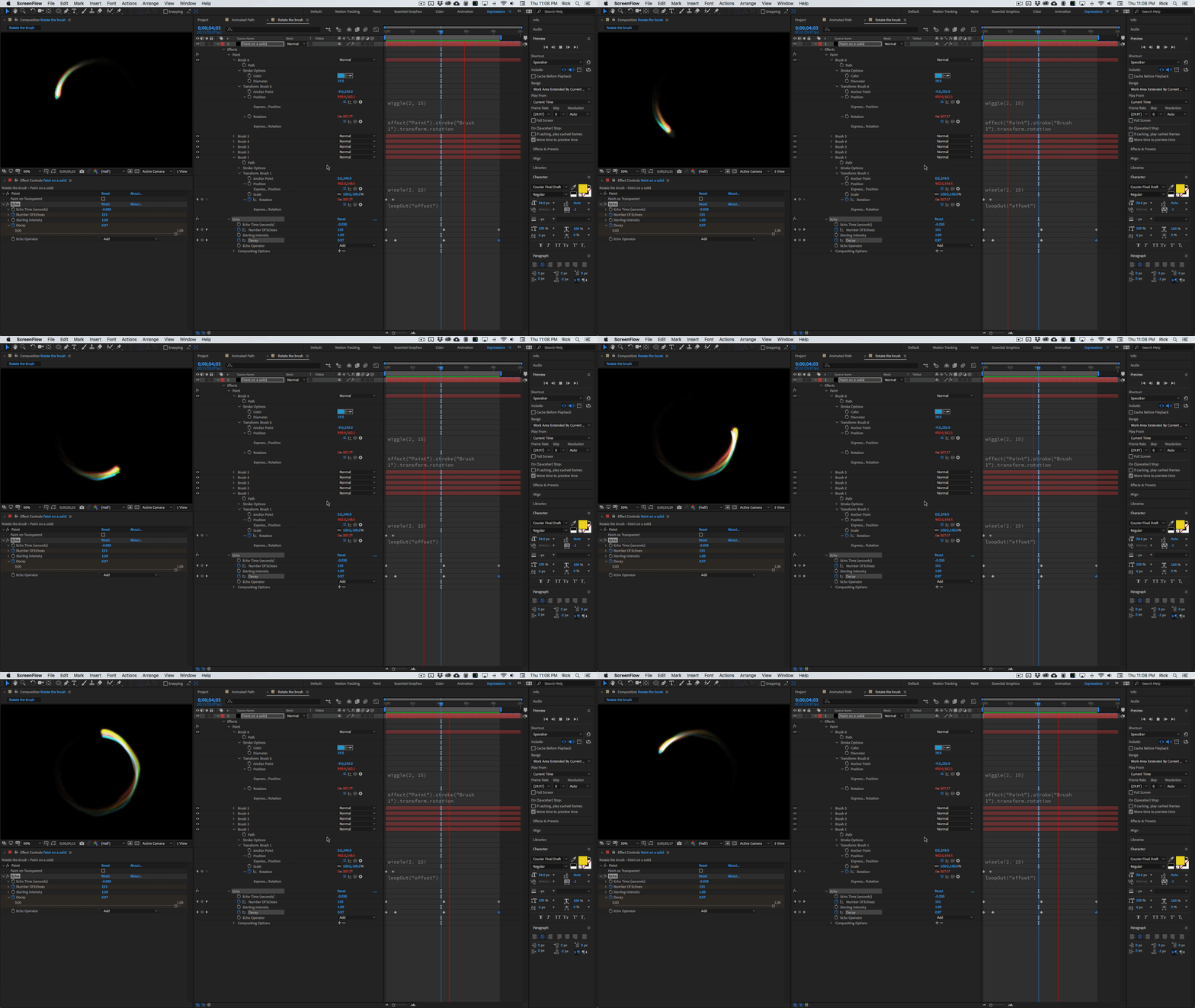
That is a custom workspace I have set up for working on expressions. You can see enough of the modified properties to recreate the comp. I have animated the decay and number of echos and the rotation of the number 1 paint stroke. The rest of the animation is handled by very basic expressions. There is no need for time remapping, just a change in the speed of rotation and a few keyframes in the Echo effect to get the look you want.
The time delay can be calculated by the number of pixels per frame each dot moves. If you want each repeat to overlay and the shape moves 10 pixels per frame and the shape is 20 pixels in diameter then you'll need to have the time delay equal to the time between frames. For a 30 fps comp that would be 1/30 or =0.033 which is the default for echo. If your shape was only 10 pixels then the delay would be half that or 0.016. You don't have to do the math, but knowing it at least gives you a guess at the proper time offset.
Here is the project file showing a couple of methods.


 AdChoices