Known Participant
June 23, 2022
Answered

Can set work area based on the selected layer's in & out with Automation Blocks?

  • June 23, 2022
  • 2 replies
  • 575 views

Hi, I want to create a set work area based on the selected layer's in & out.
Can you help me create with Automation Blocks? 
 

This topic has been closed for replies.
Correct answer Mathias Moehl

Hi,

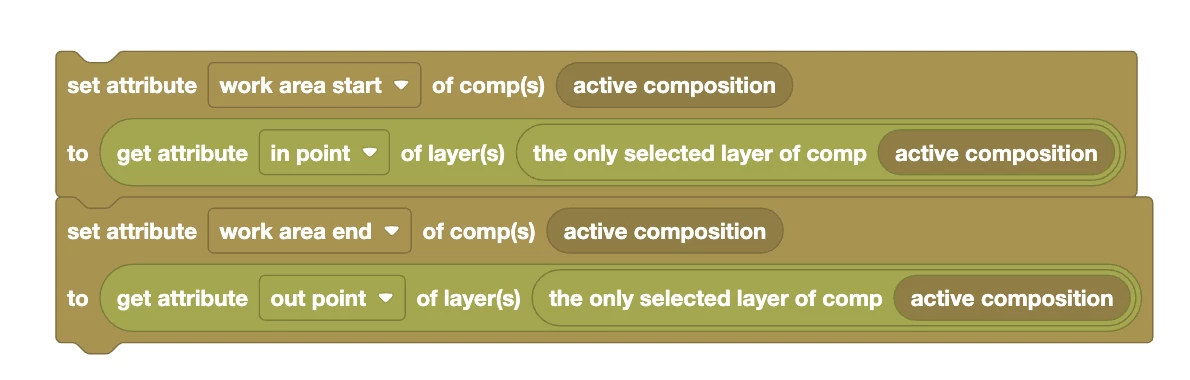
if you only have a single selected layer in the active comp, then setting the workarea to its in-out range with Automation Blocks is as easy as this:
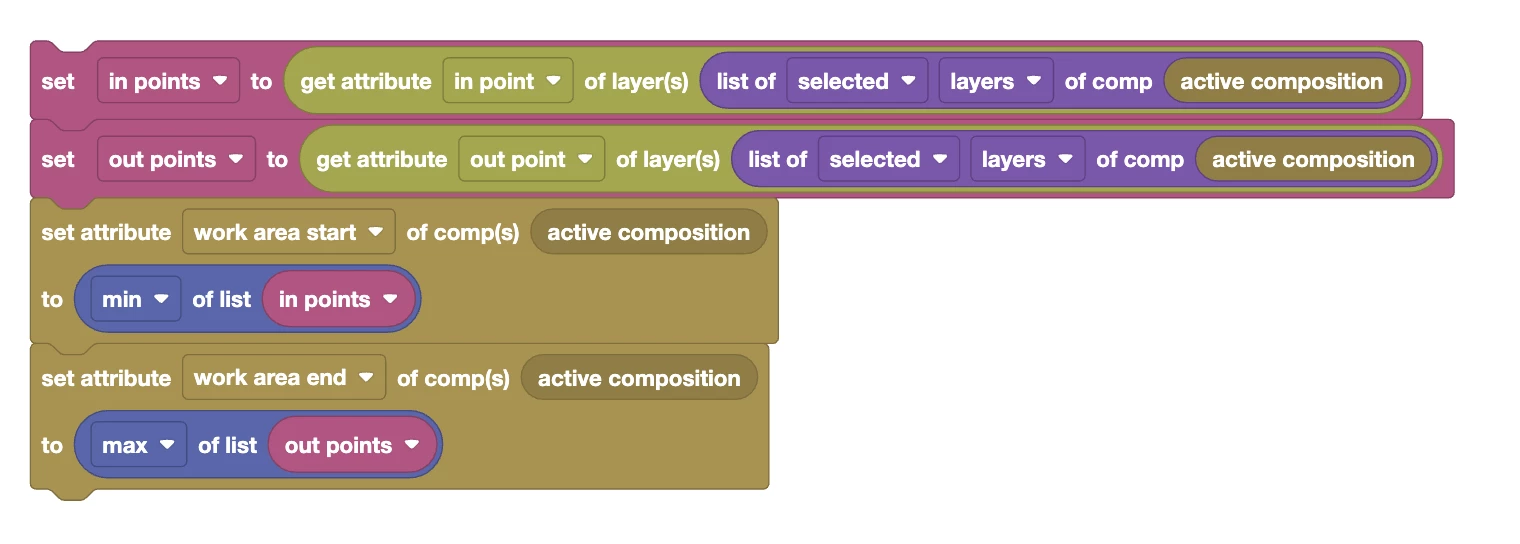
If you have multiple selected layers and want the workarea to include exactly all their in- to out ranges, then you have to first retrieve the in and out points of all of them and then use the minimum of the in points and the maximum of the out points for the workarea:
I added both those block scripts to out community library now - here are the direct links:

- Set Workarea to Only Selected Layer Script

- Set Workarea to All Selected Layers Script

2 replies

Mathias Moehl
Community Expert
Mathias MoehlCommunity ExpertCorrect answer
Community Expert
June 23, 2022

Hi,

if you only have a single selected layer in the active comp, then setting the workarea to its in-out range with Automation Blocks is as easy as this:

If you have multiple selected layers and want the workarea to include exactly all their in- to out ranges, then you have to first retrieve the in and out points of all of them and then use the minimum of the in points and the maximum of the out points for the workarea:

I added both those block scripts to out community library now - here are the direct links:

- Set Workarea to Only Selected Layer Script

- Set Workarea to All Selected Layers Script

Mathias Möhl - Developer of tools like BeatEdit and Automation Blocks for Premiere Pro and After Effects
Mathias Moehl
Community Expert
Community Expert
June 23, 2022

... and since you mentioned that you want to set the work area in order to render the comp after that:

To add the comp to the render queue, just append the Add To Ae Render Queue block to any of the two scripts above to automate that part, too.

Mathias Möhl - Developer of tools like BeatEdit and Automation Blocks for Premiere Pro and After Effects
Ishan Y
Community Manager
Community Manager
June 23, 2022

Hey Poly22822264t1ta,

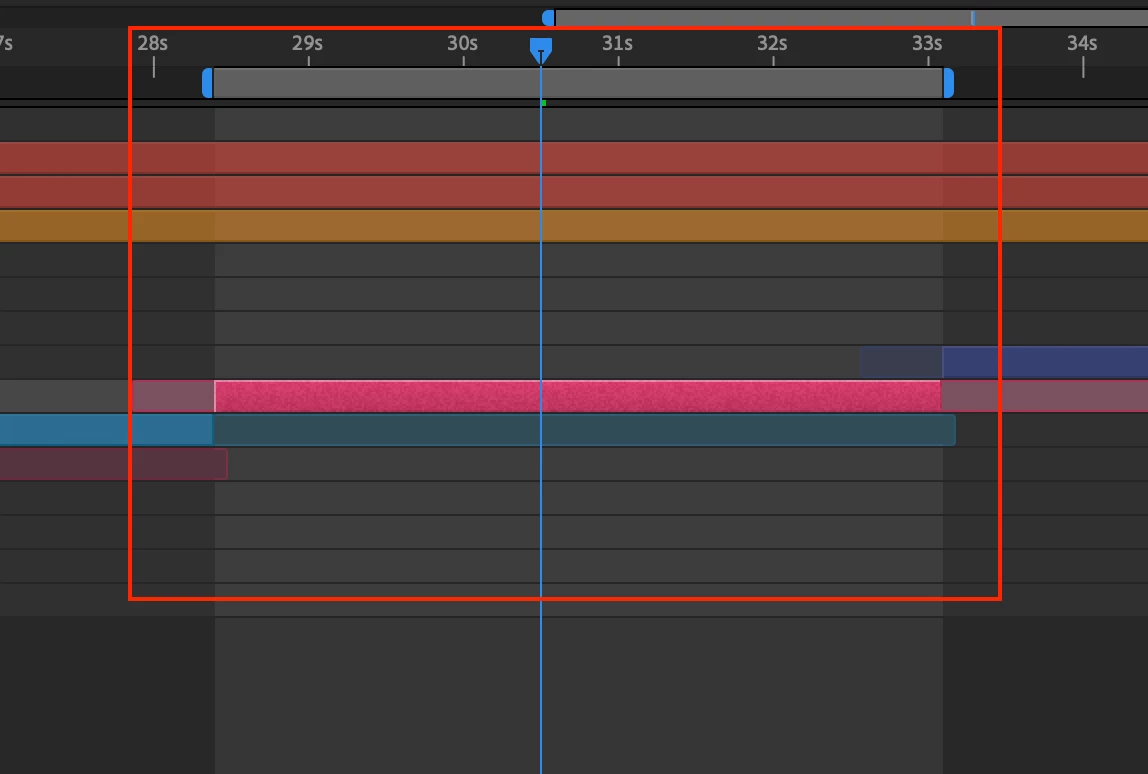
Are you trying to isolate the composition duration to your in and out points? If so, have you tried using the Trim comp to Work Area feature? Click between the in and out points in the work area , as shown in the screenshot. Let us know how it goes.


Thanks,

Ishan

Known Participant
June 23, 2022

Thank you, Ishan.

I need for choose the render area for multiple layers without changing the comp duration.
