


Can't add a value to the current effect [expression]
// Get the speed value from the text layer
var speed = thisComp.layer("<empty text layer>").text.sourceText;

// Get the value from the "Black Solid 2 | Fractal Noise" effect
var currentValue = thisComp.layer("C | Connector").effect("Black Solid 2 | Fractal Noise")("Connector").value;

// Check if the speed value is negative
if (speed < 0) {
  // If yes, increase the effect value by 25 until it reaches 100
  if (currentValue < 100) {
    currentValue += 25;
  }
} else {
  // If the speed value is not negative, decrease the effect value by 25 until it reaches 0
  if (currentValue > 0) {
    currentValue -= 25;
  }
}

// Return the current value
currentValue;
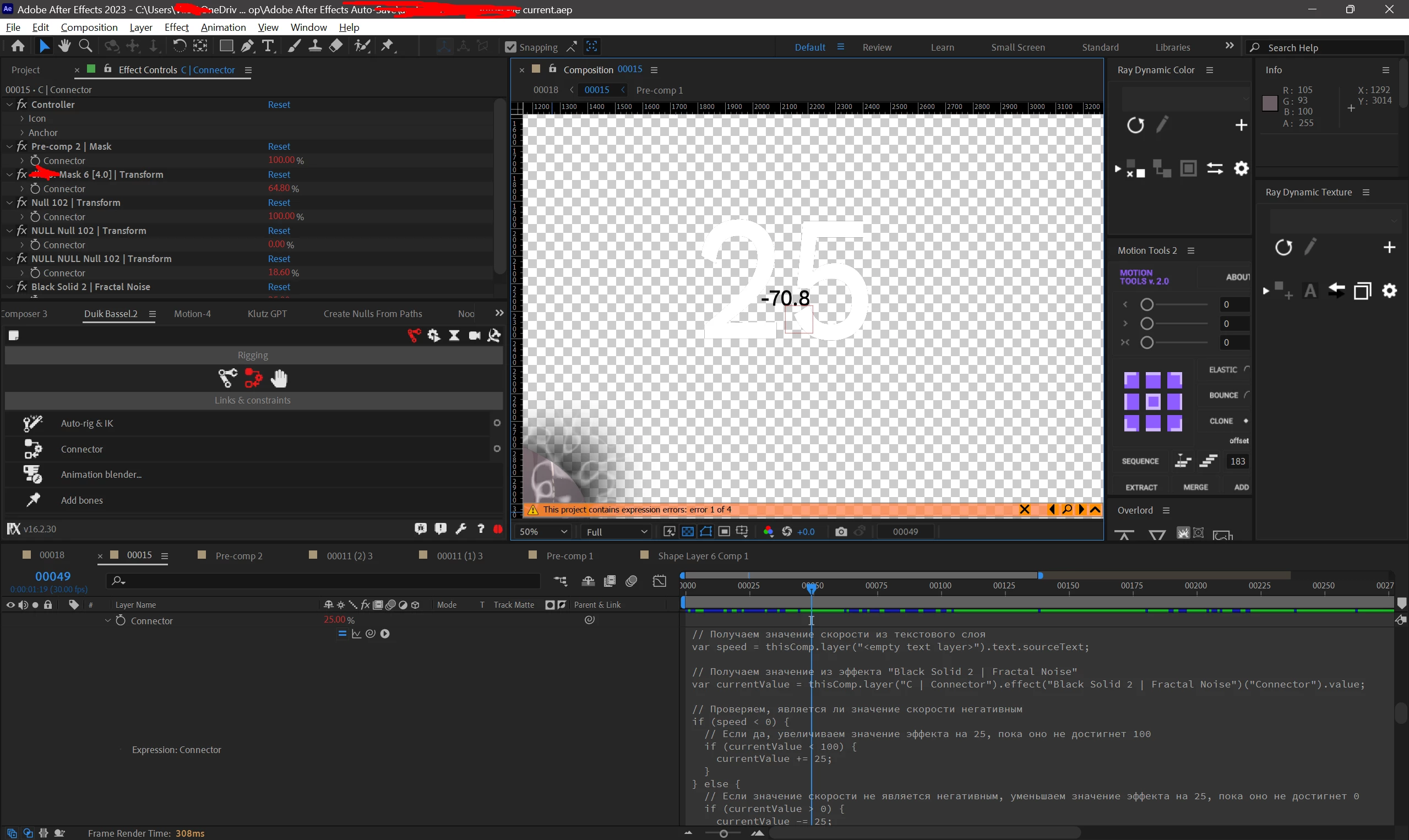
The main idea of the expression is to dynamically adjust the value of an effect based on the value of a text layer. The expression:
- Gets the speed value from a text layer.
- Gets the current value of an effect.
- Increases the effect value if the speed is negative.
- Decreases the effect value if the speed is not negative.
- Returns the current value of the effect.
This allows you to create animations that respond to changes in the text layer, such as changing the speed of an animation based on a user input.
However, it doesn't work as I want. For some reason, the value stops when it reaches 25, on the first frame of the negative speed, and does not reach 100 on the next 3 frames. When speed is no longer negative, the effect value becomes 0, meaning the expression reacts to speed, but not exactly as expected.
That is, I want if the speed value is negative, the effect value becomes 100 within 4 frames, and gradually decreases in the same way if the speed is not negative
Thank you in advance!



 AdChoices