Participant
July 17, 2017
Answered

Can't add expression to text

  • July 17, 2017
  • 2 replies
  • 6160 views

I'm trying to make a 5 minute countdown. I found the expression I need to input here: 5 Minute Countdown : Adobe After Effects Expressions But for some reason I don't have a dropdown menu or toggle button for expressions.This is on Windows 10. I included a screenshot. Someone please help
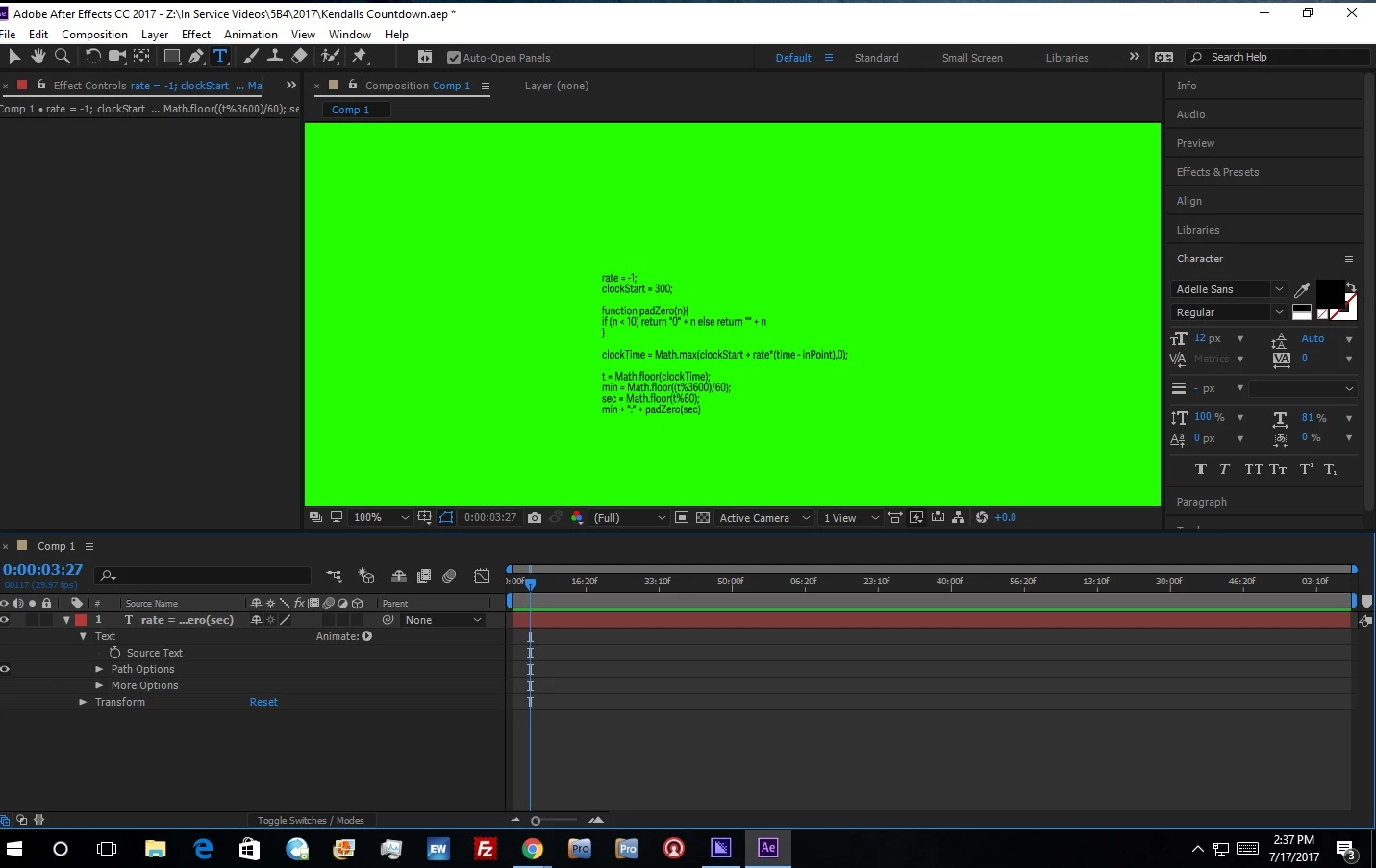
    This topic has been closed for replies.
    Correct answer P.M.B

    You pasted the expression in the wrong place.

    Unfortunately I'm not the kinda guy who simply tells you where to paste it.

    I'm the kinda guy provides you a link to a tutorial on how to use expressions.

    Learn expression basics to link animations in Adobe After Effects

    Expressions and Expression Linked Controls in After Effects - BASIC TUTORIAL - YouTube

    Maybe someone less compassionate than me will simply give you the fish.....not me.

    2 replies

    P.M.B
    P.M.BCorrect answer
    Legend
    July 17, 2017

    You pasted the expression in the wrong place.

    Unfortunately I'm not the kinda guy who simply tells you where to paste it.

    I'm the kinda guy provides you a link to a tutorial on how to use expressions.

    Learn expression basics to link animations in Adobe After Effects

    Expressions and Expression Linked Controls in After Effects - BASIC TUTORIAL - YouTube

    Maybe someone less compassionate than me will simply give you the fish.....not me.

    ~Gutterfish
    Roei Tzoref
    Legend
    July 17, 2017

    add the switches column by clicking on the timeline options (#1) or right click on the columns header (#2)

    LegoNut6Author
    Participant
    July 17, 2017

    I have that enabled, clicking on it doesnt do anything

    Roei Tzoref
    Legend
    July 17, 2017

    sorry, I have misunderstood your post. Gutter-Fish​ is correct