
Can't scrub or play fully through footage
Look at the following image:
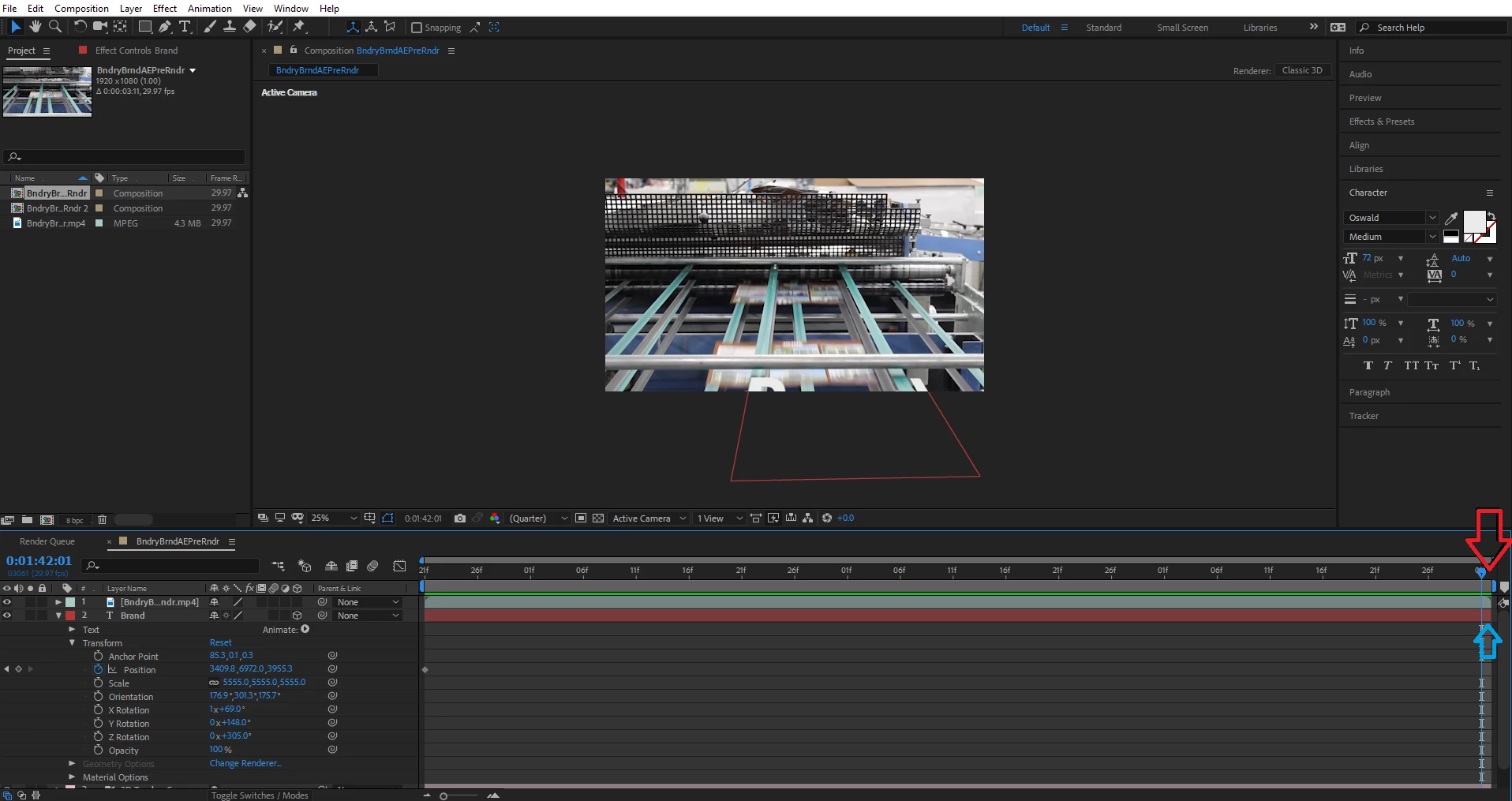
There are 2 arrows, a red one and a blue one. The red arrow points at the timeline. This shows that the end of the timeline has about 1/4 of a frame left for the scrubber to pass by; however, this very important footage is skipped and when hitting the space bar (which plays my clip repeatedly) the scrubber continually skips this portion. The blue arrow point at my clip. You can clearly see that there is 1/4 of a frame of footage left to scrub and/or play in the timeline; however, when I grab the scrubber and try to move it over this section, it fails to do so and stays in its current position. This action makes it seem that After Effects thinks that the end of both the timeline and my footage is 1/4 a frame short of where it actually is.
My question is, does anyone know how to scrub fully through or play completely through your footage, even if your footage is less than a full frame? If not, why does Premiere Pro allow a clip to be less than a full frame when it is both edited and exported into After Effects?
Please let me know if any of my questions do not make sense.
Thank you
 AdChoices