antond51596405
Participant
February 11, 2019
Question

Can't see background layer when using eraser tool

  • February 11, 2019
  • 1 reply
  • 740 views

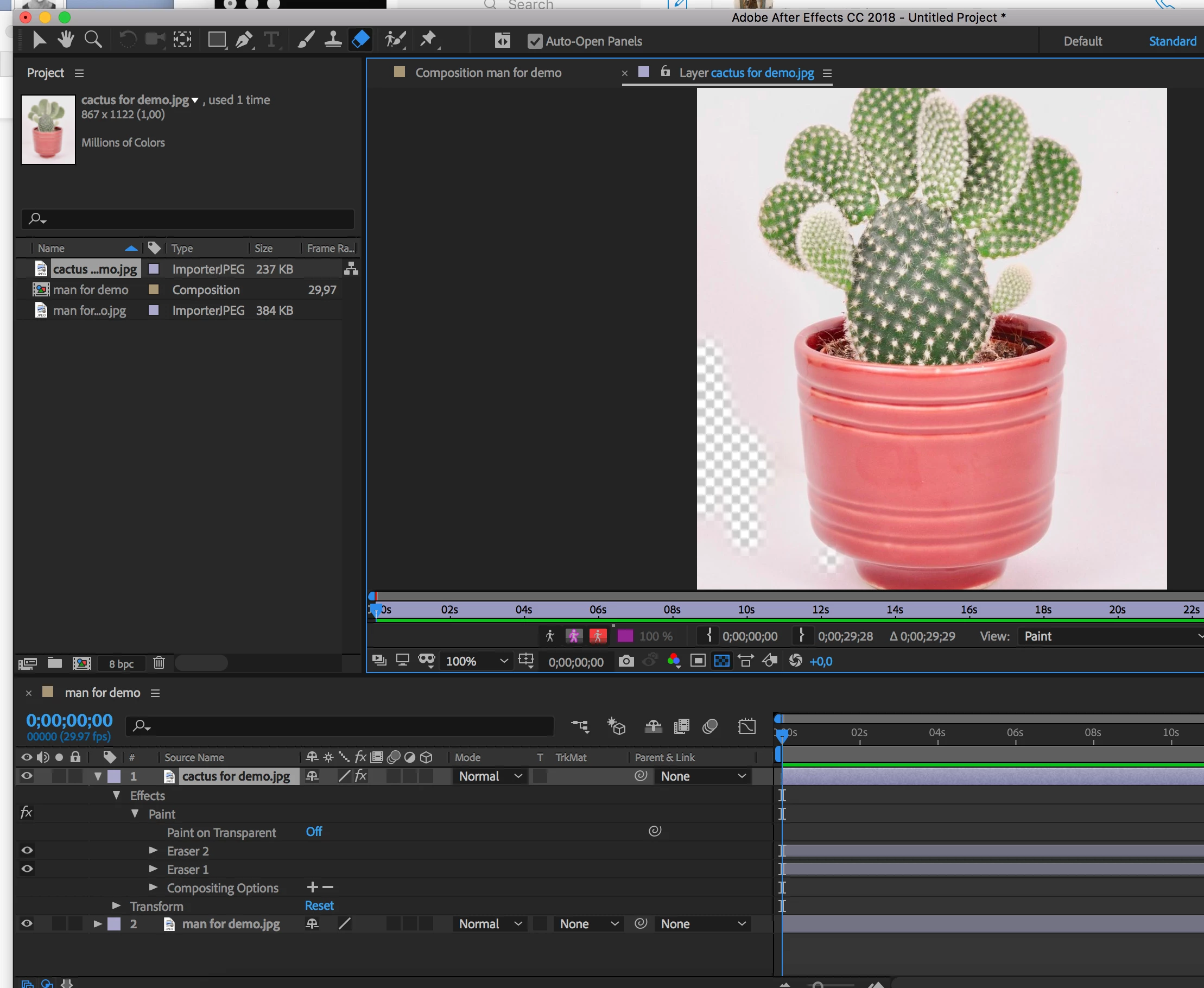
Anybody please help me to find out how I can see other layers when using eraser tool?

Is it possible to see other layer instead of these squares?
    This topic has been closed for replies.

    1 reply

    Inspiring
    February 11, 2019

    You're in the Layer panel, which is what you have to be viewing when using the brush tools. You can tear the panel off and dock it next to the Comp panel, which will update after each brush stroke. Then you'll be able to see the layers below.

    Unless you're specifically teaching the brush tools (which might be the case since your file name says "for demo") I would recommend using Photoshop to mask out the background and import a PSD or PNG.

    OussK
    Community Expert
    Community Expert
    February 11, 2019

    davidarbor​ tell you exactly what you must do but in any case here's also a quick preview
