
Participant
December 11, 2024
Question

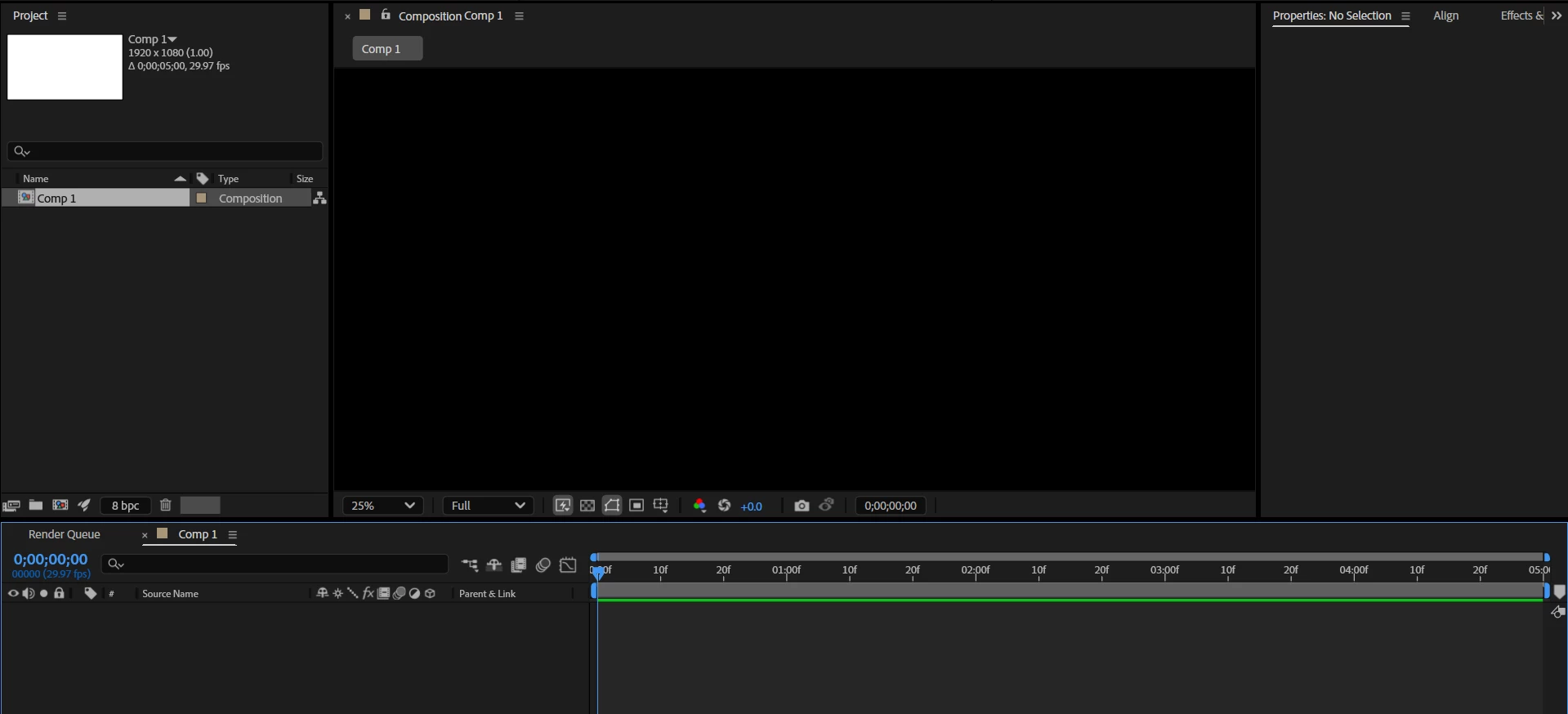
Can't see Comp Screen

  • December 11, 2024
  • 2 replies
  • 119 views

Hello, I just installed After Effects 2025 and opened it to start a new project and for some reason, I can't see my comp screen at all. I created a new composition but the Panel shows nothing but black. Even if I add elements to the comp, I can't see anything. I'm a total beginner at After Effects, please help me solve this. Thank you! 
 

This topic has been closed for replies.

2 replies

thepixelsmith
Community Expert
Community Expert
December 12, 2024

You can try:

• Purging the cache. 

     1. Edit > Purge > All Memory and Disk Cache


• Deleting Preferences

     1. Go to the Preferences dialog, called Setings on Mac. After Effects > Settings > Startup & Repair (mac) or Edit > Preferences > Startup & Repair (win)

     2. Reset All Preference to Defaults button. This will restart AE


• Set the Comp panel magnification to Fit.

nishu_kush
Legend
December 11, 2024

Try the follwoing steps:

1) Close After Effects
2) Go to the Device Manager (Run >> devmgmt.msc)
3) Select Display Adapter, Right click on  the "Intel UHD graphic card".
4) Select "Update Driver"
5) Select "Browse my Computer"
6) Select "Let me Pick from a list of available drivers on my Computer".
7) Select "Microsoft Display Adapter".

😎 Launch After Effects


Let us know how it goes.


Thanks,

Nishu