Participant
December 18, 2019
Answered

Can't see the percentage under layer effect

  • December 18, 2019
  • 2 replies
  • 3495 views

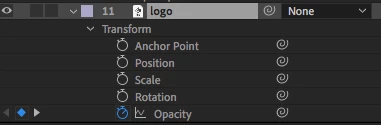
After effects 2019 - why can't i see the percentage, I'm trying to keyframe the opacity but there is no Percentage to control it

Correct answer Jose Panadero

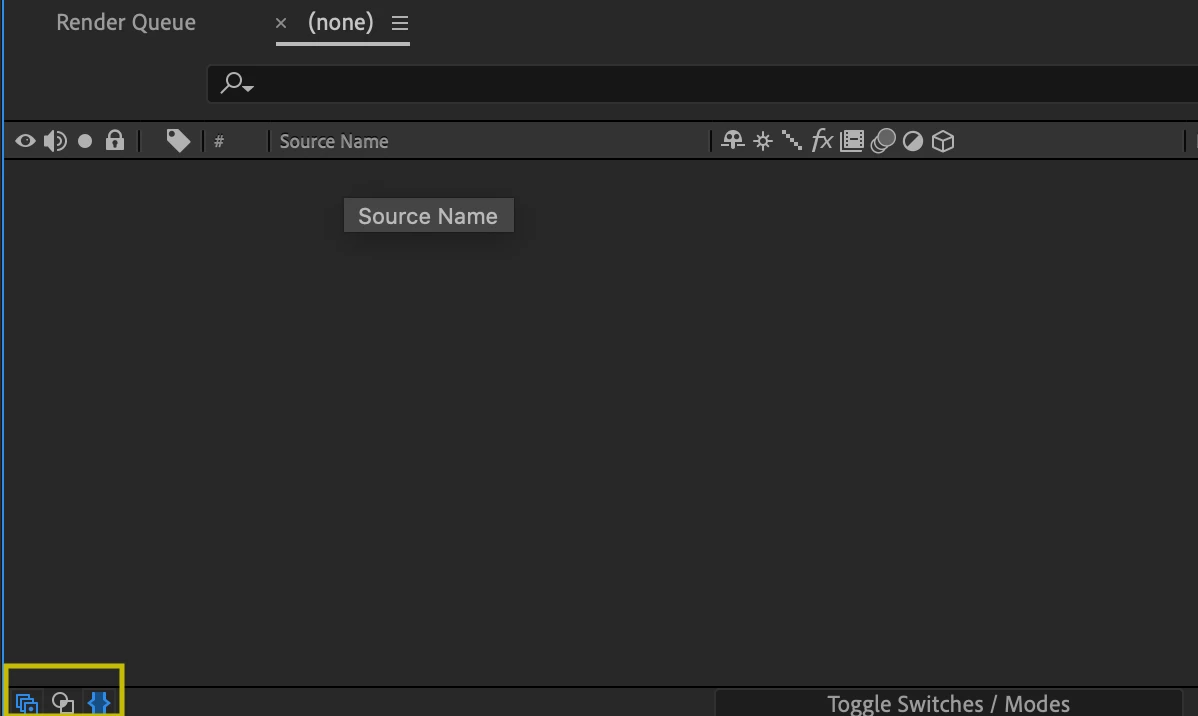
You need to activate the button for expand the Switches. Check in the lower right corner of your timeline and activate the first button. Check attached image


2 replies

Shivangi_Gupta
Community Manager
Community Manager
December 21, 2019

Hi Alex,


Thanks for reaching out. This does not sound ideal. The percentage option gets highlighted after selecting the property as mention by @Jose_Panadero.

If you're still getting the issue, I'd recommend you to reset the preferences which will make the settings default. 

You may refer to this link: https://helpx.adobe.com/in/after-effects/using/preferences.html#reset_prefs


Let us know if it helps.


Thanks,

Shivangi

Jose Panadero
Community Expert
Jose PanaderoCommunity ExpertCorrect answer
Community Expert
December 18, 2019

You need to activate the button for expand the Switches. Check in the lower right corner of your timeline and activate the first button. Check attached image


Participating Frequently
November 9, 2022

Thanks, Jose! That never happened to me before, so thank you for posting!!