

musaby
Known Participant
July 23, 2022
Question

Can't see timeline for some composion

  • July 23, 2022
  • 2 replies
  • 200 views

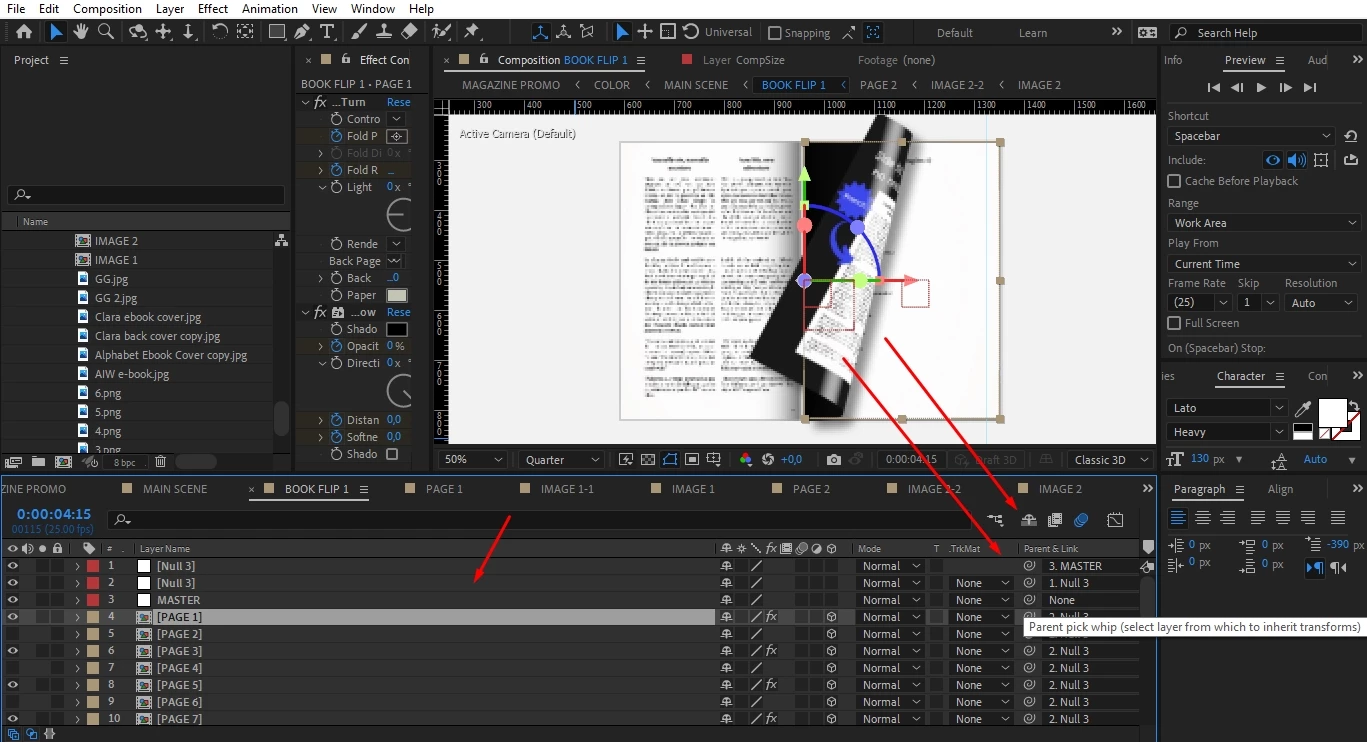
Okay, I have a template and I have to reedit for my personal desires. But there is an issue, I can't see the timeline when I'm click the Book Flip1 precomp. I can see when I'm working on main comp but wheneever I'm try to reedit some precomps the timeline disappears and I can only Layers. How can I solve this?
This topic has been closed for replies.

2 replies

Community Expert
July 24, 2022

You can grab the right edge of the Layer Name column and drag it to the left. You can press Shift + F4 to show and hide the Parent Link Column. You can use the three icons in the bottom left corner of the Timeline to show or hide the Switches and Modes columns. You can double-click the current workspace and choose Yes to reset it or reset it using the Window/Workspace menu. You can choose another workspace. 


It would help if you spent a little time studying the UI and learning about workspaces. 

ToolfarmJP
Community Expert
Community Expert
July 24, 2022

If you choose another workspace from Window menu > Workspace to reset it, is it improved?