
Question
Can't seem to access layer control settings
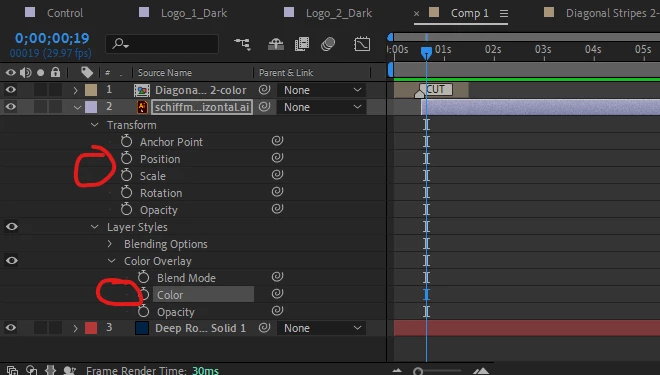
Am I losing my mind? All of a sudden I can't seem to control any settings within a layer.
Normally under things like "Anchor Point" or "Position" I can make modifications to X/Y values, opacity, etc.
Not sure if I bumped something on the keyobard, but can't figure what to toggle to bring this back.
Already tried resetting After Affects with the CTRL+ALT+SHIFT on startup.


 AdChoices