Participant
October 4, 2022
Answered

Cannot find Track Matte

  • October 4, 2022
  • 1 reply
  • 662 views

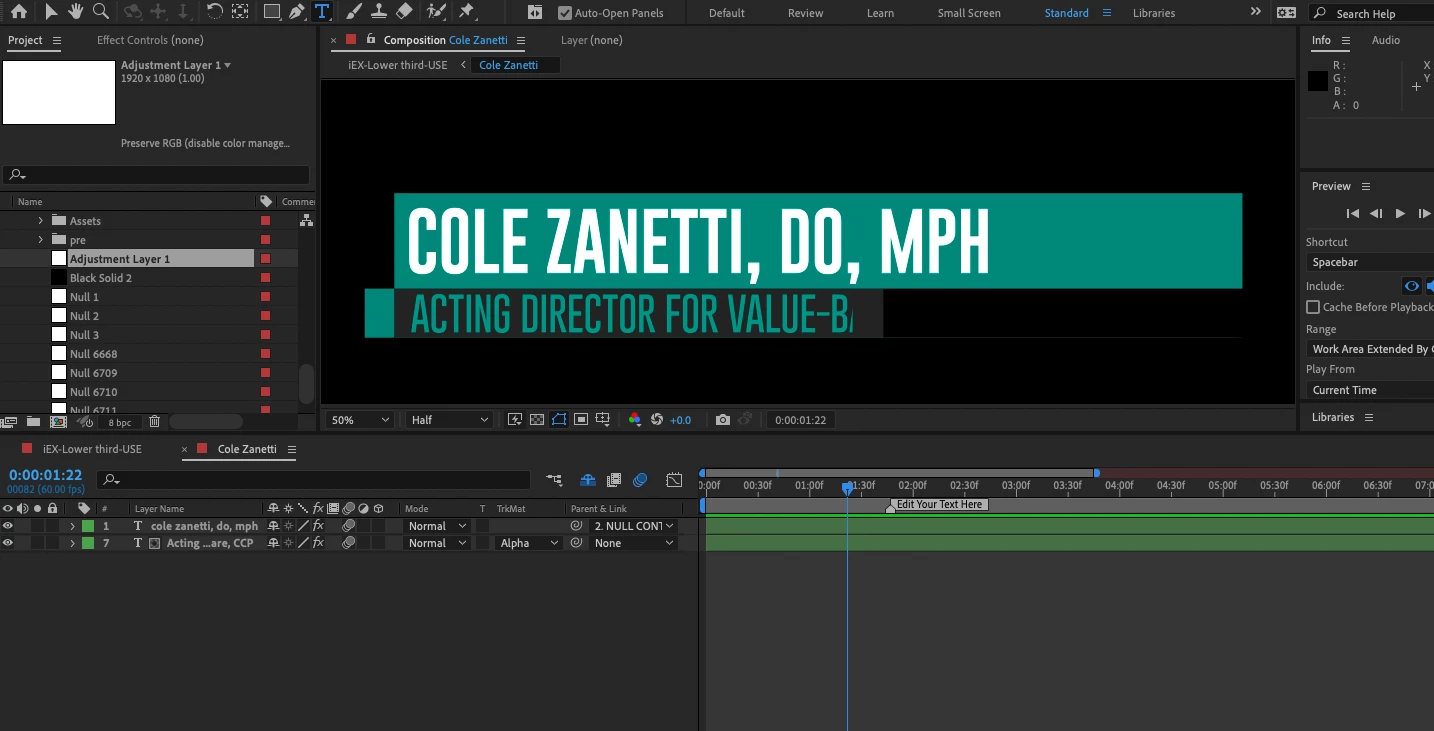
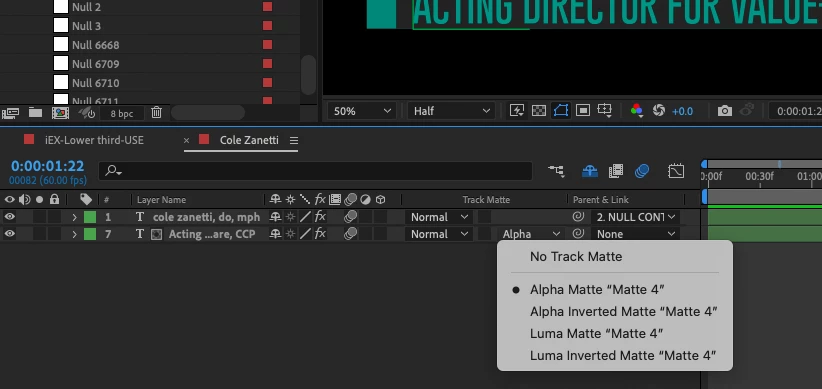
Hi. So I'm using a template that I downloaded and there is a track matte applied that is cutting off my text. But I can't find where the matte is referenceing so I can change it. Every tutorial I find says that the shape for the matte should be directly above the shape being cut out but there is no shape layer there. Can someone help me find where to edit the track matte? I am showing you my file here along with where the matte is being referenced. Thanks in advance.
 

This topic has been closed for replies.
Correct answer Jose Panadero

You have active the Shy Layers icon in the timeline (that "blue" guy). Deactivate and all the shy layers will appear.

1 reply

Jose Panadero
Community Expert
Jose PanaderoCommunity ExpertCorrect answer
Community Expert
October 4, 2022

You have active the Shy Layers icon in the timeline (that "blue" guy). Deactivate and all the shy layers will appear.

Participant
October 4, 2022

I looked for that but was looking at the other shy icon. You're an angel thank you so much!!!!