UltraUber
Known Participant
January 13, 2017
Answered

cannot open file in mocha ae (CC2017)

  • January 13, 2017
  • 1 reply
  • 11908 views

I'm trying to track in mocha ae using CC2017 for the first time

I imported a 3 minutes mp4 footage into after effects, located the point which i wanted to track and trimmed the footage so it became 5 seconds long.

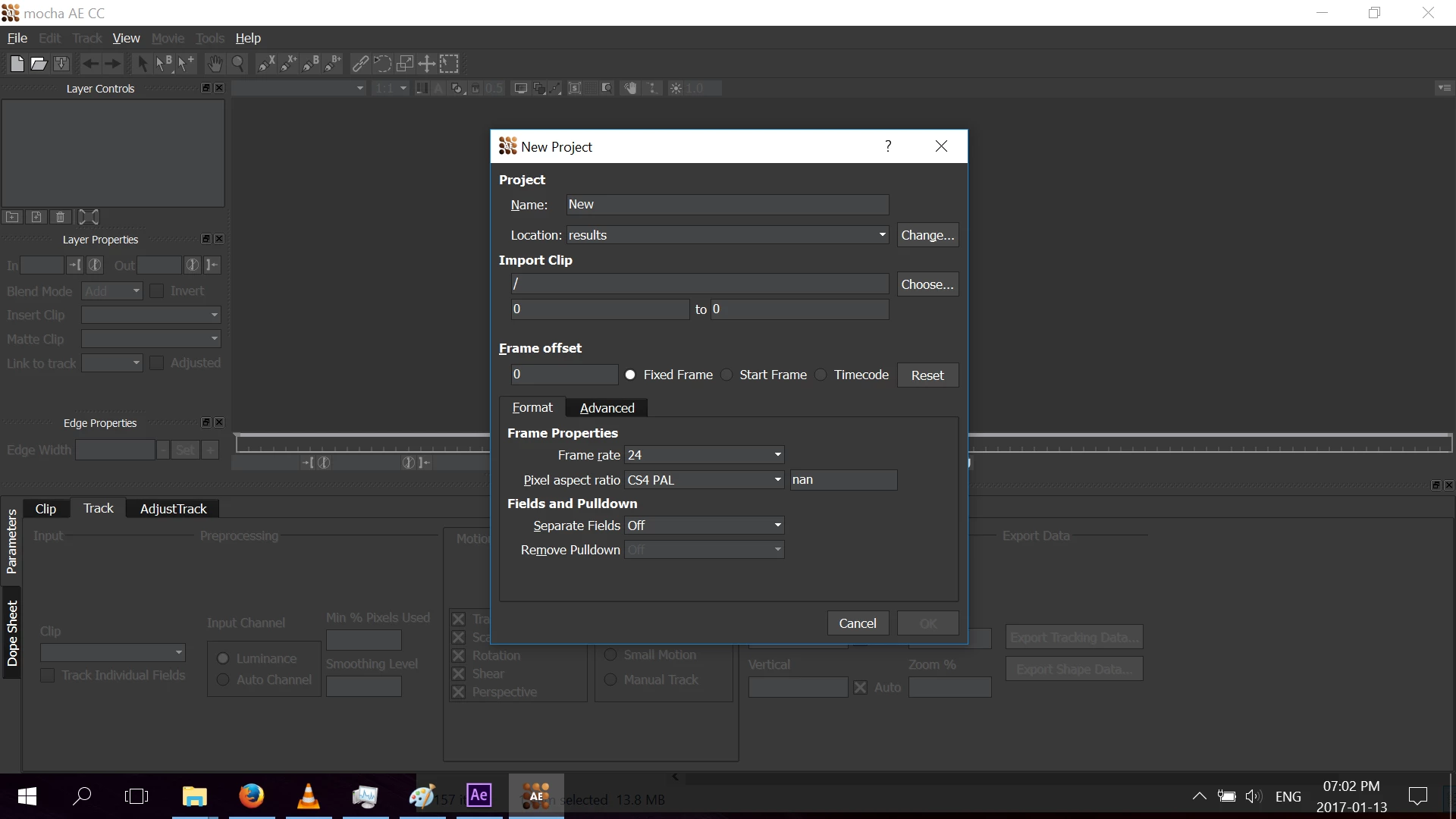
Then I went to Animation - Track in mocha AE and expected that in mocha's interface i will see the trimmed footage from my after effects, but mocha didn't show anything. Instead, it offered to import the footage from my computer. So i tried to import it (as I said it was mp4 footage) but then mocha said that file is corrupted or unsupported and gave me a link for more details, but that link lead to a page with Error 404 - Page not found...

So what to do ?

Here is the printscreen of mocha interface. Notice that under Import Clip there are 0 to 0 referring to frames. When i worked with CS, mocha showed the frames in relation to my After Effects project's frames (like 304 to 417, or something)
    This topic has been closed for replies.
    Correct answer Mathias Moehl

    I guess the error message says what the problem is: "The file is in an unsupported format".

    I recommend that you try to export the clip as a png or jpg image sequence and try to load this into mocha.

    Cheers,

    Mathias

    1 reply

    Dave_LaRonde
    Inspiring
    January 13, 2017

    Transcode the mp4 footage to a media container & codec that Mocha likes.  I recommend Quicktime movies in JPEG 2000, PNG, Photo JPEG or animation codecs.

    UltraUber
    UltraUberAuthor
    Known Participant
    January 14, 2017

    I transcoded the footage:

    But still, when I go to Animation - Track in mocha AE, I get the same window (mocha is asking me to import footage from my PC - why can't it take the footage directly from my After Effects project?):

    And if I try to import the transcoded footage from my PC, I get the same error:

    Mathias Moehl
    Community Expert
    Mathias MoehlCommunity ExpertCorrect answer
    Community Expert
    January 14, 2017

    I guess the error message says what the problem is: "The file is in an unsupported format".

    I recommend that you try to export the clip as a png or jpg image sequence and try to load this into mocha.

    Cheers,

    Mathias

    Mathias Möhl - Developer of tools like BeatEdit and Automation Blocks for Premiere Pro and After Effects