
TomWood87
Participant
April 20, 2021
Question

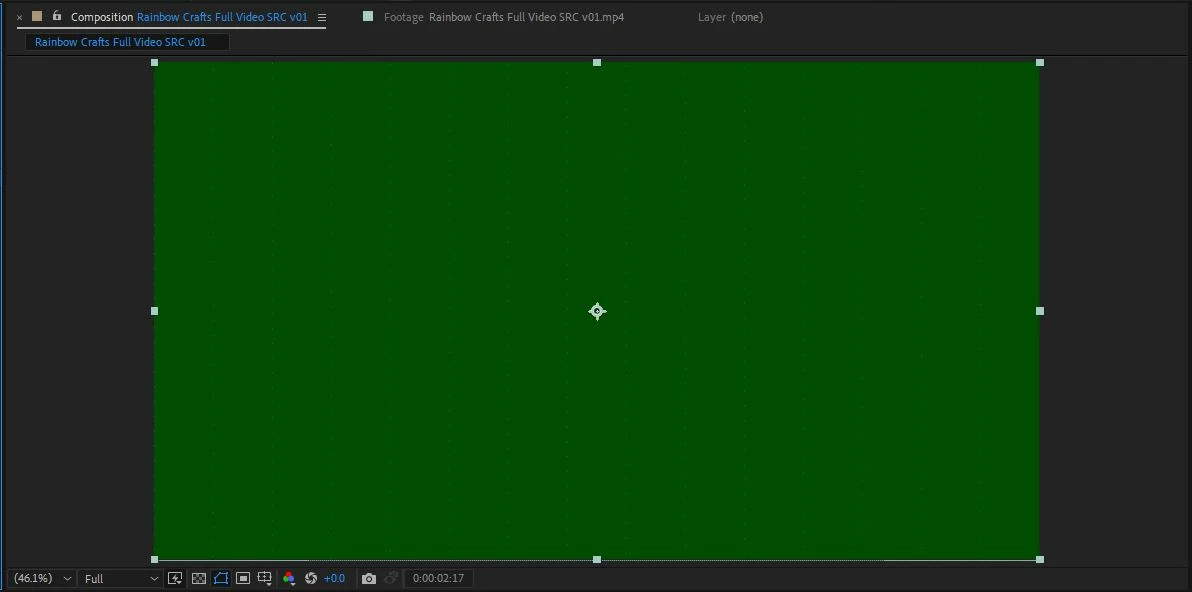
Cannot preview video, shows only green

  • April 20, 2021
  • 1 reply
  • 300 views

Hi all,

I was working on a video yesterday on my personal 13" MacBook Pro (2016) and it seemed to be just fine. I exported it from Premiere but wanted to add some bits in After Effects on my work PC. When I imported the video into AE on Windows, this happened (see image attached).

I know for a fact the graphics card is pretty shockingly bad (GT710) and technically isn't supported by adobe, but it's not been a problem before as I've been able to skip the warning dialog and work on it anyway. Could it be because of this, or something else? 


Any help would be super useful! I don't really want to be using my personal MacBook Pro (which itself is a bit lethargic with video) for work stuff, but work seem to not want to buy me a new machine. 

Thanks
 

This topic has been closed for replies.

1 reply

Jose Panadero
Community Expert
Community Expert
April 20, 2021

Enter into After Effects > Preferences > Display and deactivate hardware acceleration. Then go to Edit > Purge > All Memory and Dik Cache. Restart After Effects and try again.

TomWood87
TomWood87Author
Participant
April 20, 2021

Hi Jose, unfortunately this has not worked. Thank you for the advice,  though!

Jose Panadero
Community Expert
Community Expert
April 21, 2021

What happens if you open the video file in any other software like VLC or Quicktime Player? Do you see the same green image?


Go to After Effects Preferences > Import and deactivate hardware acceleration. Then Purge your cache and restart After Effects.


Another thing you cann try is to check that you are using the latest drivers for your graphic card.