
Question
cant have 3d object option in 3d camera layer
i am new to aftereffects and i just start my project
first i got a clip
reverse it
and then click to track motion
select track point and then i press right click to make a text layer but, the text layer is not following the track point it move freely just like a normal text layer
i tryed to find out solution but, nothing help me
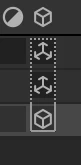
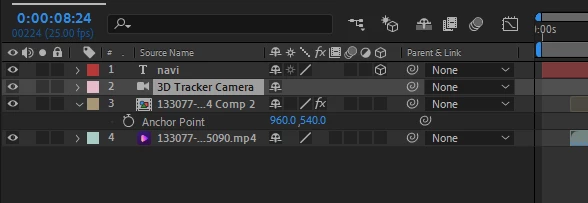
but i notice that everyone using this effect have a 3d option for 3d track camera layer at timeline i attached screen short of that but in my time line i cant have this option
and this is screenshort of my timeline
ples help me


 AdChoices