You can not make card dance layers 3D, but they simulate 3D. The card dance will not extend beyond the layer so your layers need to be the same size as the comp and not moved or scaled. You can fly a comp camera around inside the card dance effect.
To create a cube you will have to put your square layers inside their own comp and then nest the comps in the main comp and apply Card Dance to each of the nested comps. Unfortunately, the Comp camera is going to treat all of the layers equally so you will have to use Camera position for each of your layers so you can arrange them in 3D space to look like a cube. This means you will be limited in how you move the cards and what offsets you use to establish their starting state. The different layers will not interact with each other in 3D space. Particles from the bottom layer will never pass in front of the top layer. If everything is moving away from the center this may not be a problem. I guess the answer is that it is possible, but it is going to be very difficult to set up and will require more than one gradient layer to pull off.
I think you would be better off just going to a 3D app. Blender is open source and free and more than capable of doing what you want in a short amount of time. If you want to stay entirely inside AE then you'll need Element 3D or one of the other 3rd party effects packages that have the capability to create a cube and then break it apart.
Here's what it takes to get two sides to work.
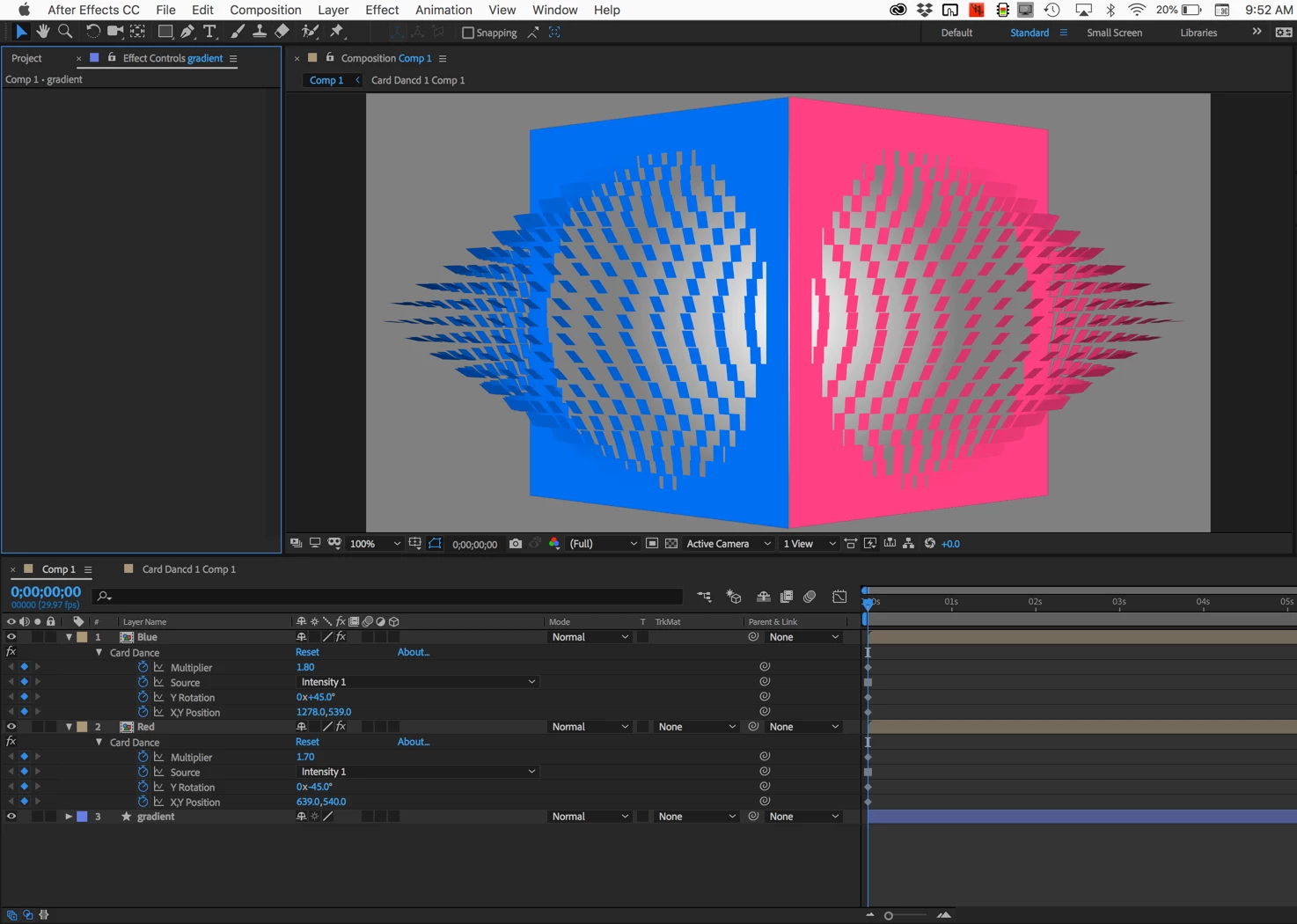
A 50% gray to white radial gradient filled shape layer, two square solids pre-composed and the same settings for z position and x rotation using the intensity of the gradient, then rotation and position for camera positioned to join the solids at the corner.
Now that I look at it it might be easier to do with Shatter.

 AdChoices