Known Participant
May 19, 2019
Answered

CC Force Motion Blur not working properly

  • May 19, 2019
  • 3 replies
  • 9347 views

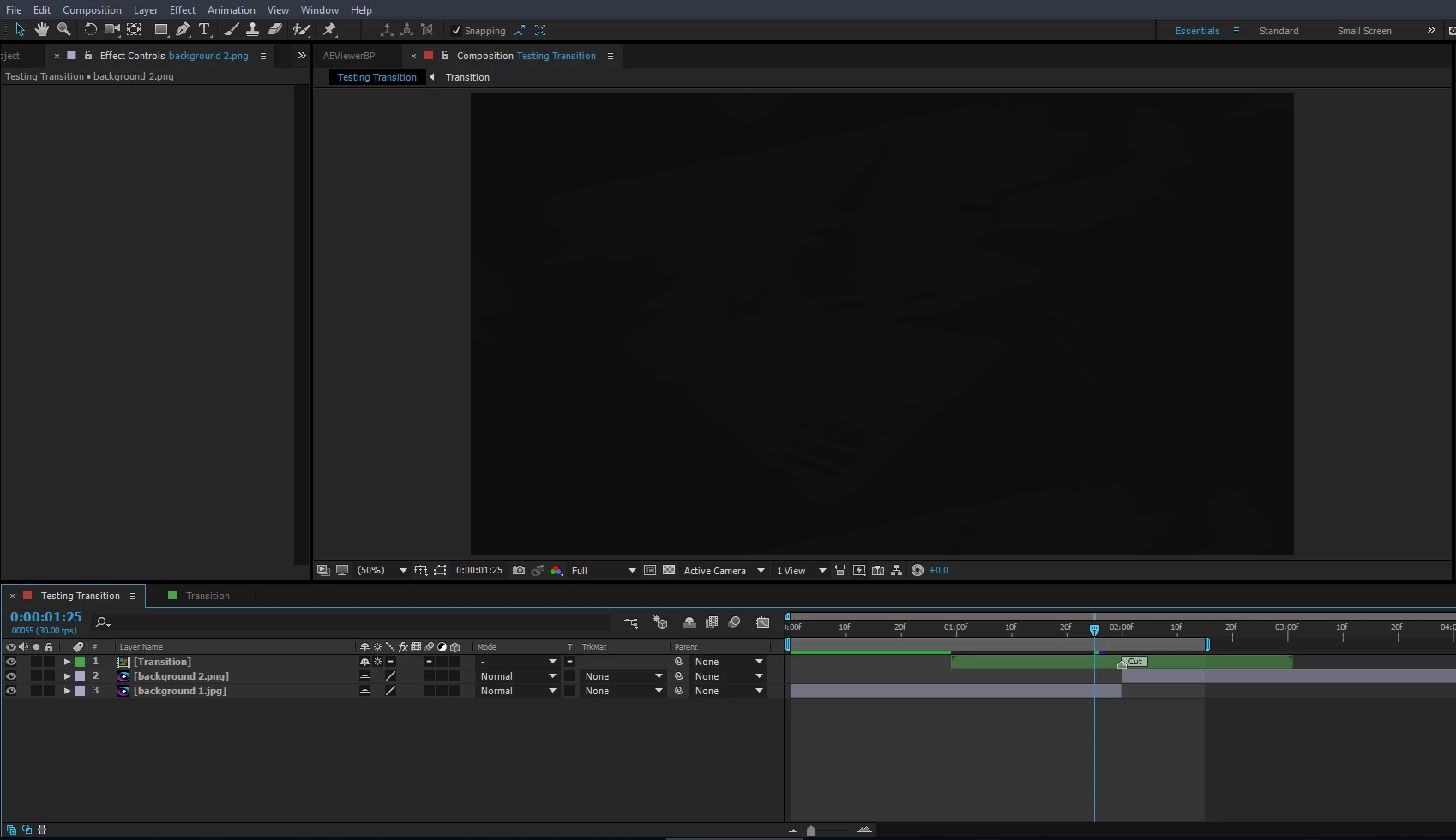
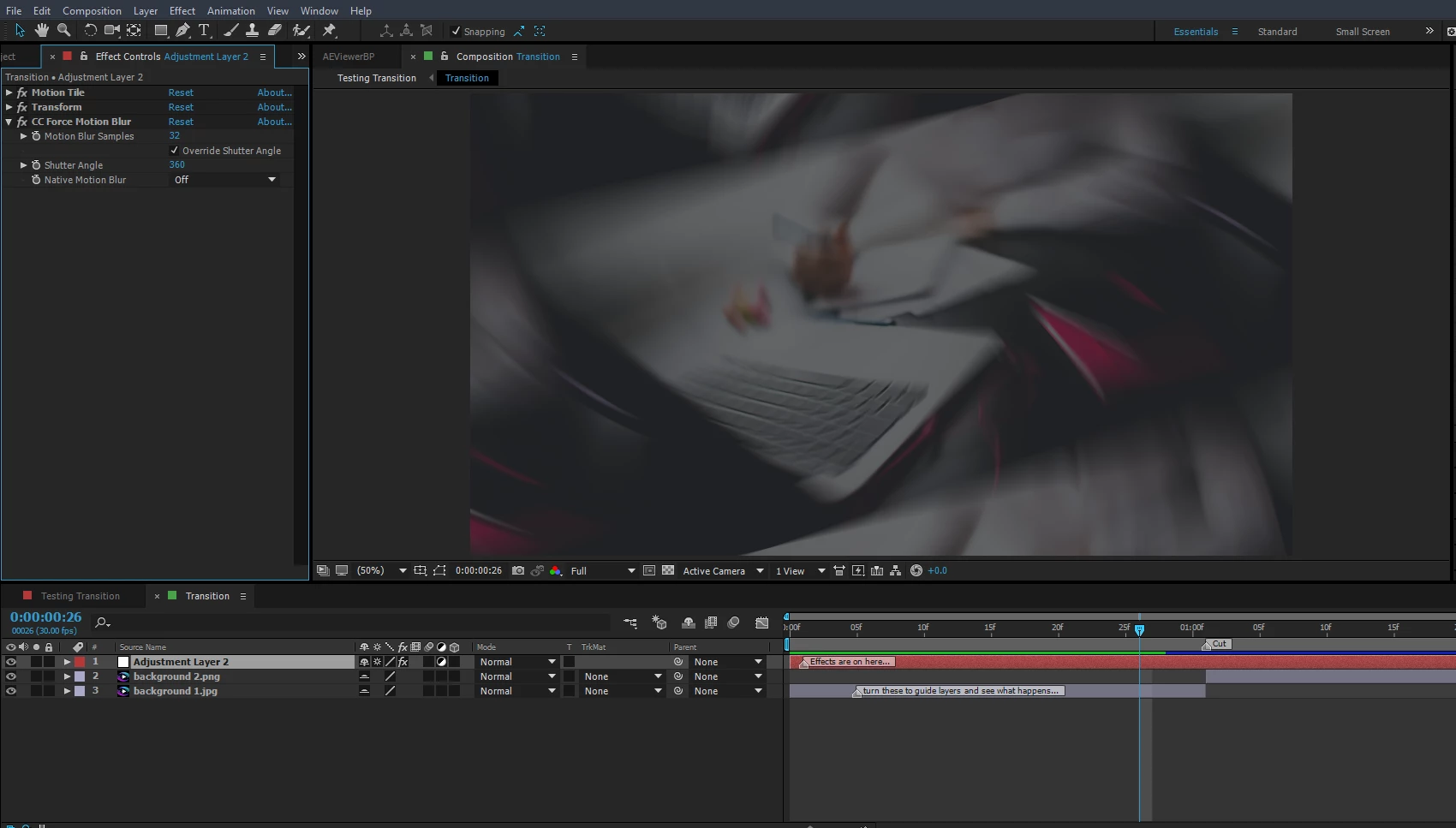
So like the title says I'm searching for some help with trying to get this motion blur to work. I'ts on an adjustment layer with keyframes. What I'm trying to create is

the zoom transition from Sam Kolder that's all over the net. It works inside the comp with the adjustment layer just fine... but when ever I try to use the transition in another comp, it darkens my footage or image. Almost like the contrast or something has been turned waaaay up. If anyone can help I'd greatly appreciate it. I've included the test file below made in AE 2015. Have been tested in AE 2015 and 2019 same results. Thanks

Screenshots:
Cant see anyway to upload a file here so Im posting a google link. I hope that's ok.

https://drive.google.com/open?id=1PEYhFMU6gQISSDE4c0I5qX-OeGr_sLwc
This topic has been closed for replies.
Correct answer OussK

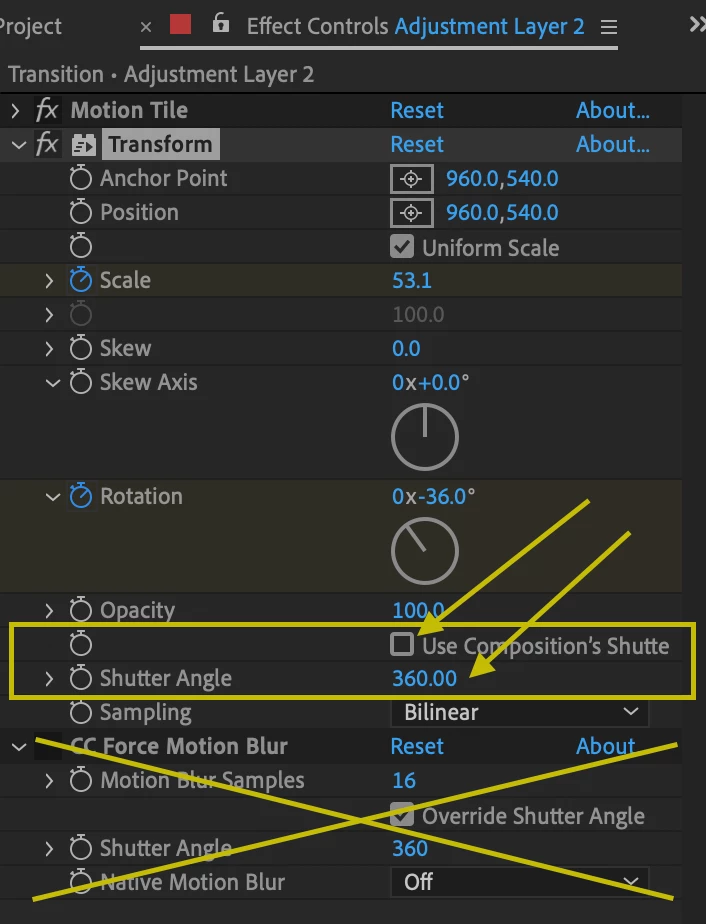
you don't need the CC force motion blur at all, just remove this effect and change the settings on your transform effects like the picture below, also this settings you will speed up your workflow a lot.

3 replies

Known Participant
May 21, 2019

Hey guys sorry for the delay in responding. Ive tried both methods and find OussK's way works better for what Im working on at the moment but I appreciate both of you taking time out to help me out. It definately renders much faster for true. I'll be incorporating this in my future works. Thanks and much appreciated.

OussK
Community Expert
OussKCommunity ExpertCorrect answer
Community Expert
May 19, 2019

you don't need the CC force motion blur at all, just remove this effect and change the settings on your transform effects like the picture below, also this settings you will speed up your workflow a lot.

Community Expert
May 19, 2019

OussK makes a good point. Turning on use composition shutter and enabling motion blur in the adjustment layer will work and it will render about a lot faster, but using just an adjustment layer in a pre-comp is a complete waste of time. Just create the animation preset and apply it to a new adjustment layer. This will also avoid the confusion you get when you collapse transformations on a nested comp and the option for turning on motion blur in the timeline changes to a -. I'm not sure it would always work.

Community Expert
May 19, 2019

Your workflow is incorrect. Both CC Force Motion Blur and Pixel motion blur need pixels to work on and you have no pixels in the pre-comp you are using as an adjustment layer.

The proper workflow would be to create an animation preset from the effects applied to your Adjustment Layer 2. Then all you have to do is create a new adjustment layer in a comp with two layers and apply the animation preset. That would get the job done in a single click.