Participant
September 5, 2023
Question

CC Libraries Resolution Issue

  • September 5, 2023
  • 4 replies
  • 463 views

Hello, I am trying to use CC Libaries in After Effects and am running into a resolution issue. Multiple Photoshop files in my libary import into after effects at very low resolutions. However the source for this libary is high resolution. When I important this same file into photoshop instead of after effects, it is also high resolution. The low resolution issue is only coming from After Effects.


An Example:
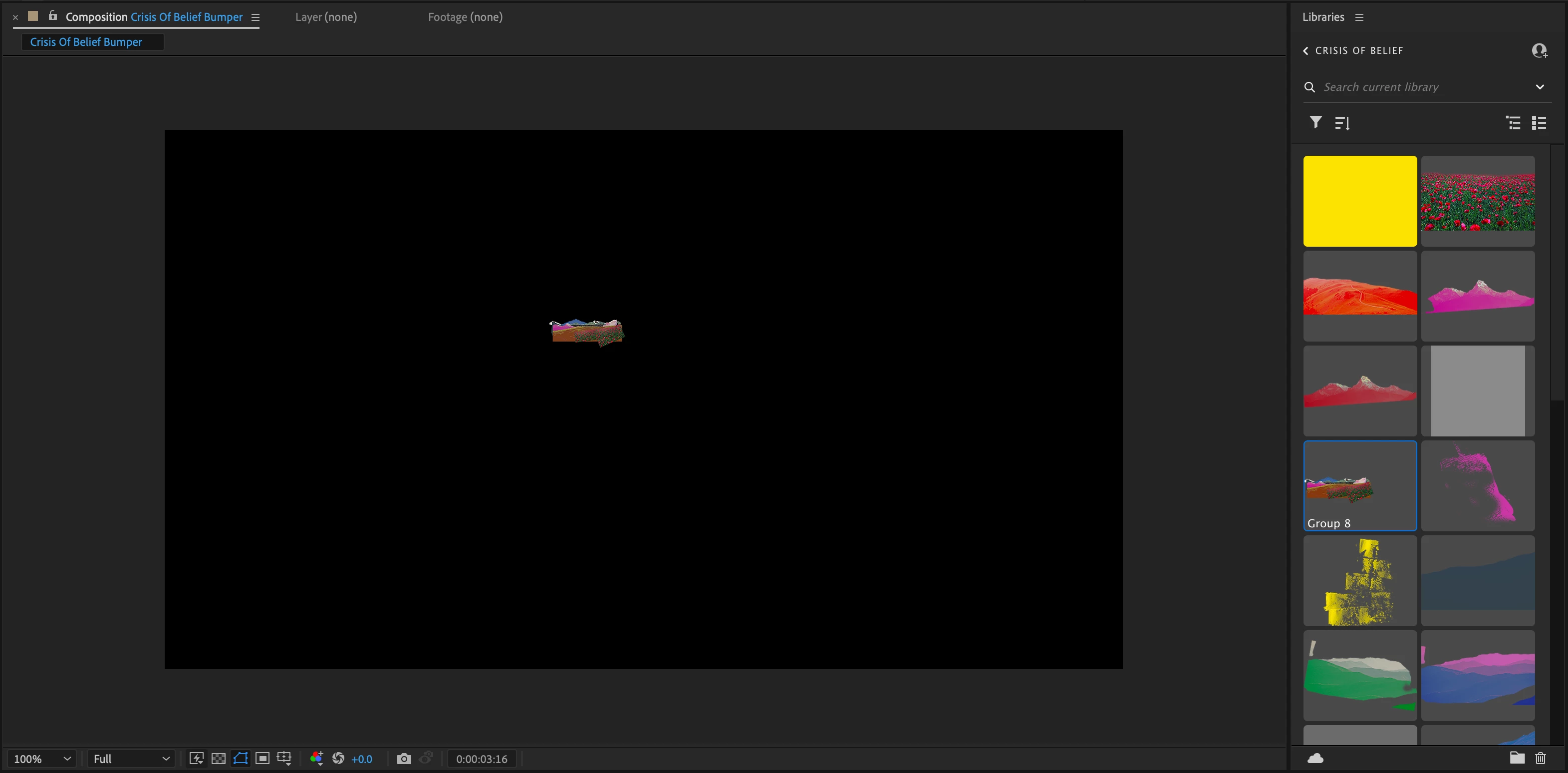


Any help is appricated! Thank you!

4 replies

Participating Frequently
June 4, 2025

This issue happens because After Effects often imports a low-resolution preview version of the file from the CC Libraries instead of the full-quality Photoshop file. To fix this, don’t drag the file directly from the Libraries panel into your composition. Instead, right-click the asset in the Libraries panel and choose “Add to Project.” This helps After Effects pull in a higher-quality version. However, the best solution is to avoid using the Libraries panel entirely for this and import the original Photoshop (.PSD) file directly into After Effects from your computer. This ensures that you get the full resolution and all the proper layer data. Also, make sure you're using the latest version of After Effects, since Adobe sometimes fixes these issues in updates.

nishu_kush
Legend
November 8, 2024

Could you let us know which versions of Photoshop and After Effects you’re using? I tried to reproduce the issue, but the resolution seems the same in After Effects. Is this happening with all your library items or just a specific graphic? Also, can you check if this issue occurs in any other apps besides After Effects?

Let us know, we’re here to help! 


Thanks,

Nishu

Participant
December 17, 2024

Hello, i have the same issue. I'm using AE 2025 and PS 2025. I noticed it happens when the file loaded from libraries is .png. No matter the original quality, the resolution in AE is drastically reduced. The .psd files seem working fine.

Participating Frequently
November 5, 2024

Has anyone found a solution to this other than going to Photoshop and saving it locally?


Community Expert
September 5, 2023

When you hover over the PSD file in the Library (hopefully, you are in the Library workspace), do you get a popup that gives you the dimensions of the file? I do.


Participant
September 5, 2023

Hey Rick! Thanks for the response. I don't get the dimesnsions, I do get a size. It gives me the file type and file size.


Another issue i've discovered is that font's will not sync either. 

And to add more claficiation these issues have only happened with this specific libary.