
CC Particle world help
Hello,
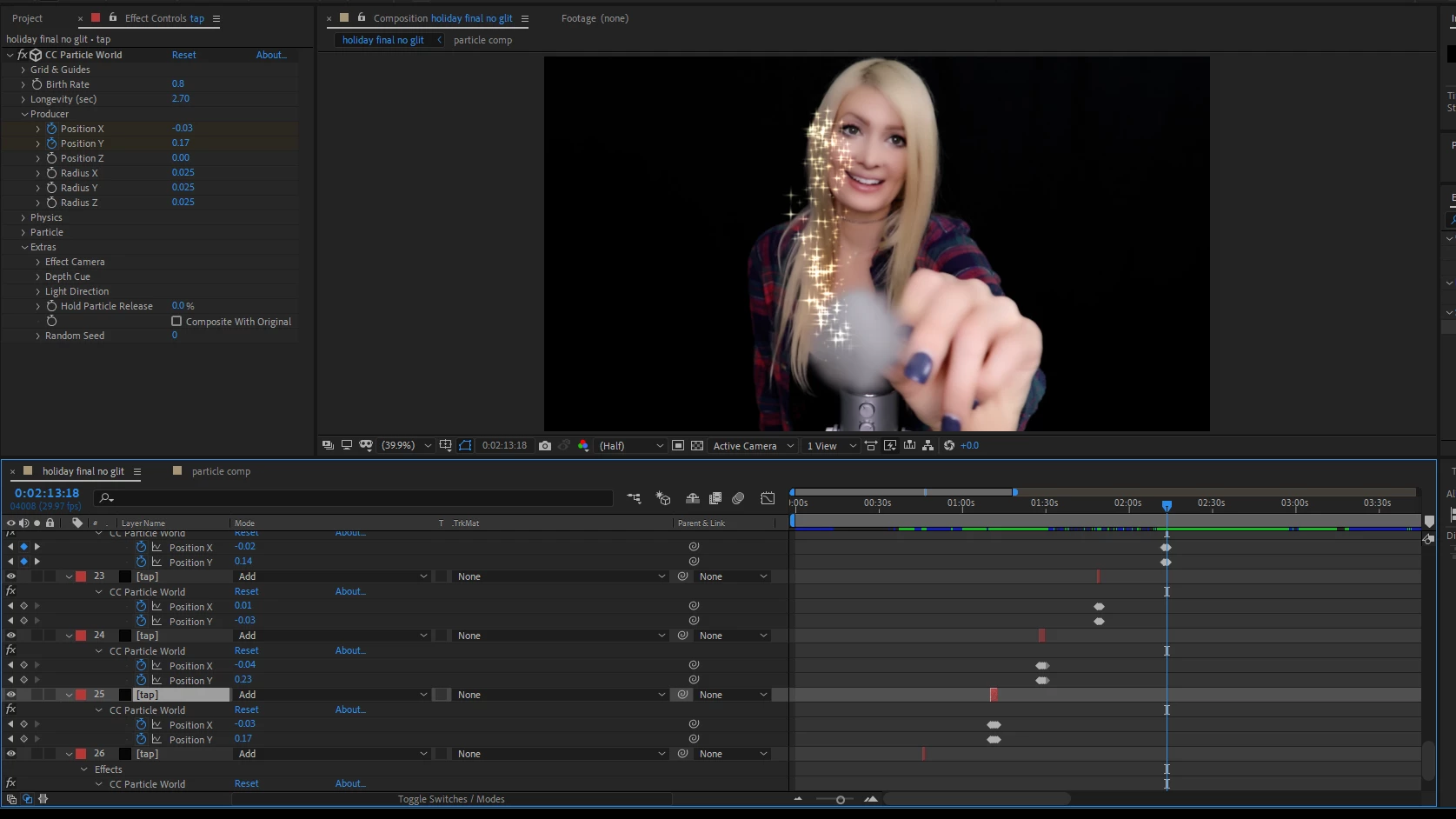
I'm have a video where the subject is waving a "wand" type object at the camera and I created a type of "pixie dust" with CC particle world to emit from the end of it. because I wanted to turn the pixie dust on and off on the wand, the only way I knew how to do it was make multiple layers for the particle world and just place them where I wanted the particles to start in the footage. I attached a screen shot so maybe it's easier to understand. I'm sure there is a way to do this with just one layer, but I did not know how to turn on and off the PW when I needed to. Anyway, the problem I have now is when I "shut off" the PW from the wand (by ending the layer at a certain moment), the pixie dust on the screen disappears immediately instead of continuing to the floor. I would like the wand to stop emitting, but whatever is in the air to continue to fall off the screen. I hope this makes senses. Thanks for any help! (In the image, the wand is being moved from top to bottom of the screen with the dust following...I need the dust to keep falling after the wand stops emitting)
 AdChoices