

olipowell
Participating Frequently
January 28, 2025
Question

Center 3D gizmo after effects

  • January 28, 2025
  • 1 reply
  • 248 views

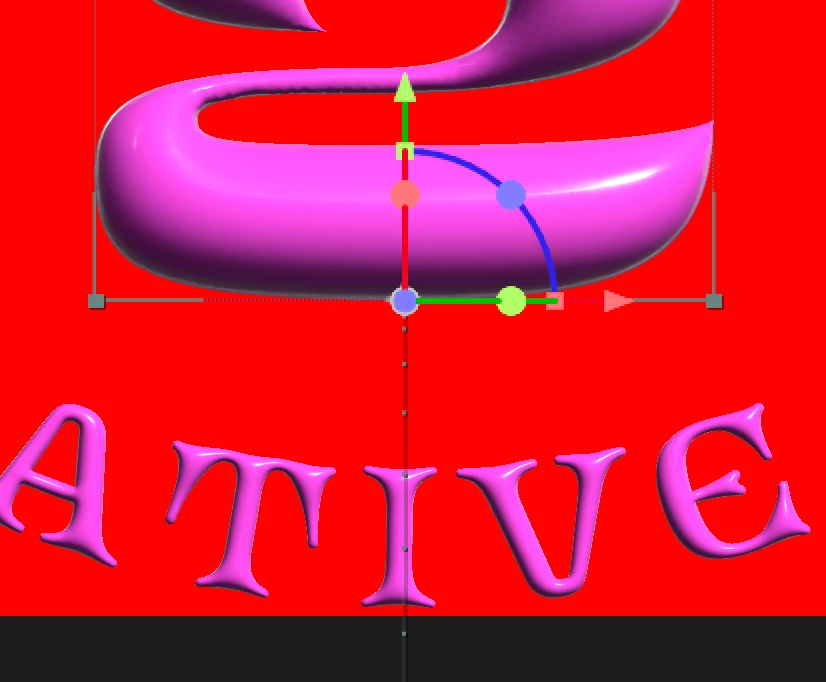
Does anyone know how to centre a 3D Gizmo? I've imported an OBJ from Dimension. All looks great, except the Gizmo on every 3D object seems to default to the bottom of an asset. It's centered in Dimension, and have tried Transform > Center Anchor Point, but nothing works.


Cheers
 

1 reply

Community Manager
January 28, 2025

You should be able to center the anchor point by holding ctrl/cmd and double clicking on the pan behind tool. Hope that helps!

olipowell
olipowellAuthor
Participating Frequently
January 28, 2025

Nope, that didn't work 😞 I'm using a Mac and AE 2025 if that makes a difference

Community Manager
January 28, 2025

With the anchor point tool selected you should be able to hold cmd and drag the central gray handle of the gizmo and have it snap to various points on the model's bounding box, including the center. That may be easer to do in a 3/4 view so you don't wind up snapping to the middle of the bounding box's front face instead of the center of the overall bounding box.