
Change color OR Change to color?
Using After Effects CS5 windows.
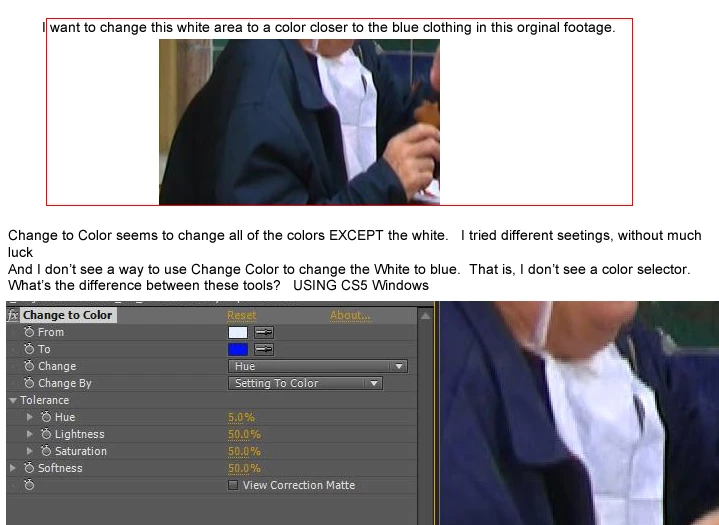
I am trying to change this white area to a color more matching the surrounding blue clothing.
Am not sure what would be the best tool to do this
Change to Color or Change Color.
But Change Color doesn't seem to have a place to change the color TO. At least I don't see a color picker to change the color to.... And I don't see a slider that will let me choose a color to change it too. (I'm sure it's staring at me in the face.)
In Change to Color, even though I use the eye dropper on the white area, and select the blue of the clothing as its replacement, I can't get just the white area to change to blue. (I even tried changing it to red, without any luck.)
Is white harder to change to a color than just changing a "real" color (I see these tutorials about chaning red roses to blue roses and it seems to work fine in the tutorials. But I'm having no luck with this white area.
Any suggestions?
Thanks!
Rowby
. 
 AdChoices