
Participant
August 14, 2024
Question

Change states on a single layer After Effects with slider control

  • August 14, 2024
  • 1 reply
  • 169 views

Hello everyone I've been working on this animation project where I have to change hands positions from one state to another, using toggle hold key frame I change the opacity from 100 % to 0% without going through all the scale to down to 0%. This way I can change the state position of the hand without animating each finger by itself as it will be time-consuming and in practical terms, speed up the process, and I was wondering if there is any way I can link each state to a slider control con I can animate this steps back and forward with the slider from 1 to 2, where 1 is the first state and 2, the second one. I don't know if I explain myself correctly (I Hope I do) thank you in advance and any suggestion is welcome.
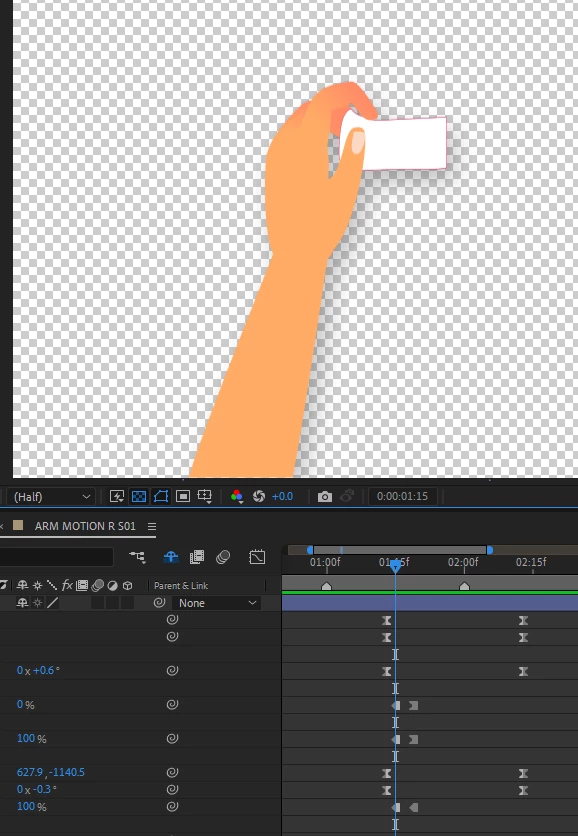
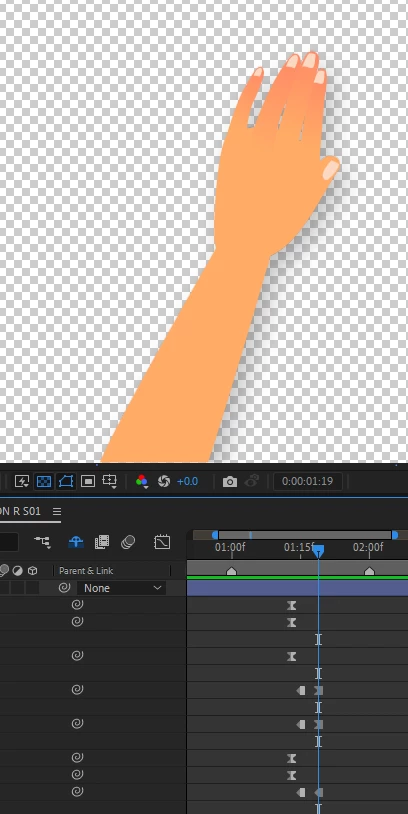


This topic has been closed for replies.

1 reply

Community Expert
August 14, 2024

You can set up a checkbox control or a dropdown menu to control opacity with a simple if statement. To give you specifics, I need to know what combinations of visible fingers you want to display. If you wanted to have menu item one display only the first finger, then the expression would simply say if (menu == 1) 100: else 0, and the expression for all other fingers would say if (menu == 1) 0; else 100.


That code is greatly simplified and won't work, but you get the idea. Stack some expressions up, and you could have menu item 1 display only the index finger, menu item 2 display the first two fingers, menu item 3 display the first three fingers, and so on. 


For specifics, please accurately describe your design goals and the combinations of fingers you want displayed.