Participant
December 5, 2017
Answered

Change static background layer possible?

  • December 5, 2017
  • 1 reply
  • 496 views

Hi all,

I'm using AE to make a gif where I'm animating some text from an imported Photoshop file that has a static background layer and some text layers. What I'd like to know is, if I need to edit the background layer, is it possible to add in the change while still keeping the text animations I did? Or will I have to always re-import the Photoshop file and redo the animations any time I make a change to the background?
This topic has been closed for replies.
Correct answer Rick Gerard

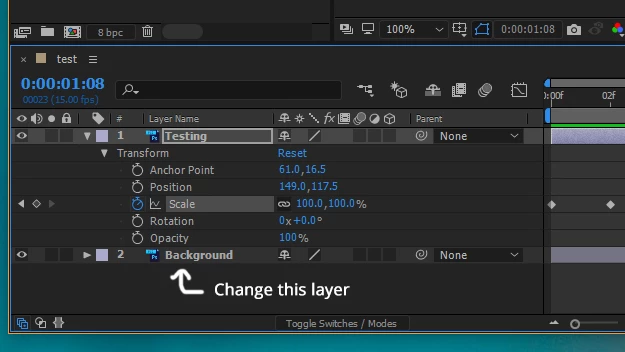
You can replace any layer in the timeline except a text or shape layer with any asset in the Project Panel by selecting the layer you want to change in the timeline, then select the replacement layer in the Project panel and hold down the Alt/option key while dragging to the timeline. Then release and the layer is replaced. 

1 reply

Dave_LaRonde
Inspiring
December 5, 2017

How did you import it -- as a Photoshop file or as an AE comp?

xashuxAuthor
Participant
December 5, 2017

Sorry I'm new to AE so I'm not sure? To import, I did File->Import File and then after selecting my PSD I selected "Import Kind: Composition - Retain Layer Sizes" and checked Editable Layer Styles.

Rick GerardCommunity ExpertCorrect answer
Community Expert
December 5, 2017

You can replace any layer in the timeline except a text or shape layer with any asset in the Project Panel by selecting the layer you want to change in the timeline, then select the replacement layer in the Project panel and hold down the Alt/option key while dragging to the timeline. Then release and the layer is replaced.