Known Participant
August 18, 2017
Answered

Changing options help!

  • August 18, 2017
  • 1 reply
  • 358 views

Hello everyone,

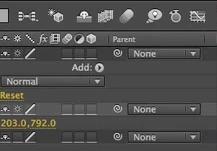
I am wanting to add some motion blur to some text and on the left image you can see that I have selected the blur icon (in blue, second from the right at the top).

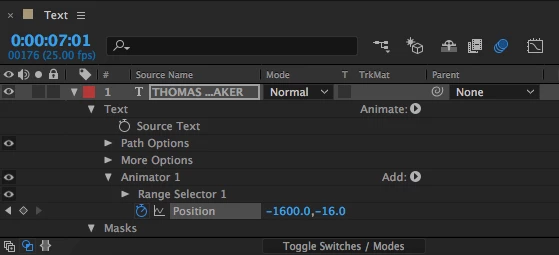
However, to make it work on Layer 1 I need to select it in a box you can see in the right image. However, I do not have these boxes on display, how can I get them?

Many thanks,

Thomas
    This topic has been closed for replies.
    Correct answer David Arbor

    At the bottom of the left screenshot, click the button that says "Toggle Switches/Modes" (KB shortcut is F4). Right now you're showing blend modes, if you click the button then you'll see the layer switches.

    1 reply

    David ArborCorrect answer
    Inspiring
    August 18, 2017

    At the bottom of the left screenshot, click the button that says "Toggle Switches/Modes" (KB shortcut is F4). Right now you're showing blend modes, if you click the button then you'll see the layer switches.

    Known Participant
    August 18, 2017

    Haha it was THAT easy!!

    Thanks so much, have a nice day!

    Cheers,

    Thomas