
Known Participant
January 31, 2017
Answered

Changing Random Seed of Block Dissolve?

  • January 31, 2017
  • 2 replies
  • 2814 views

Hey guys,

So I am having to iterate 12 different Full Frame cards for game being played on TV... it's a face reveal game, and for what they want the Block Dissolve is perfect, but it can't be the same order every time.  Is there a way to change the random value?  I'm not finding anything in the settings, but perhaps via expression?

Of course, I could build this out by hand but it should be quite time consuming and not as procedural as I'd ideally prefer.

Thanks

- Willie
    This topic has been closed for replies.
    Correct answer Roei Tzoref

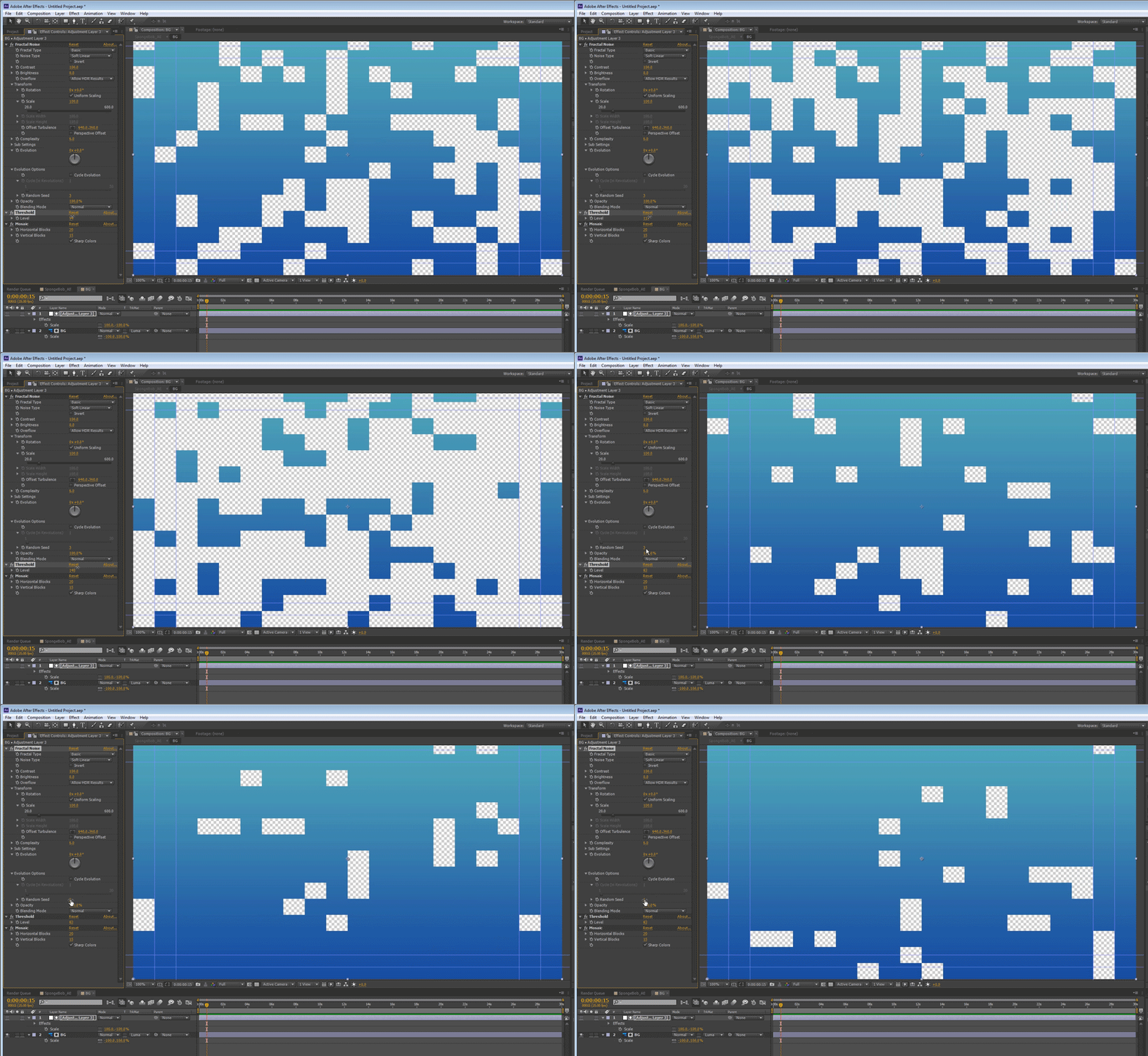
    Create your own block dissolve transition.

    one way to do it is:

    use a white solid

    1. Fractal noise (default settings will do just fine)

    2. Threshold (you will be animating this parameter)

    3. Mosaic - set it to "sharp colors" and set your prefered blocked size.

    now you can animate the Threshold effect from 0 to 255 (give and take) and if you want a random seed you can have one in fractal noise under evolution. this white solid will be your Luma matte. place it above your layer and use this as your track matte.

    2 replies

    Known Participant
    January 31, 2017

    Brilliant, that's EXACTLY what I need.  Pints on me next time you're in LA.

    Cheers

    - Willie

    Roei Tzoref
    Legend
    January 31, 2017

    You're welcome, Willie   greetings from Tel Aviv.

    Known Participant
    January 31, 2017

    Ok - follow up question, everything is great with this, but the speed at which the blocks vanish is kind of all over the place... any way to make it a bit more steady?

    For example, say I want a block to vanish exactly every 15 frames (0.5 sec at 30fps)...

    Thanks

    - Willie

    Roei Tzoref
    Roei TzorefCorrect answer
    Legend
    January 31, 2017

    Create your own block dissolve transition.

    one way to do it is:

    use a white solid

    1. Fractal noise (default settings will do just fine)

    2. Threshold (you will be animating this parameter)

    3. Mosaic - set it to "sharp colors" and set your prefered blocked size.

    now you can animate the Threshold effect from 0 to 255 (give and take) and if you want a random seed you can have one in fractal noise under evolution. this white solid will be your Luma matte. place it above your layer and use this as your track matte.