
Participant
July 13, 2022
Question

Changing the size of PNG canvas

  • July 13, 2022
  • 3 replies
  • 646 views

Hi everybody, 


I'm working on  a composition here and I can't find any solution to my problem here, so I'll give this forum a try.

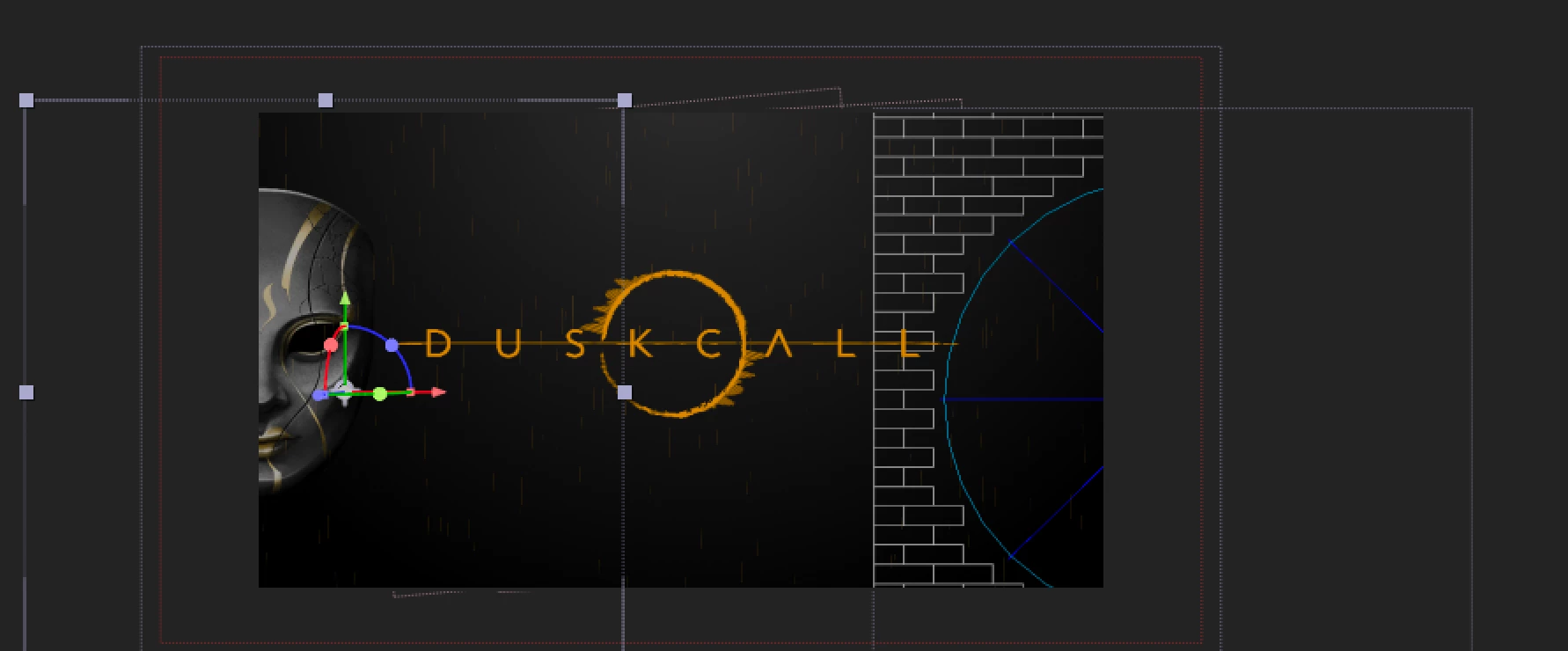
Basically, I imported a PNG in my comp, the Venitian Mask you can see in the picture below.

I want it to explode via Shatter effect, all over the comp.

But at the moment, I can't resize the "canvas" (I don't know the technical term for this).

If I apply the Shatter effect, it will be "restrained" within the "blue square" around the shape, but I just can change it (yet, hope you guys have an idea).


We can actually see this on the right, I apply shatter on another Venitian Mask, it does not allow me to send pieces of the mask flying accross the whole comp.

How should I proceed? I would like to apply the Shatter to the mask only, and if possible only one at a time...


Thanks in advance for your help, 

a desperate noob
This topic has been closed for replies.

3 replies

Community Expert
July 13, 2022

Just Pre-compose the layer before you apply Shatter. You can gain even more control if you add a Camera to the timeline and then choose Comp Camera in Shatter.

Mylenium
Legend
July 13, 2022

Pre-compose the image to a large enough composition matching your output comp with the mask already placed properly at the left side. The Shatter effect is very specicfic so I would advise against any of the stuff sugessted by @Jqke . It's only going to cause more problems.


Mylenium

Jqke
Legend
July 13, 2022

Grow Bounds effect might work for that. Just apply it above all your other effects and increase the pixels. Sometimes that doesn't work though. If not, you might have to import it into Photoshop, go to Image > Canvas Size (Alt + Ctrl + C) and type in a value that is much larger than previously set. So for example, if your image is in 1024x1024, increase it to 3072x3072 just to be safe (you could test around with 2048x2048, or other 1:1 ratios)

~Jake