
Inspiring
May 24, 2024
Question

Cinema 4D Keeps installing on After Effects Updates

  • May 24, 2024
  • 3 replies
  • 1983 views

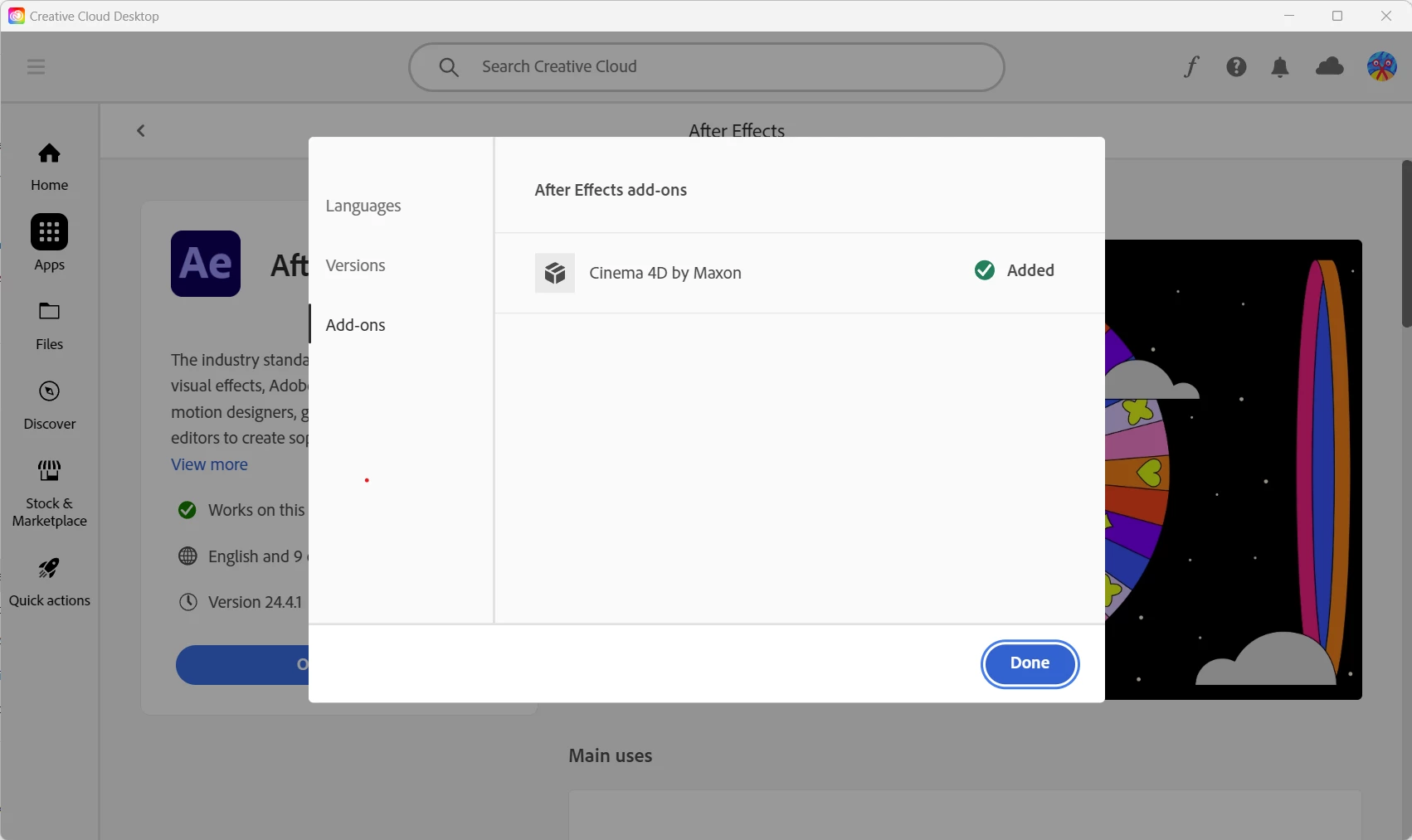
I'm on Creative Cloud 24 and I can't stop Cinema 4D from installing whenever After Effects is updated. Cinema 4D by Maxon is checked as Added in the Add-ons tab and I there is no way to uncheck it. I just updated to AE version 24.4.1 and, of course, Cinema 4D installed. I use Blender and do NOT WANT TO INSTALL Cinema 4D every time After Effects updates. Initially, I had Cinema 4D not selected in the Add-ons, but somehow it changed to Added somewhere along the way.

How can I permanently disable the installation of Cinema 4D and turn off the Added in the Add-on tab? I never want to see Cinema 4D installed again!
 

3 replies

Participant
December 13, 2024

but everytime creative cloud updates after effects it defaults back and installs c4d again.

Inspiring
June 7, 2024

Bump! Can an Adobe Employee answer this question for me? I have an After Effects 24.4.1 update available but won't install it until I know that I can install AE without Cinema 4D.

Participant
June 19, 2024

Hello there! I also encountered the same problem as you, and I found a way to solve it. The solution is to uninstall After Effects and then reinstall it. This way, you will have the option to choose whether or not to install Cinema 4D along with it.

Inspiring
May 28, 2024

Okay, the “Correct Answer” in other posts leads to:

-------------------------------------------------

Cinema 4D optional installer

Now After Effects offers you the flexibility to choose add-ons during installation. Use the Add-ons option during After Effects installation to either download Cinema 4D or skip it. You always have the option to install it using the Creative Cloud application whenever required.

--------------------------------------------

But how do you deactivate the Added button? Once it's highlighted as “Added”, there is no way to deactivate the button.

Inspiring
June 1, 2024

Bump. Perhaps someone from Adobe can address this issue for me.