
Inspiring
May 3, 2023
Question

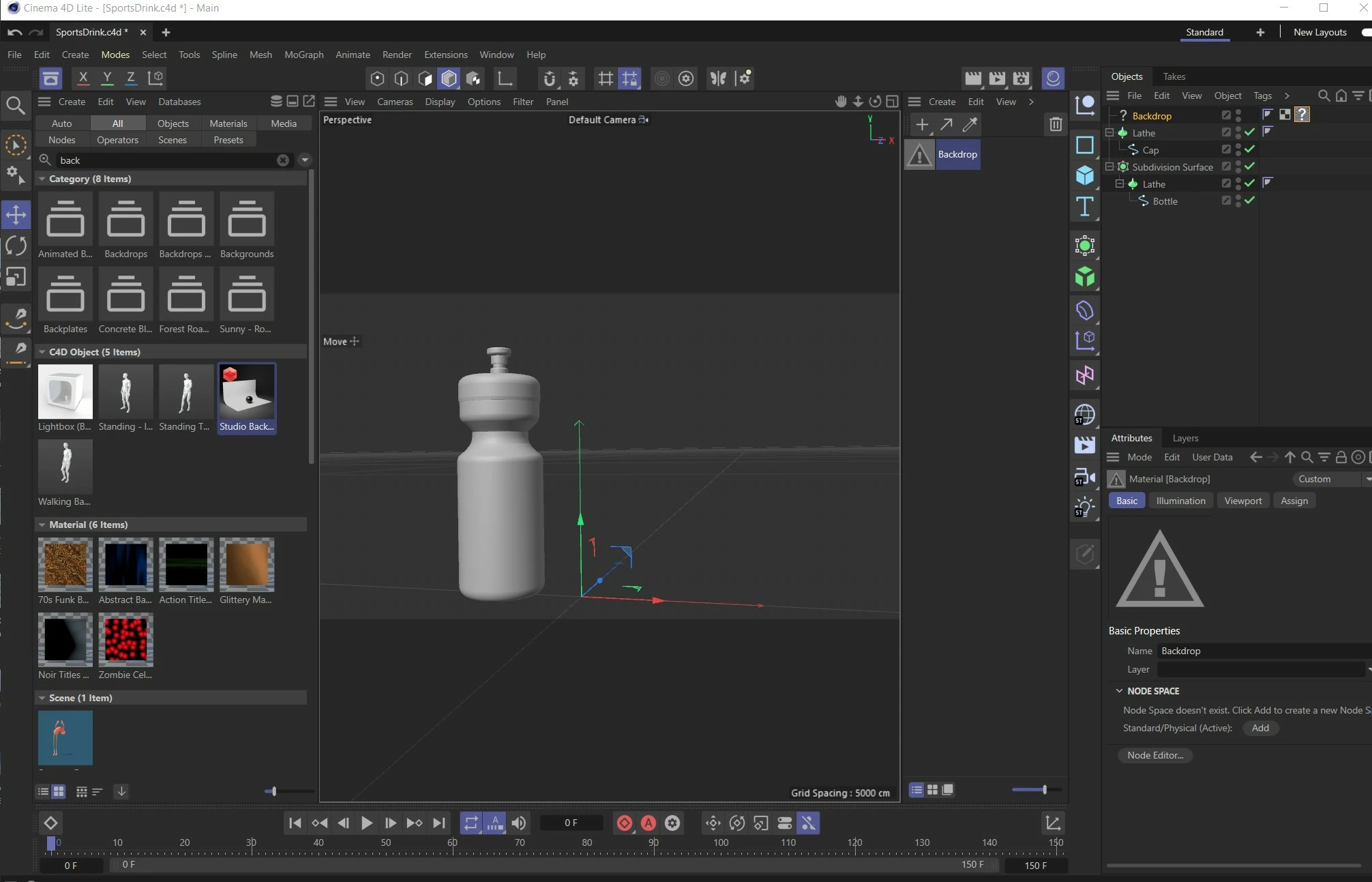
Cinema 4D lite has question mark in object manager

  • May 3, 2023
  • 1 reply
  • 1200 views

Hi,

In Cinema 4D lite, I can't get a studio backdrop to be visible.  I double-click it in the presets library but all it get is axes arrows.  The thumbnail for it has a red geometric shape in the presets library and in the object manager there is a question mark.  Seems to be something wrong with the texture.  The texture seems to want a node space.  I tried make a default texture for it, but still not visible.  See attached JPG.  Can anybody help? 
This topic has been closed for replies.

1 reply

Inspiring
May 5, 2023

The reason the material is showing up with a question mark is because it's a Redshift material (that's what the Red symbol indicates) and you're scene is using the Standard renderer. I'm not sure if Redshift is available in C4D Lite, although, it might be since Redshift CPU is now included in C4D. 

Go to Edit > Edit Render Settings (Ctrl+B) to see what the Renderer is set to at the top-left. 

You likely just need to create a new material using the Standard material and drop it on top of the tag with the question mark to replace.

That aside, do you even see the backdrop in your scene? That object also has a question mark and I believe it's because it's a new node-based asset. You might not be able to use that asset in C4D Lite.

ZafferAuthor
Inspiring
May 8, 2023

Thanks David,

I am following a tutorial book, "After Effects and Cinema 4D Lite" which was published in 2014, so more than a little out of date.  I just did a work-around by downloading a 3D studio backdrop object.  Thanks for your help.

Zaffer

Inspiring
May 8, 2023

You're welcome. And yeah, good idea. It's tough to follow old tutorials and books with how quickly software advances, especially now that C4D has an updated interface. 


The Maxon Training Team's YouTube channel has a series of four C4D Lite webinars from Jan. 2022. These use the updated interface and might be a better, more modern way of getting started. Here's a link to part 1: https://www.youtube.com/watch?v=IrXuAkrBQUg&t=810s